Beyond Basic Elementor Visibility
Soplay_arrowSimple!
Elementor Dynamic Visibillity Set-up
Powerful Conditions at Your Fingertips
Campaigns & Marketing
- UTM Parameters
- Referral Source
- Google Ads
- Page URL & Post Category
- Cookie / Session
Date & Time
- Start & End Date
- Schedule
- Day of the Month
Visitor Behavior
- Audience-based Content
- New & Returning Visitors
- Pages Visited
- User Role
- Device Type
Geolocation
- Country, State, City, Continent
- User Timezone
WooCommerce
- Location-based products
- Cart-based Conditions
- Purchase-based Conditions
- Inventory-based Conditions
- Upsells & Cross-sells
Intergrations
- LearnDash
- AffiliateWP
- MemberPress
View All Conditions

Built for Marketers & Agencies
Everything you need to run personalized campaigns, test variations, and deliver location-based experiences.

Cache-Safe & Lightweight
Personalization runs via AJAX after the cached page loads so you get full speed and full flexibility.

Simple & Fast set-up
Apply conditions to any Elementor section, column, or widget with a few clicks.
No credit card required · Works with Elementor Free · Set up in minutes
Extra Tools for Smarter Personalization
Unlike other dynamic content for Elementor plugins that merely “hide” content, If-So delivers
More Than Just Elementor Dynamic Visibility

Conditional Pop-ups
Trigger targeted messages at the perfect moment based on visitor behavior.

A/B Testing
Compare content variations to see what performs best.

Audience Segmentation
Group visitors into target audiences to deliver tailored experiences.

WooCommerce Geotargeting
Show or hide products, variations, and prices based on visitor location.

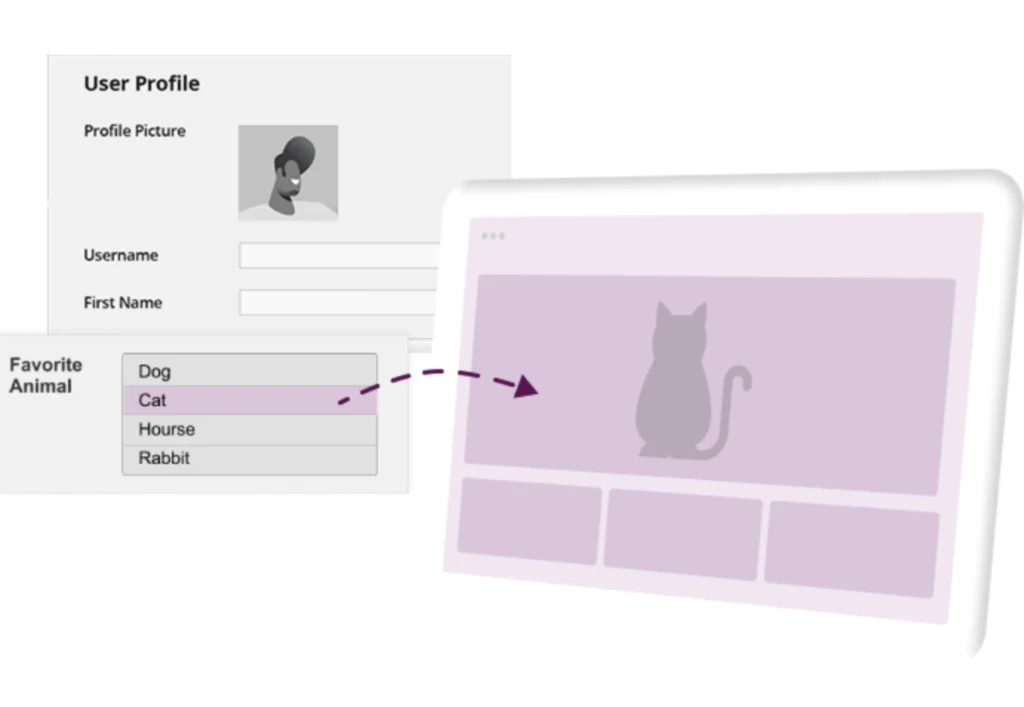
Visitor Self-Segmentation
Let visitors select their interests to instantly unlock tailored content.

Conditional CSS
Inject dynamic CSS to alter your site’s design based on visitor conditions.

Dynamic Menus
Display completely different navigation menus depending on who is browsing.

Custom Profile Fields
Use logged-in user data to show personalized content based on profile fields.

Smart Redirects
Route visitors to the most relevant landing pages using targeting logic.
See Personalization in Action
See how our targeting engine changes a page instantly for different visitors.
Click below to view 7 live examples and see the exact settings used to trigger them.
 Live Example: Explore 7 Live Interactive Examples →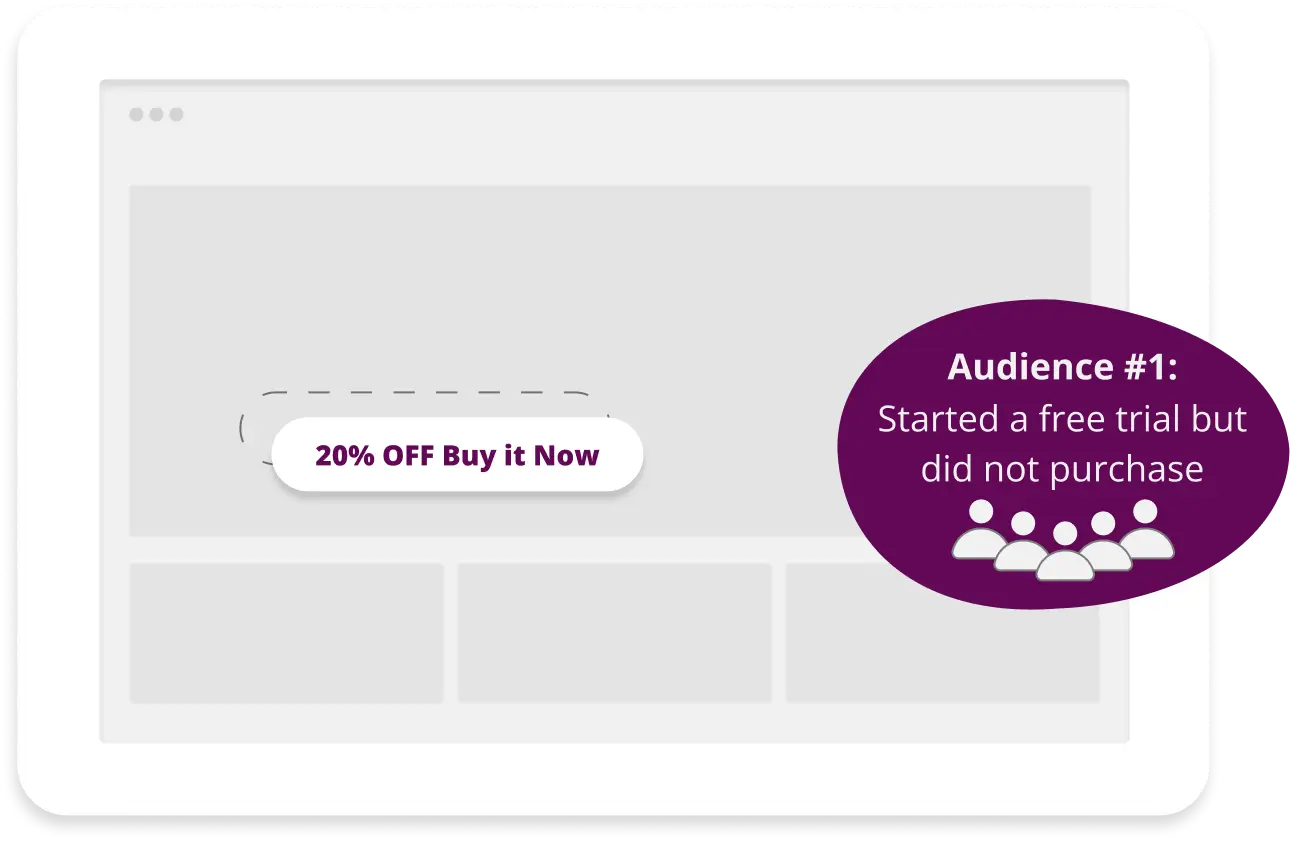
Audience-Based Content
Group your visitors into audiences and deliver a consistent, personalized experience across your entire site
- Define audiences based on any condition or combination of conditions
- Consistent experience across all pages
- Let visitors select their specific interests
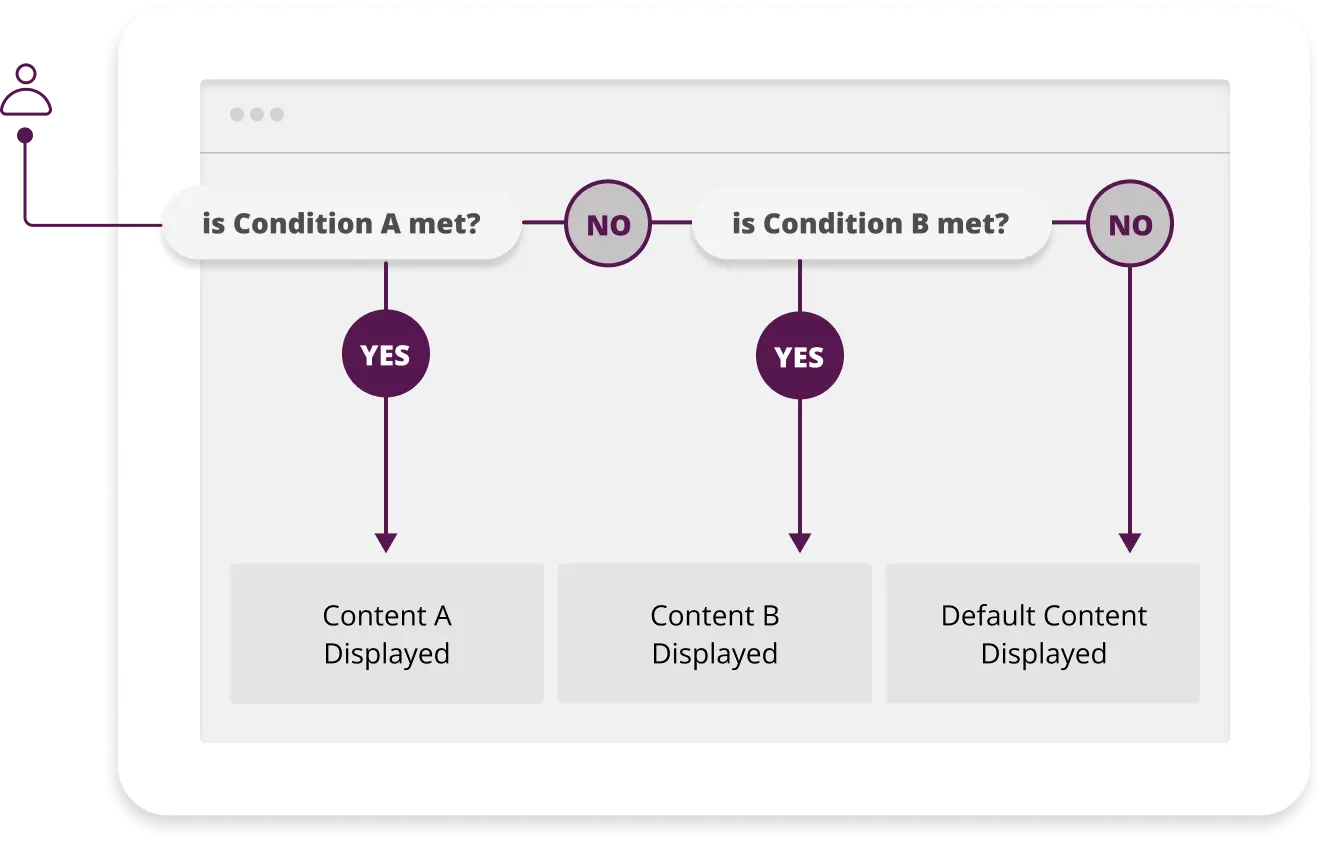
Advanced Logic
Combine multiple conditions with flexible AND/OR rules to deliver hyper-targeted content variations for every visitor profile
- Combine multiple conditions with AND/OR logic
- Define multiple content versions per element
- Apply complex logic across your entire site

Deep WooCommerce Integration for Smarter Stores
Show different content, prices, and products based on who your visitor is,
where they’re located, and how they interact with your store.
Localized Pricing and Products
- Show or hide products based on the visitor location
- Apply localized pricing or currency
- Highlight local promotions
Cart-based conditions
- Product in cart
- Product category in cart
- Number of items in cart
- Value of items in cart
Purchase-based conditions
- Product purchased
- Product category purchased
- Total spent
- Number of orders
- Average order value
- Product last purchase date
An All-in-one Geotargeting Solution
- Premium IP-to-location database
- HTML5 Geolocation API
- Location-based redirects
- Target users by country, state, city and timezone
- User location selection
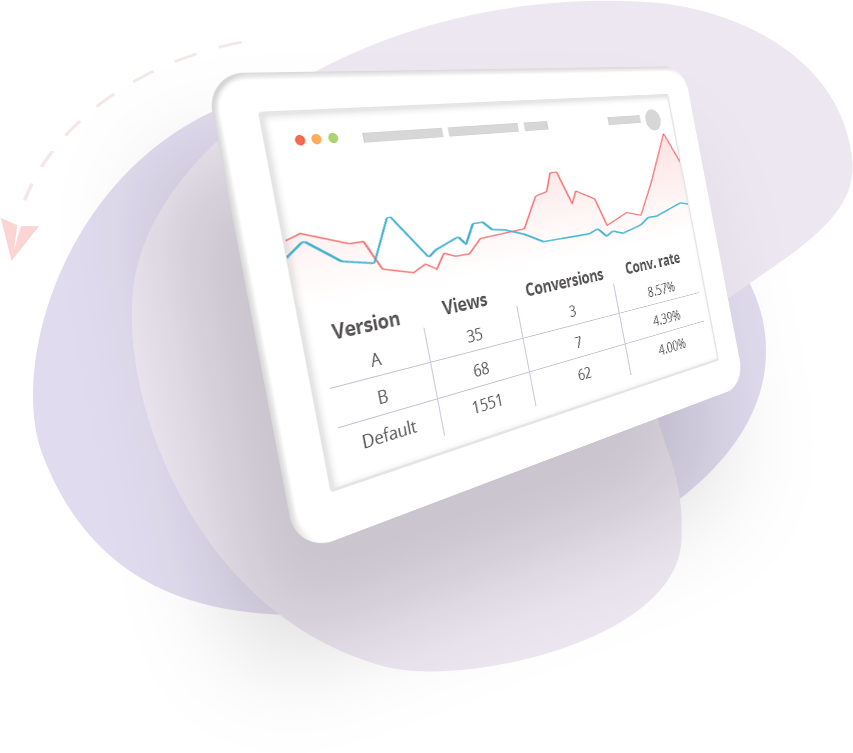
A/B Testing & Built-In Analytics
Stop Guessing. Start Converting.
Effortlessly split-test layouts, headlines, and call-to-actions right inside Elementor to discover exactly what makes your visitors buy.
Custom User Profile Fields
Target content based on actual data collected from your logged-in users, whether from a form they filled out, pages they visited, or actions they took on your site.
- Display content based on any custom field in the user’s WordPress profile
- Collect data via forms, page visits, query strings, or manual assignment
- Ideal for membership sites, e-learning platforms, and personalized dashboards
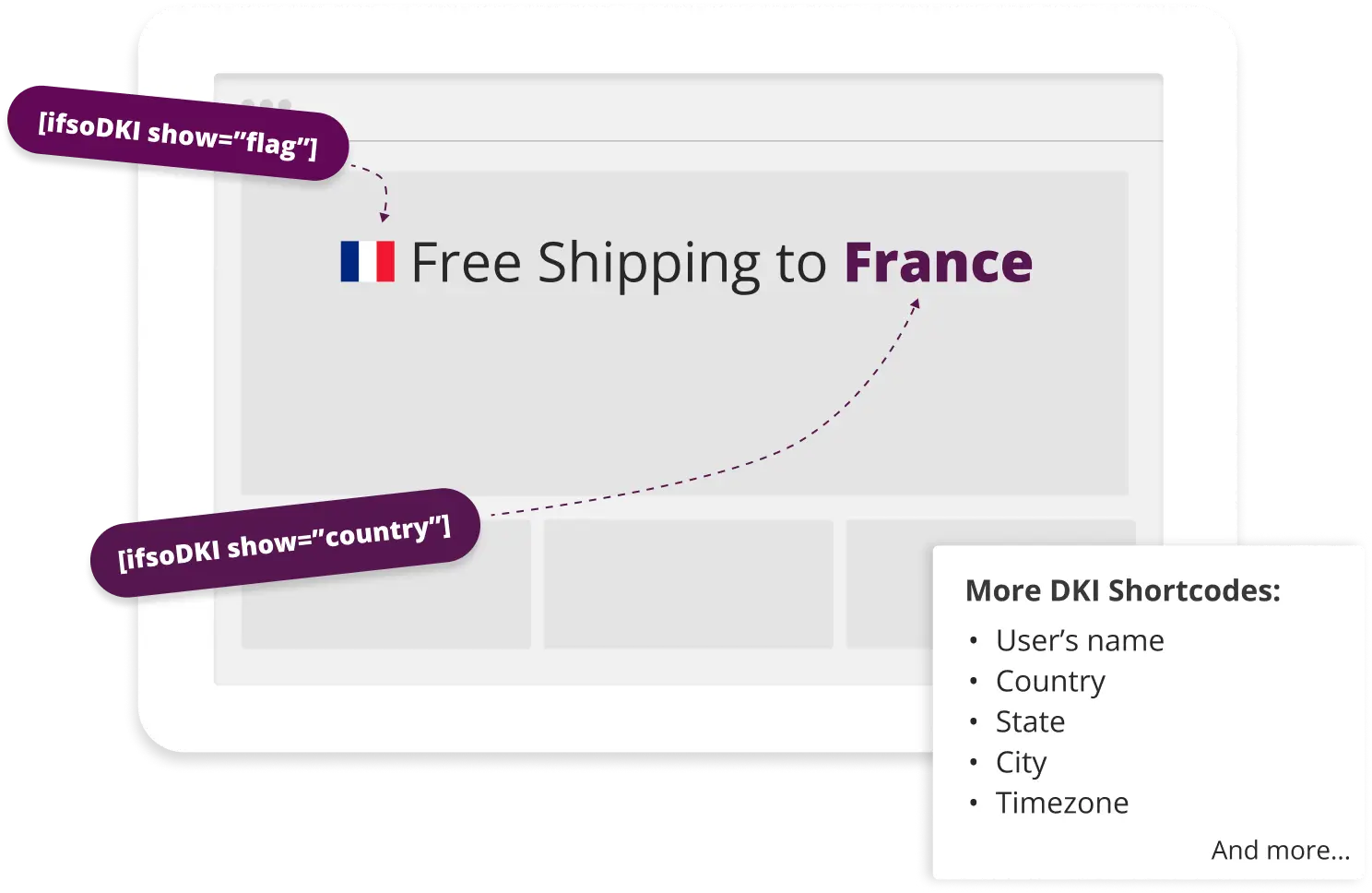
Dynamic Keyword Insertion
Insert dynamic values into your web pages using simple shortcodes.
- The user’s location: country, state, city, or continent
- A value of a query string parameter
- The user name
- An event time – calculated according to the user time zone
And more…
Trusted by thousands in