
A Geotargeting WP plugin that has it all
Rest assured
You found the right geotargeting WP solution
Built around what matters most: fast setup, maximum flexibility, and accurate geotargeting you can rely on.

Accurate Location Data
Premium IP-to-location database included – even on the free plan.

Caching-Friendly
Fully compatible with popular WordPress caching plugins.

Address-Level Precision
HTML5 Geolocation API for pinpoint accuracy beyond IP targeting.

No Code. No Setup.
Premium IP-to-location database included – even on the free plan.


All-in-one solution
Suits any WordPress Geotargeting use case
Add or replace any content on your site according to the user’s location – Continent, country, stae, city, or timezone. This includes text, titles, images, and even menu items.
Check out these examples and more…
Slider Test (WebM + One Live Example Slide)
Geo Redirect
Page-level or site-wide location-based redirects

Geo Pop-Ups
Show targeted messages on page load or exit intent
Geo Base-content
Add or replace content based on the user’s location

Geo-Based Woo Products
Show or hide WooCommerce products and pricing by location
Select Your Country
Self-Location Selection
Provide a country selector for manual location selection
People in United Stateslove If-So!
Geo DKI
Display the user’s country name with a shortcode

Geo Menus
Add or replace menu items by country, state, or city

Country Block
Restrict access to your site or specific pages by country
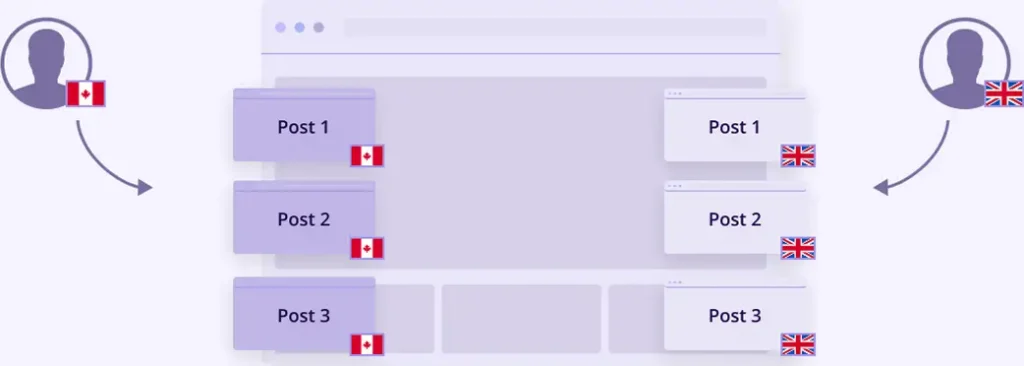
Geo Posts
Manage post category visibility by location
So▸Simple
Set it up in less than 1 minute
You don’t need to make any changes to your site to start using If-So!
No coding, no setup, works with any WordPress page builder.
(1) Create a conditional trigger (2) Select locations and set the content (3) Add it to your site with a shortcode.
(1) Select an element (2) Define the geotargeting locations
(1) Select a block (2) Define the geotargeting locations
Try it out on your site
Start for free
All features included
Upgrade anytime
Optimized session counting
- To save your credits, we cache the user’s location for the duration of their visit. A session is counted only once per visit – not on every page load.
- Sessions are initiated only when a user visits a page utilizing our Geotargeting WP service.


Maximum Accuracy
Accuracy Matters: A built-in Geolocation API detection option gets you covered
There are two main ways to detect a user’s location: IP-to-location and Geolocation API (also known as ‘Browser API’ and ‘Geolocation HTML5’) – If-So offers both.
Each option has its advantages, combine them for maximum flexibility and accuracy:
IP-to-location: Detects a user’s location from their IP address. We use a premium database for the best possible results. IP-based location might become tricky at the city level.
Geolocation API: Offers the highest accuracy by getting the user’s explicit consent to share their location. Dynamic content is then tailored using the HTML5 browser API.
Combine both methods
- When the user first visits a page with geotargeted content, we’ll use their IP for an initial location estimate.
- A clear notification will ask users for permission to share their precise location.
- If they agree, the page refreshes automatically, and content is displayed based on their exact location using the Geolocation API.
FAQs
+ (for developers) Can I get the geo data detected by If-So?
Yes! You can access the data with both PHP and JavaScript.
Make 2026 Your Year to Shine!
Unlimited domains
All features included
Built-in analytics