

Geolocation WordPress Redirect (2 min.)
Professional accuracy. Simple setup.
Redirect visitors to location-specific pages or websites based on their country, state, city, continent, or timezone.
Step-by-step (2 minutes):
- Install & Activate
Download the Free Version If-So plugin directly from the WordPress directory. No signup or API keys are required to start. - Target Locations
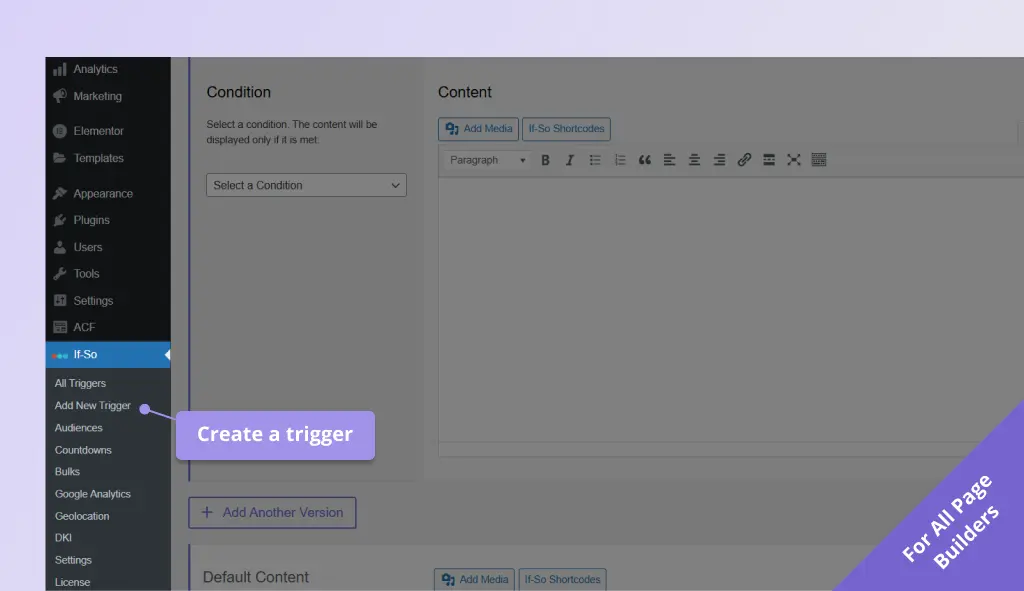
In your dashboard, go to If-So → Add New Trigger and select your target country, state, or city. Screenshot - Set the Destination
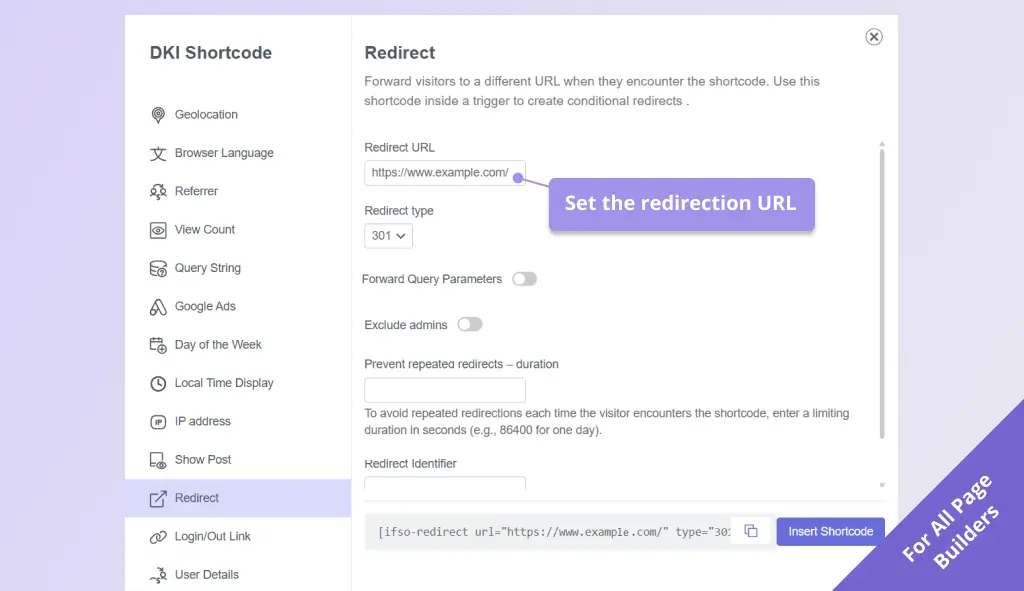
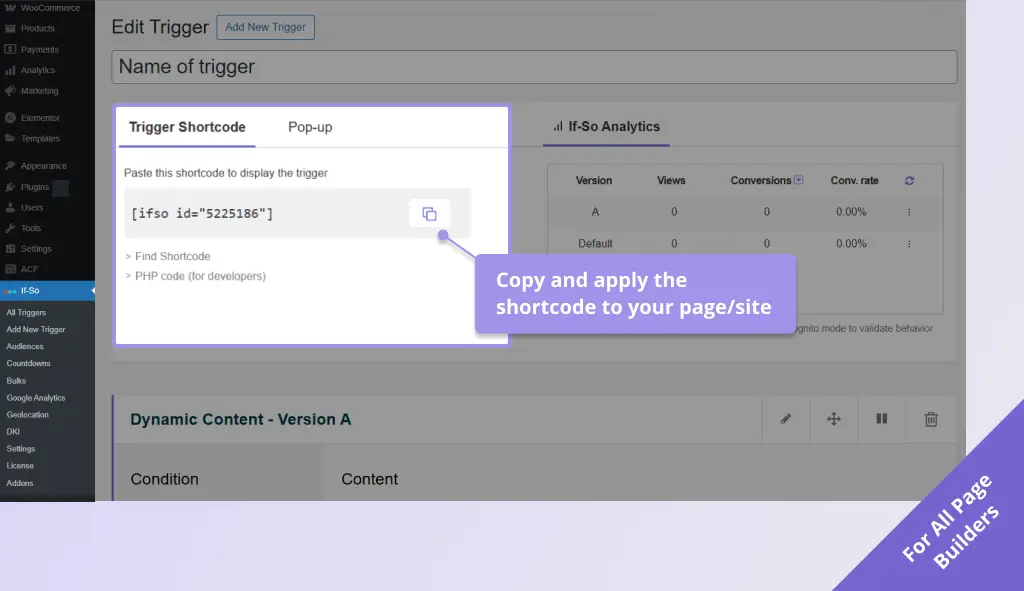
Click the If-So shortcodes button, select Redirect, and enter the URL where you want users to land. Screenshot - Go Live Paste the shortcode on the page you want to redirect from. Your premium IP database is already active and working. Screenshot
Screenshots
Why If-So For Geo Redirect?

Premium Accuracy: We use a high-end IP-to-location database for every session. Even on the free tier.

SEO & Cache Friendly: Built to work seamlessly with WP Rocket, Cloudflare, and server-level caching. No “flashing” or broken redirects.

Lightweight & Fast: Clean code that doesn’t bloat your site. Your users get where they need to go with zero lag.

Affordable Pro Plans: Once you grow past 250 monthly sessions, our pro plans start at just $5/month.
Geolocation Redirect
- Price: Free
- Page builders: All