

Case Study: Smart Header – Displaying details based on user’s visits

Company: Direct Mortgage Loans
Industry: Financial Services | directmortgageloans.com | United States
Features Used: Page URL Condition
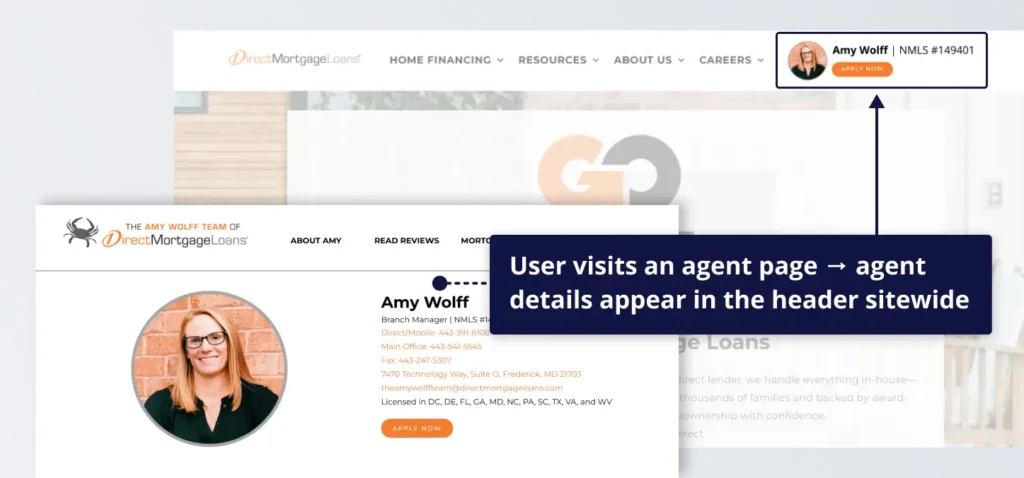
The Challenge: A shared website for multiple agents
Direct Mortgage Loans is a mortgage company with a large network of agents, each driving traffic to their own page through referrals, business cards, and direct links.
Presenting the same generic experience to all visitors creates a disconnect. Once users leave the original agent page, the connection to that agent is lost, and the experience no longer reflects the source of the visit.
To create a more consistent experience, Direct Mortgage Loans set out to keep each visitor connected to the referring agent, ensuring that agent details and calls to action stay aligned throughout the user journey.
How Direct Mortgage Loans used If-So
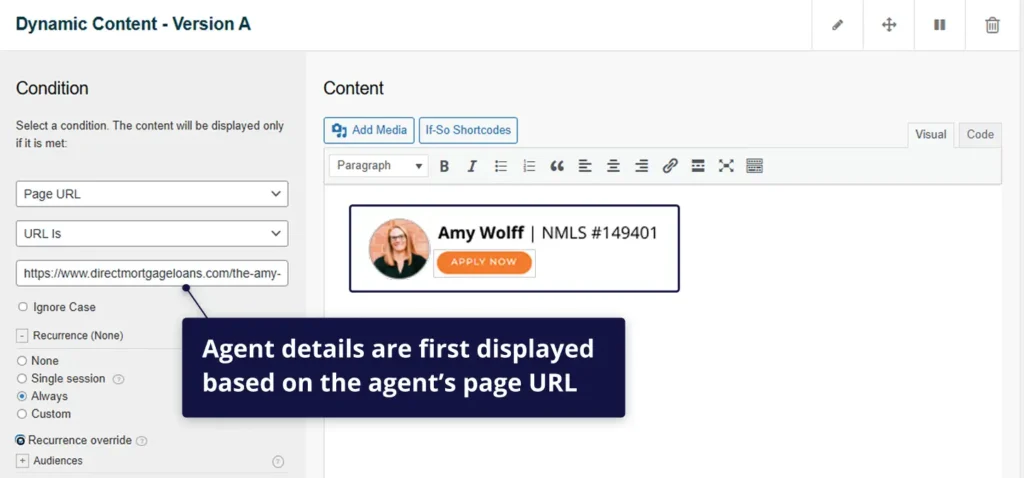
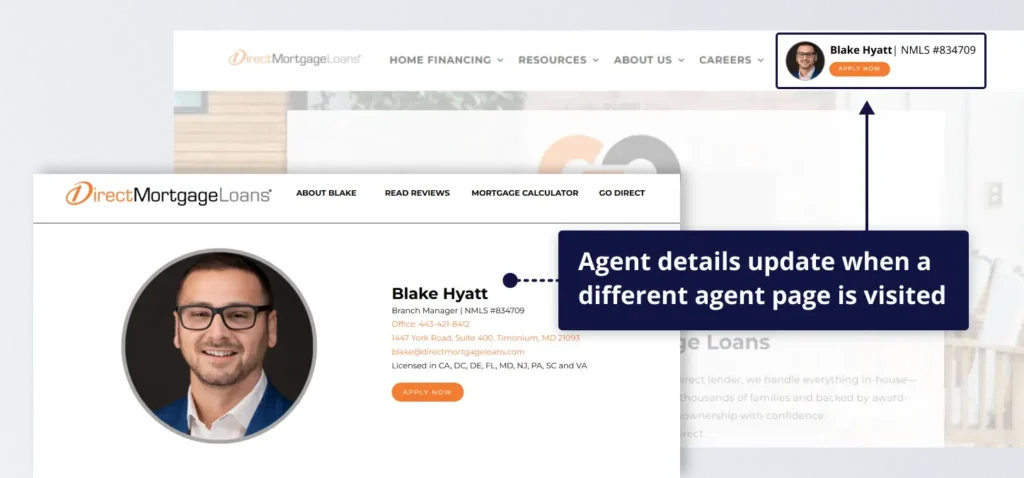
Direct Mortgage Loans used If-So to display agent-specific details in the website header based on the page a visitor arrives on. A Page URL condition was set for each agent page, so that when a visitor lands on a specific page, that agent’s details (such as name, photo, and call-to-action) appear in the header.
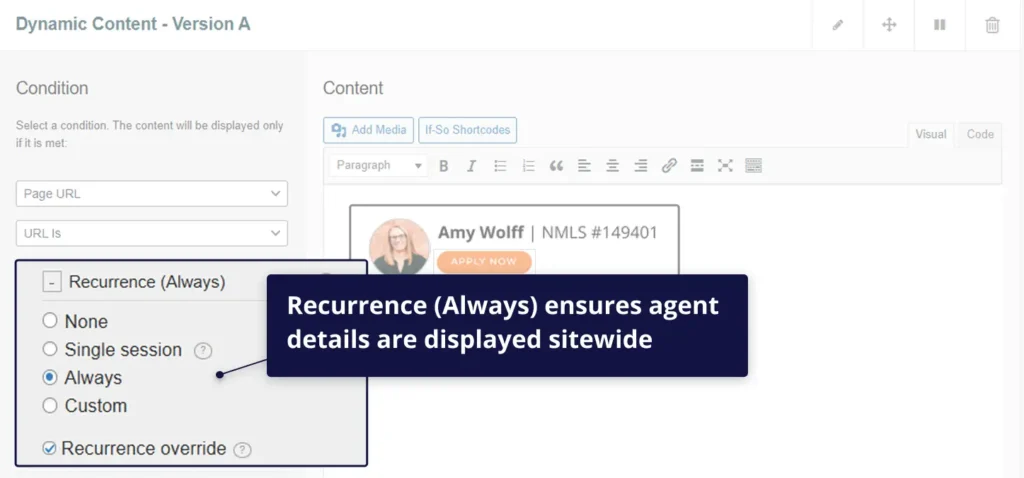
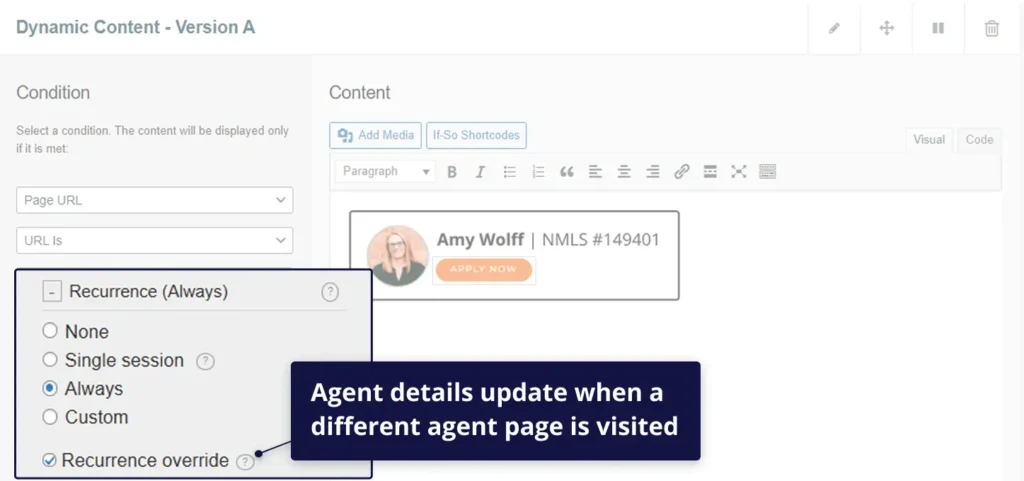
Recurrence was set to “Always,” ensuring that once an agent is identified, their details remain visible as the visitor navigates the site. Recurrence Override allows the header to update automatically if the visitor later visits a different agent page.
Default view
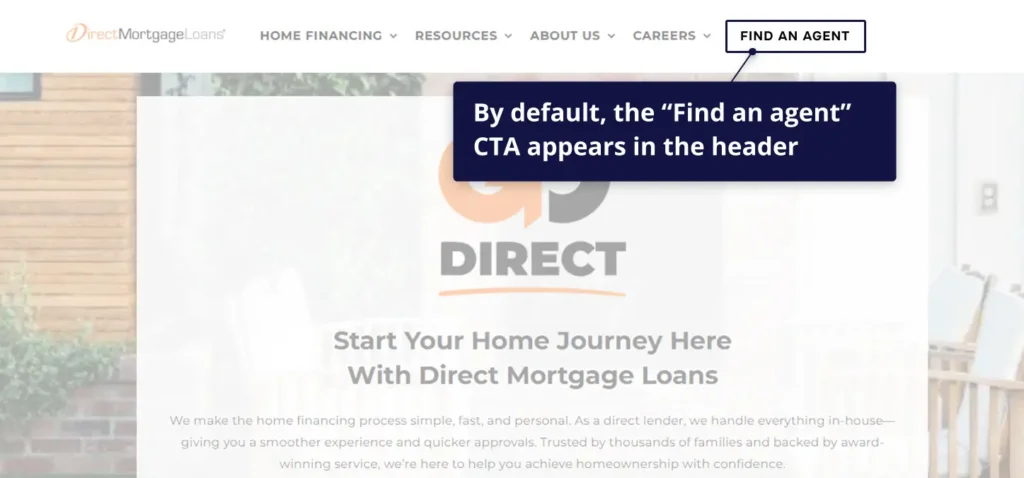
When no specific agent page is visited, the website displays a default header with a general “Find an Agent” call-to-action.
The site structure remains the same, but without agent-specific details. Once a visitor lands on an agent page, the header updates to reflect that agent, shifting from a generic to an agent-driven experience.
The result
Instead of losing agent context after the first page visit, Direct Mortgage Loans now maintains a continuous connection between visitors and the referring agent. The website adapts the header based on each visitor’s journey, ensuring the right agent is consistently represented.
By keeping agent details visible and aligned with the user’s navigation, the site reinforces trust, reduces friction, and makes it easier for visitors to take action. This creates a smoother path from initial visit to conversion while preserving agent attribution across the session.
Using a dynamic header powered by page URL conditions, Direct Mortgage Loans delivers a more consistent experience, improving engagement and increasing the likelihood that visitors connect with the right agent.