How can I load a conditional trigger across all of the website’s pages?

In some cases, you might want to apply a trigger on all of your website’s pages.
Common use cases that require this option are if you create conditional pop-ups, top bars, or floating elements like click-to-call buttons.
Applying a trigger on all website pages
- Download the Trigger Events extension.
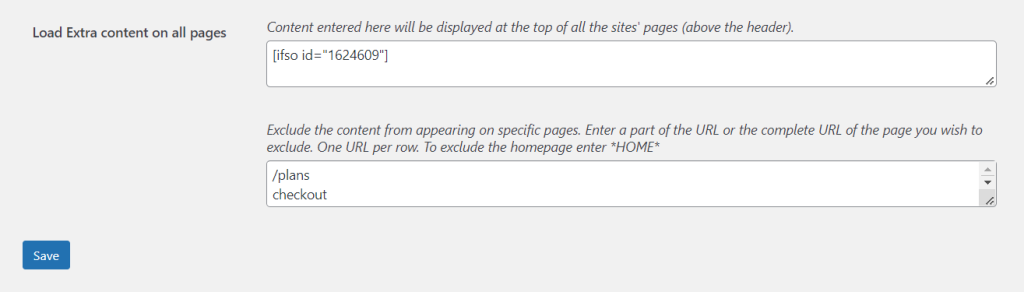
- On your WordPress dashboard, go to “If-So → Settings”.
- Paste the trigger’s shortcode into the “Load Extra content on all pages” field.
- Click “Save“.
Excluding the trigger from certain pages
Use the “Exclude” field to enter a part of the URL or the complete URL of the page you wish to exclude. one URL per row. To exclude the homepage, enter *HOME*