Speedy Answers

Enter a keyword or select a category to find the information you’re looking for.

  • How can I use If-So to set conditions on an entire page or post type?

    There are two main ways to apply conditions to an entire page or post type:

    1. Use the “show post” shortcode to load full page content dynamically

    Create the page content on a separate page, then use the If-So show post shortcode to display that page as a dynamic version inside a conditional trigger. Repeat this step for each version you want to create. Finally, replace the main page’s content with the trigger shortcode. The result: when a visitor loads the page, If-So evaluates the conditions, renders the appropriate show post shortcode, and displays the content of the corresponding page. Learn more

    2. Set up a Conditional Redirect

    Instead of loading the content dynamically, you can redirect visitors to different pages based on conditions such as geolocation, query strings, user status, and more. Each audience is sent to a different destination page, allowing you to personalize the entire experience without modifying the original page content. More about conditional redirect.

  • Troubleshooting – The Geolocation Condition

    If you have set up a geotargeted content and it doesn’t seem to be working as expected, follow the troubleshooting steps below. Each step covers a common issue and how to verify it.

    1. Are you testing the site on a local server or internal environment?

    The geolocation condition uses an external API to identify the visitor’s location. It can only work on a live, publicly accessible website. Local or internal environments do not support IP-to-location lookups.

    2. Is there a communication issue between your server and ours?

    • In your WordPress dashboard, go to If-So → Geolocation.
    • Look at the value next to “Sessions used this month.”

    If it shows 0/0, it usually means your server cannot reach our geolocation service.
    Please fill out this form and our support team will take it from there.

    CURL error 1

    3. Are you testing the site using a VPN?

    If-So’s geolocation condition may not take action when browsing the site through some VPNs. If you don’t see the geo-targeted version, it doesn’t necessarily mean the condition isn’t working properly.

    Instead, try:

    • Targeting your own actual country to verify the trigger – Set the condition to “Is” > {your country} to confirm the content displays correctly, or set it to “is not” > {your country} to verify that the fallback or default version appears.
    • Here is the corrected and polished version:
    • Try testing the page using an online proxy server or a different VPN. We use NordVPN for our testing.

    4. Are you using a caching plugin or CDN?

    Caching shows visitors a pre-rendered version of the page. If you use a caching plugin, server cache, CDN, or any type of page caching, enable If-So’s Page Caching Compatibility option to ensure your geotargeted content loads via Ajax after the cached page is served.

    • Go to If-So → Settings.
    • Enable the Page Caching Compatibility options

    Elementor users:

    In adittion to the steps above, go to Elementor → Settings → Performance (tab) → Change the Element Cache to Disable, and let me know if it solves the problem.

    For a deeper explanation of page caching and If-So’s caching compatibility.

    5. Is your location being detected inaccurately?

    No IP-to-location service is 100%. The accuracy of a location depends on many factors, the most important being the ISP of the address. The accuracy is generally higher for fixed lines than it is for cellular networks. Learn more here about geolocation accuracy.

    Below is how If-So recognizes your location. If you have set up a trigger targeting your actual location but the detected value is incorrect, the dynamic version will not be displayed as expected.

    Continent:

    Country:

    State:

    City:

    Timezone:

    Do you see the correct location in the above list?

    ✅ Yes → Double-check that your dynamic content is being loaded via Ajax (see the step above).

    ❌ No → Check out the three options below:

    1. Accuracy issues can be corrected within 24 hours – Fill out this form and we will ask our database provider to review and correct the IP record.
    2. If you are targeting users at the city level, consider using our HTML5 Geolocation API instead of, or in addition to, the IP-to-location service.
    3. Consider adding a Location Override Form to let users select their correct location manually.

    6. Do you have enough geolocation session credits?

    Unlike other If-So conditions, geolocation usage is limited by monthly sessions. If you run out of credits, the default content (fallback content) will be displayed instead of the geotargeted version.

    To view your monthly session usage, go to If-So → Geolocation in your WordPress dashboard.

    7. Are you using Cloudflare?

    From time to time we encounter conflicts between our geolocation service and Cloudflare. We can solve them! Paste the following code at the end of your functions.php file and try again. If it doesn’t solve the problem, please contact our support.

    add_filter('ifso_user_ip',function(){
    $ip = null;
    if (!empty($_SERVER['HTTP_CF_CONNECTING_IP']))      //Cloudflare
    $ip = $_SERVER['HTTP_CF_CONNECTING_IP'];
    elseif (!empty($_SERVER['HTTP_CLIENT_IP']))
    $ip = $_SERVER['HTTP_CLIENT_IP'];
    elseif (!empty($_SERVER['HTTP_X_FORWARDED_FOR']))
    $ip = explode(',',$_SERVER['HTTP_X_FORWARDED_FOR'])[0];
    else
    $ip = $_SERVER['REMOTE_ADDR'];
    
    if(!empty($ip)){
    $ip = explode(':',$ip)[0];
    }
    
    return $ip;
    });
    

    None of the above solutions worked?

    Please contact our support team and provide the following information:

    1. A screenshot of how you have set up the geo-targeted content (editing interface).
    2. A link to a live testing page where you have pasted the following content:
    Country: [ifsoDKI type='geo' show='country' ajax=’yes’ fallback='']
    State: [ifsoDKI type='geo' show='state' ajax=’yes’ fallback='']
    City: [ifsoDKI type='geo' show='city' ajax=’yes’ fallback='']
    Continent: [ifsoDKI type='geo' show='continent' ajax=’yes’ fallback='']

    Related FAQs

    • The geolocation session count doesn't seem accurate

      The geolocation service is powered by an IP-to-location API. When a user visits a page with a geolocation condition or DKI shortcode for the first time during their session, a request is sent to the geolocation database to compare the user’s IP with the location information stored in the database.

      What is a geolocation session?

      A geolocation session starts when a visitor first accesses a page with a geolocation trigger or a Geolocation DKI shortcode and lasts until the visitor closes their browser or has been inactive for 25 minutes (note that this time frame may vary slightly depending on the browser and server hosting the website).

      Not every page view should count as a session!

      1. The geolocation session is initiated only when a visitor accesses a page with a geolocation trigger or a geolocation DKI shortcode, and a request to the IP-to-location API is made to compare the visitor’s IP with the location in the database.

      2. If the user browses several pages within the same visit, it will still be considered a single session. The session will end when the visitor closes the browser or after 25 minutes of inactivity, though this duration may vary slightly depending on the browser and server.

      Blocking IPs from the geolocation service

      If-So offers two options to help identify and block bots — we recommend using both.

      1. “Block Bots” mode – automatically blocks search engines and bots that declare themselves as bots.
      2. Manual blocking – logs all geolocation requests, provides a list of IPs that extensively tri

      Click here to learn how to activate these options.

  • Communication Failure (Geolocation service)

    CURL error 1

    If the value of the “Sessions used this month” is 0/0 then it’s probably a communication failure between your server and ours. Don’t worry, we can easily solve it. Please try to activate geolocation or a free-trial license and use the form below to send us your domain:

    • Redirect feels slow or delayed

      If your redirect doesn’t fire immediately, the issue is usually related to how the trigger is loaded. Here’s how to ensure the redirect runs as quickly and smoothly as possible:

      Why Ajax affects redirect speed

      When a trigger loads with Ajax, the dynamic content is fetched after the static part of the page has already loaded from the cache. This means the redirect can only occur once the Ajax request finishes — resulting in a short delay.

      Strong caching paired with inefficient site construction can cause redirects to feel slower.

      How to speed it up

      To make the redirect fire instantly:

      1. Make sure to load the trigger without Ajax. The best practice is to add the parameter ajax=”no” to the trigger’s shortcode so that even if you change the Ajax settings on your site in the future, the trigger with the redirection will not be affected.

        Disabling Ajax means the page must be excluded from caching, so weigh this decision based on SEO needs, performance, your specific use case, and how well the page performs without caching

      2. Use a 301 or 302 redirect (and not a JS redirect).
      3. Consider embedding the If-So trigger to the page using a PHP code directly in the page template.
    • How can I load a trigger (set up dynamic content) across all of the website's pages?

      With If-So, you can easily insert a trigger above your site’s header on all pages directly from your WordPress dashboard. Additionally, you have the flexibility to exclude specific pages where the trigger should not be included.

      For more detailed instructions, you can refer to our documentation on loading a trigger on all pages.

    • Can I customize the page/website design (CSS) based on conditions?

      Absolutely! With If-So, you have the ability to dynamically load CSS (conditional CSS) and make changes to your website’s design based on specific conditions. Learn More.

    • Is it possible to display an event time based on the user's timezone?

      Absolutely!

      With If-So, you can easily set the time and use a shortcode to showcase the event time in the user’s own timezone.

      This feature eliminates any confusion and saves users the hassle of performing time conversions.

      Whether it’s displaying event schedules, business opening hours, or support availability, your users will appreciate the convenience.

      Learn more about using the shortcode for time-based displays.

    • Is it possible to initiate a countdown as soon as a user visits a page or performs a specific action?

         Yes 🙂 Learn more.

    • Can I create an evergreen (looped) countdown?

      Yes, with If-So you can create evergreen (looped) countdowns that automatically restart once they reach the end. This allows you to continuously display countdowns and maintain a sense of urgency on your website. Learn more.

    • Can I create countdowns? What makes If-So's countdowns special?

      If-So’s countdowns are designed to create a sense of urgency and encourage users to take action. What sets If-So’s countdowns apart is their conditional capabilities:

      • You can create “EverGreen” countdowns that continuously loop.
      • Countdowns can be triggered when a user visits a specific page.
      • Countdowns can also be triggered when a user performs a certain action, such as making a purchase.

      Learn more about If-So’s Countdowns and their powerful features.

    • Can I set up conditional upsells and cross-sells on my WooCommerce website?

      Upsells and cross-sells are effective strategies to boost revenue and increase the average order value.

      If you are using WooCommerce, If-So enables you to display customized special offers based on the products in the user’s cart or their previous purchase history, either before or after the checkout process. Learn more.

    • Enable If-So Shortcodes in WooCommerce Product Attribute Fields

      WooCommerce product attribute fields don’t render shortcodes by default. To display If-So shortcodes within these fields, add the following code snippet to the end of your theme’s functions.php file:

      add_filter('woocommerce_attribute',function($a){ return do_shortcode(wp_specialchars_decode($a,ENT_QUOTES)); });
      Enable Shortcodes in WooCommerce Product Attribute Fields
    • How can I display localized testimonials/reviews on my site based on the user's language or location?

      If-So allows you to display testimonials that are specific to the user’s language or location. Learn more.

    • Can I display the visitor's country flag on my website?

      Yes, you can display the visitor’s country flag easily using a simple shortcode. Learn more.

    • What is the WooCommerce “Single Product Redirect” option?

      The Single Product Redirect option lets you control what happens when a user accesses a blocked product page directly (for example, by typing in the URL or clicking a saved link).

      If the user meets the condition you set (e.g., they’re from a specific country or region), they will automatically be redirected to a different page instead of seeing the blocked product.

      This helps you avoid showing irrelevant or restricted content – and keeps the user experience smooth.

      If you leave this field blank, users located in restricted locations will still be able to access the WooCommerce product page via a direct link.

      This option allows you to redirect all restricted products to the same URL. If you’re interested in redirecting users to different URLs, check out our geolocation redirect options:

      Would you like to redirect users to a completely different page or website? If so, please refer to the following resources:

      1. Redirection Templates
      2. Geolocation Redirect
    • Can I customize my landing page based on the user's search term on Google Ads (and other advertising platforms)?

      If-So provides two options for tailoring landing page content based on the user’s Ads campaign, ad group, ad, or keyword:

      1. Customize any content on your page, such as text, title, image, etc., by creating a dynamic trigger with the Google Ads condition (or Page URL condition for other advertising platforms). Learn more.
      2. Automatically display a text value you set on Google Ads as a tracking template. This value can be the keyword used to trigger the ad or any other text value you choose. Learn more.
    • Is it possible to show different content based on the visitor's membership level or subscription?

      If-So offers seamless integration with a variety of membership plugins, empowering you to present distinct content tailored to each user’s membership level or subscription tier.
      This feature enables personalized and targeted content based on their membership status.
      Learn more about our supported membership plugin integrations:

    • Can I display different content based on the user's past purchase history?

      Absolutely.
      If you are using WooCommerce or Easy Digital Downloads, you can leverage If-So to display dynamic content based on the user’s previously purchased products.
      To learn more:

    • Can I display dynamic content based on a cookie or session?

      Yes, you can use the Cookie/Session condition to target specific cookies or sessions and show dynamic content accordingly. Learn more >

    • Is it possible to display dynamic content based on the user's search term on Google?

      If-So offers the capability to display dynamic content based on the user’s search term in Google Ads (or other advertising platforms like Bing, Facebook, etc.). Learn more.

      Note that this feature is currently not available for organic search. If it becomes technically feasible in the future, we will be sure to add it.

    • Is it possible to set a start and end date for the dynamic content to be displayed?

      Yes, check out the Start & End Date condition.

    • Is it possible to display dynamic content based on UTM Parameters?

      Yes, you can use the UTM Parameters condition to display dynamic content based on specific UTM parameters included in the URL. This allows you to target and personalize content based on campaign sources, mediums, terms, content, and more.

    • Is it possible to display dynamic content based on the user's IP?

      Yes. If you want to manually set IP-based content, you can use the User IP condition.

      Alternatively, if you’re interested in displaying geotargeted content based on the user’s IP, you can check out the Geolocation condition.

    • Is it possible to display dynamic content only to logged-in users?

      Yes, If-So offers the Logged-in Users condition that allows you to show specific content exclusively to users who are logged into your website.

    • Is it possible to display dynamic content based on the page or post category?

      Yes, If-So provides the Post Category condition that allows you to target specific content based on the category of the page or post.

    • Is it possible to target content based on the user's past browsing behavior (previously visited pages) and website interactions?

      Absolutely. If-So offers multiple options for targeting content based on user behavior:

    • Can I use If-So for A/B testing (split testing)?

      While If-So is not specifically designed for A/B testing, many users find it to be a valuable tool for conducting simple A/B tests. Its simplicity and built-in analytics make it easy to experiment with different variations of content and analyze their performance. Learn more.

    • Can I display dynamic content based on the user's browser type?

      Yes, you can use the Browser Type condition to target specific browsers for showing dynamic content.

    • Is it possible to target content based on specific WordPress user roles?

      Absolutely! If-So allows you to precisely target content based on specific WordPress user roles.

      This feature works seamlessly with both native WordPress roles, such as administrator, author, editor, subscriber, and others, as well as custom roles created by third-party plugins or custom code. Learn more.

    • Can I schedule content to display at specific times?

      Yes, with If-So, you have the ability to schedule content to be displayed at specific times, including specific days of the week and hours of the day.
      You can achieve this functionality by either creating a trigger with a Schedule condition or utilizing our CSV extension.

    • Is it possible to target content based on a user's referral source?

      Yes. If-So allows you to target content based on the user’s referral source or referral URL. Learn more >

    • Can I target content based on a user's operating system (e.g., Windows, macOS, Linux)?

      Yes, If-So allows you to target content based on a user’s operating system. Learn more >

    • Can I display different content for new and returning visitors?

      Certainly! With If-So, you can display different content for users based on whether it’s their first visit to your site or if they have visited before. Learn more >

    • How can I show different content based on the user's location?

      With If-So, you have multiple methods to achieve location-based content customization:

    • Can I display dynamic content based on the user's device type?

      Certainly, If-So enables you to display dynamic content based on the user’s device type: desktop, tablet, or mobile. More about the Device Type condition >

    • Can I show dynamic content based on the user's language?

      Yes, you can utilize the Browser Language condition in If-So to target content based on the user’s browser language preference. Learn more >

    • Can I customize content to different Member Levels of the WishList Membership plugin (WLM)?

      Yes, you can do it using our WishList Membership extension

    • Conditional WooCommerce Products Display

      While blocking or showing different products based on the user’s location is not a built-in option, If-So, in general, provides the ability to display dynamic content according to the user’s location.

      Option 1: Displaying Dynamic Content Based on User Location (or any other condition)

      If you want to utilize If-So to display conditional products, you can create an If-So trigger (with a geolocation condition or any other). Then, you can use one of WooCommerce’s shortcodes to display only the relevant products.

      Here’s an example of a trigger with three versions (you can create as many versions as you need):

      Version A:

      IF: Geolocation > State > Is  > Texas
      Then:

      [products limit="8" columns="4" category="Category#1"]

      Version B:

      IF: Geolocation > State > Is  > Florida
      Then:

      [products limit="8" columns="4" category="Category#1"]

      Default Version:

      [products limit="8" columns="4" category="Category#3"]

      Helpful links

      Important Considerations

      1. In case you are using the geolocation condition, please note that the geolocation service relies on IP-to-location mapping, which may not be 100% accurate. While we utilize a premium, highly accurate database to ensure the best possible accuracy, some discrepancies may occur. You can find more information about IP-to-location services and how they work here.
      2. If your site includes a “search products” option, the products will appear in the search results based on their relevance to the search query.

      Option 2: Creating conditional redirect from the product page

      Instead of using the method suggested above, you can create a conditional redirect from the product page to a different page (product or other).

      This option is more useful if you have a single product that you want to display in one state and a different variation of it that you want to display in another state.

      How to create a conditional redirect.

    • Does the user’s self-selection carry across all pages of the site?

      Yes, once a user self-selects, the selection is carried across all pages of the site. The solution is based on a cookie. If the user deletes the cookie or visits the site using another browser, the selection will not be saved.

    • How can I change the user self-selection form design?

      When you generate the self-selection form using our form generator, you can also set a design for the form, and the CSS will be generated for you.

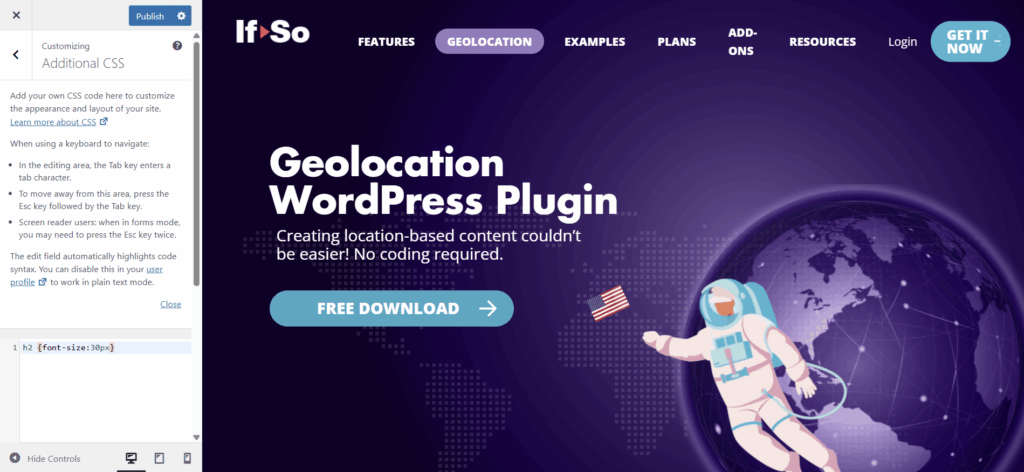
      Applying the CSS to your site is possible in several different ways, and having development skills is not a requirement. How to add custom CSS to your WordPress site.

    • Limiting the frequency of pop-up display per user

      If-So provides maximum flexibility in determining how often you want to display the pop-up to each user and for how long you want to prevent its display. This option is achieved by adding a cookie to the user’s browser, ensuring that the pop-up is not shown as long as the cookie exists.

      1. Add the following shortcode to the bottom of your pop-up’s content:
      [ifso-add-cookie name='prevent-pop-up' value='yes' time='2628288']

      * ‘2628288’ represents the cookie expiration date in seconds, equivalent to 30 days. Adjust the expiration time according to your requirements.

      1. Add another version to your pop-up.
      2. Drag the new version to the top (place it as version A) to ensure its condition is checked first.
        – Set the version’s condition to “If > Cookie > Is > Cookie Name: prevent-pop-up ; Cookie Value: yes”.
        -Leave the version’s content blank.
      3. Update the trigger.

      The result: When the pop-up is displayed for the first time, a cookie with the name “prevent-pop-up” will be added to the user’s browser. The next time the user visits a page with the pop-up’s shortcode, the condition of version A will be met. Since there is no content in version A, the pop-up will not be displayed.

    • Can dynamic content from CSV be loaded with the Ajax (page caching compatibility) option?

      Yes. The default Ajax loading settings apply to content that loads using the CSV extension.

      In addition, as with standard If-So triggers, you can override the default settings by adding the parameter ajax=”yes” or ajax=”no” to the CSV shortcode.

    • Content in columns A is broken after uploading a CSV file or saving a bulk

      By default, the number of allowed characters in a single cell in column A is 55. This limitation is intentional to optimize the loading speed of the dynamic content for users who don’t need a higher number of characters.

      To change the max allowed number of characters in column A:

      1. Add the code below to your functions.php file.
      2. Visit one of your website pages (it will run the code).
      3. Remove the code from your functions.php file.
      function modify_content_column(){
          global $wpdb;
          $wpdb->query("ALTER TABLE {$wpdb->prefix}ifso_bulks_content MODIFY COLUMN version VARCHAR(100);");
      }
      add_action('init','modify_content_column');
      

      The code above will change the number of allowed characters to 100. You can replace the number in the code with any other number. Bear in mind that if your file consists of many dynamic versions (thousands), there might be some loading speed implications (they will probably be insignificant, but it is worth checking).

      Please note that if you reduce the number of allowed characters, the new number you set will affect content created in the past.

    • Content is broken after uploading a CSV file or saving a bulk (in any column except column A)

      By default, the number of allowed characters in a single cell (except column A) is 1024. This limitation is intentional to optimize the loading speed of the dynamic content for users who don’t need a higher number of characters.

      To change the max allowed number of characters in the relevant column:

      1. Add the code below to your functions.php file.
      2. Visit one of your website pages (it will run the code).
      3. Remove the code from your functions.php file.
      function modify_content_column(){
      global $wpdb;
      $wpdb->query("ALTER TABLE {$wpdb->prefix}ifso_bulks_content MODIFY COLUMN content VARCHAR(2048);");
      }
      
      add_action('init','modify_content_column');
      

      The code above will change the number of allowed characters to 2,048. You can replace the number in the code with any other number. Bear in mind that if your file consists of many dynamic versions (thousands), there might be some loading speed implications (they will probably be insignificant, but it is worth checking).

      Please note that if you reduce the number of allowed characters, the new number you set will affect content created in the past.

    • Can I display dynamic content based on any custom user profile field?

      Yes, if you have a custom user profile field created by any other WordPress plugin or custom-coded by your developer, and as long as the data is saved in the ‘usermeta’ table (according to the WordPress guidelines), you can use If-So to display dynamic content based on its value.

    • Does the Search Term condition work on Bing, Yahoo, or other search engines?

      Yes, the search term condition works in the exact same way on all search engine advertising platforms. All you need to do is transfer the parameters to the landing page URL when setting up your campaigns on the advertising platform. If-So will take it from there and display dynamic content based on those parameters.

    • Start and end date wrapping shortcode

      This is what we have sent the last time. It’s actually what I meant to send this time as well. Does it answer your current needs?

      [ifso_condition default='DEFAULT ' rule='{"trigger_type":"Time-Date","time-date-start-date":"2021\/04\/15 12:45","time-date-end-date":"2022\/04\/28 12:45","Time-Date-Start":null,"Time-Date-End":null,"Time-Date-Schedule-Selection":"Start-End-Date"}']YOUR CONTENT GOES HERE[/ifso_condition]

      * The default parameter accepts HTML if needed

    • Is it possible to use a different parameter instead of "?ifso="?

      Yes. You can display dynamic content based on any parameter you want. Simply, use the Page URL condition and set it as follows:

      If: Page URL > Conatins > ?your-parmeter; Then: Show dynamic content…

      Alternatively, if you want to create a condition based on UTM parameters, you can use our dedicated UTM condition.

    • Will the Referral Source condition work if I use page cache?

      Yes, If-So utilizes JavaScript’s document.referrer for the referral source condition, ensuring compatibility with caching without relying on cookies. If you are using page cache on your site, all you need to do is make sure to load the dynamic content using our ‘page caching compatibility’ (ajax=’yes’) mode.

      *In the absence of ajax mode, it defaults to utilizing PHP’s $_SERVER[‘HTTP_REFERER’] global.

    • Can I add users to an audience when a user clicks a button?

      The desired result can be easily achieved by adding a parameter to the URL that the button directs users to.

      1. Create a trigger with a Page URL condition:
        If: Page URL > Contains > domain.com?audience=type-1; Then: Your dynamic content (if desired)
      2. Toggle the audience section, located below the condition, and check the relevant “Add to audience” checkbox.
      3. Paste the trigger’s shortcode on the page/s users are redirected to after clicking the button.

      If your button is displayed on several different pages (on your header, footer, pop-up, etc.), and you wish the button to reload the same page, you can set its link value to be ?audience=type-1

    • Is it possible to have multiple pieces of content displayed using more than one URL parameter?

      Yes, you can display multiple pieces of dynamic content on a single page.

      To do so, simply create two (or more) different triggers, one trigger for each piece of dynamic content. For each trigger, set a dynamic version with the condition Page URL > Contains> {parameter name}. Live Example:

      livedemocharacterLive Example:

      For your convenience, you can follow the example below to see how to set your triggers:

      Trigger 1:

      Version A:

      If: Page URL > Contains > ?parameter1 ; Then: Your dyanmic content….

      Default Verison:

      Your default content (can be left blank if you don’t want to display anything when the condition is not met).

      Trigger 2:

      Version A:

      If: Page URL > Contains > ?parameter2 ; Then: Your dyanmic content….

      Default Verison:

      Your default content (can be left blank if you don’t want to display anything when the condition is not met).

    • Is it possible to display a visitor’s location using a shortcode?

      Yes. You can display a visitor’s continent, country, state, city, and timezone anywhere on your site using a simple shortcode.

      Example – the shortcode below displays the visitor’s country name

      [ifsoDKI type='geo' show='country']

      The option works out of the box and does not require custom code.

      See all available Geo DKI shortcodes.

    • How accurate is If-So’s geolocation service?

      If-So is designed to provide the best possible accuracy for location-based content.

      When visitors allow browser location access, the HTML5 Geolocation API can provide very precise, address-level accuracy. When this isn’t available, If-So uses IP-based location detection with a premium database that delivers reliable results for most use cases.

      As with any IP-to-location solution, accuracy can vary depending on factors such as the visitor’s network or ISP, especially on mobile connections.

      IP-based geolocation explained

    • Which geolocation service does If-So use?

      If-So uses the ipinfo premium IP-to-location database for geolocation-based content. We’ve found it to be highly accurate compared to similar services, and it is regularly updated to ensure reliable results.

      If you come across any inaccuracies, please report them to us and we’ll make sure they’re addressed.If-So uses the ipinfo premium IP-to-location database for geolocation-based content. We’ve found it to be highly accurate compared to similar services, and it is regularly updated to ensure reliable results.

      If you come across any inaccuracies, please report them to us and we’ll make sure they’re addressed.

    • Is it possible for visitors to manually select or override their detected location?

      Yes. You can allow visitors to manually select a location that overrides the automatically detected one.

      Once a location is selected, dynamic content is displayed based on the user’s choice.

      See how manual location selection works.

    • Do I need a Pro If-So License to use the geolocation service?

      No! If you only want to use geolocation-based conditions, you can use a Geolocation plan on its own, without purchasing the Pro plan.

      If-So offers two types of plans:

      1. Free plan – Includes up to 250 monthly geolocation sessions. Available via the WordPress plugin directory. The free option is powered by the same premium IP-to-location database used by the paid plans.
      2. Pro plans – Includes unlimited access to all conditions and features, plus up to 1,000 monthly geolocation sessions.
      3. Geolocation plans – Designed for users who only need the geolocation service, or for Pro users who need more than the 1,000 geolocation sessions included in the Pro plan.
    • Can a single geolocation license be used on multiple websites?

      Absolutely! There are no limits on the number of domains on which you can activate a geolocation license.

    • Does every page view count as a session?

      Certainly not!

      1. A session is only counted when a user visits a page that contains location-based content, such as a trigger with a geolocation condition or a Geolocation DKI shortcode.
      2. If-So tracks the browser session throughout the user’s visit, so if the user navigates through multiple pages within the same visit, only one session will be counted.

      Will a session be counted in the event that the geolocation condition is not met?

      Yes. To determine the user’s location for deciding whether to display geotargeted content, we need to check the user’s location. As a result, a session will be counted irrespective of whether the geotargeting condition is met or not.

    • Can I upgrade my geolocation plan later?

      Absolutely!

      Both Geolocation and Pro plans can be upgraded at any time.

      The upgrade price is prorated based on the remaining time in your subscription, so you only pay the difference between plans.

      To upgrade your plan:

      1. Log in to your If-So account.
      2. Go to the License Keys section and click View licenses.
      3. Click View upgrades next to the relevant license.
      4. Choose the plan you want and click Upgrade license.
      image 1
      License upgrade
    • What is a geolocation session and how is it counted?

      If-So is designed to keep session usage as low as possible.

      A geolocation session represents a visitor whose location is checked in order to display location-based content.

      • A single visitor is counted as one geolocation session per visit, even when browsing multiple pages.
      • A session begins when a page with a geolocation condition is accessed and ends after the visitor leaves or is inactive (typically around 25 minutes).
      • Sessions are counted only when geolocation is required. Pages without geolocation conditions do not consume sessions.

      The table below shows how different visitor actions affect the session count:

      Scenario Session Count
      A visitor only views pages without geotargeted content and then leaves 0
      A visitor views a page with conditional content, the geolocation condition is not one of the conditions (other If-So conditions are used). 0
      A visitor browses multiple pages within a single session 1
      A visitor visits a page with geotargeted content, and then refreshes the page 1
      A visitor views a page, closes the tab, and returns to the site after 15 minutes 1
      A visitor views a page with geotargeted content, but their location doesn’t match any targeted locations (default content is shown).
      *The user’s location still needs to be checked in this case.
      1

      !

      Does your geolocation session count seem inaccurate?

      This is most often caused by bots visiting your site and consuming sessions. Learn how to reduce bot-related session usage.

    • What happens when I reach my monthly geolocation session limit?

      When your geolocation sessions are depleted, If-So simply skips the geolocation condition and continues evaluating the next content version in order.

      For conditional content (triggers, conditional Elementor elements, or Gutenberg blocks), if all dynamic versions rely on geolocation or no conditions are met, the default content is shown. Your site continues to work normally.

      For Geolocation DKI shortcodes, you can define a fallback value to display when geolocation is unavailable.

      This ensures a consistent experience even when geolocation data isn’t available.

    • Can I prevent logged-in users from consuming geolocation sessions?

      Yes. You can exclude logged-in users from using geolocation sessions by adding a small snippet to your site.

      Add the following code to your functions.php file:

      add_filter('ifso_exclude_from_geo', function($exclude) { if (is_user_logged_in()) { $exclude['blockme'] = true; } return $exclude; });

      This helps reduce unnecessary session usage and ensures geolocation sessions are used only for relevant visitors.

    • Where can I view my geolocation session quota and usage?

      You can view your monthly geolocation session quota and usage in two places:

      1. In your WordPress dashboard: go to If-SoGeolocation, where you can see your current usage and quota directly in the admin area.
      2. In your If-So account: log in to your account, open the License Keys section, and view the details of the relevant license to see usage and limits.
      The Geolocaito dashborad
      Screenshot – The geolocation dashboard

      image 1
      Screenshot – Your account
    • "Communication Error" Notice

      It appears that there is a communication issue between our server and yours. No need to worry though, we can resolve it. Kindly follow these two steps:

      1. Please attempt to activate a license on your site. Although the activation may not be successful, the information necessary for troubleshooting will be automatically sent to our team (you can get a free license here).
      2. Fill out the form below, providing us with your website’s URL.

      • I don't see the content or don't see the correct version

        Stay calm and refer to our Geolocation Troubleshooting guide for assistance.

      • The geolocation session count appears to be inaccurate.

        Inaccurate session counts can occur when bots visit the website. Learn about possible solutions to address this issue.

      • Location override form - Country flags not visible

        If you are unable to see the country flags, it is likely because your browser does not support emoji display by default (Google Chrome on a desktop for example).

        Browsers that have built-in support for displaying emojis

        Browsers that have built-in support for displaying emojis
      • Conditional redirect not working

        If your conditional redirect isn’t working as expected, don’t worry – follow the steps below to identify the issue and get it resolved quickly.

        1. Isolate the problem

        Test the redirect outside the trigger

        Paste the redirect shortcode directly into the main content field of a new test page (without using a trigger).

        1. Create a new blank test page.
        2. Paste the redirect shortcode directly in the main content area (without using a trigger or dynamic content).
        3. Visit the page and see whether the redirect works.

        Did it work?

        Yes → The redirect code works. Move on to checking your condition.
        No → The issue is likely with the redirect setup. Jump to the “Redirect shortcode issues” section.

        Verify that the condition is being met

        1. In your trigger (or dynamic content block), add a simple text indicator before the redirect — e.g., “This is a version A”.
        2. Add a text indicator to the default version — e.g., “This is the default version.”
        3. Visit the page in an incognito window (to avoid admin/existing-cookie interference).

        Does it work?

        Yes → If you the correct version the issue is either the redirect type or a caching issue.
        No → If you don’t see the correct version → The condition may be misconfigured, or caching is preventing the dynamic version from loading.

        Works? The issue is likely related to the redirect shortcode itself, or a caching conflict.
        ❌ Didn’t work? The condition may be misconfigured or the content might be blocked by caching.

        2. Check caching settings

        Caching is the most common reason redirects don’t fire as expected.

        1. Try loading the trigger with and without Ajax (Page Caching Compatibility) to determine if caching is interfering. How to enable/make sure the Ajax loading is enabled.
        2. Try switching to a JavaScript redirect by adding the parameter type=’js’ to your redirection shortcode. For example:
        [ifso-redirect url='https://example.com' type='js']
        

        If JavaScript redirection works, the issue is almost certainly caching-related.

        Try loading the content with and without Ajax (Page Caching Compatibility) to determine if caching is interfering. How to enable/make sure the Ajax loading is enabled. 

        Still not working? We’ll help!

        If the issue persists, please contact our support and share the following:

        • Where the redirect is placed (page, trigger, element, popup, etc.).
        • Which condition you’re using.
        • Whether the redirect works on a blank test page.

        We’re happy to take a look and help troubleshoot further. Contact support

      • The geolocation session count doesn't seem accurate

        The geolocation service is powered by an IP-to-location API. When a user visits a page with a geolocation condition or DKI shortcode for the first time during their session, a request is sent to the geolocation database to compare the user’s IP with the location information stored in the database.

        What is a geolocation session?

        A geolocation session starts when a visitor first accesses a page with a geolocation trigger or a Geolocation DKI shortcode and lasts until the visitor closes their browser or has been inactive for 25 minutes (note that this time frame may vary slightly depending on the browser and server hosting the website).

        Not every page view should count as a session!

        1. The geolocation session is initiated only when a visitor accesses a page with a geolocation trigger or a geolocation DKI shortcode, and a request to the IP-to-location API is made to compare the visitor’s IP with the location in the database.
        2. If the user browses several pages within the same visit, it will still be considered a single session. The session will end when the visitor closes the browser or after 25 minutes of inactivity, though this duration may vary slightly depending on the browser and server.

        Blocking IPs from the geolocation service

        If-So offers two options to help identify and block bots — we recommend using both.

        1. “Block Bots” mode – automatically blocks search engines and bots that declare themselves as bots.
        2. Manual blocking – logs all geolocation requests, provides a list of IPs that extensively tri

        Click here to learn how to activate these options.

      • Can I change the category of If-So cookies?

        Yes. You can change the category of specific If-So cookies by using a simple WordPress filter. This is useful if you want better control over how cookies are classified for consent management or compliance tools.

        To do this, add the following code to your theme’s functions.php file (or to a custom plugin):

        add_filter('ifso_cookie_category', function($ctype, $cname) {
            if ($cname === 'MY_NECESSARY_COOKIE') {
                return 'necessary';
            }
            return $ctype;
        }, 10, 2);
        

        In this example, the cookie named MY_NECESSARY_COOKIE is explicitly assigned to the necessary category. All other cookies will keep their original category.

        Available cookie categories

        You can assign cookies to any of the following categories:

        • necessary
        • statistics
        • marketing
        • preferences

        This allows you to align If-So cookies with your site’s cookie consent logic and ensure they are handled correctly by your consent management solution.

      • Is If-So compatible with my page Builder?

        Yes! You can use If-So with just about any modern page builder.

        Here are the most common page builders our customers use:

        Learn more >>

      • Is If-So compatible with all browsers?

        This one is simple – Yes.

      • Does If-So work with server-side and WordPress caching solutions?

        Yes.

        Whether you are using a caching plugin or server caching, you can navigate to the plugin settings and enable the “Page Caching Compatibility” option.

        With the option enabled, dynamic triggers will be rendered in a separate request that will take place after the loading of the cached version.

        Learn more about Page Caching Compatibility.

      • Does If-So work with Cookie Consent (Cookie compliance) services?

        If-So integrates natively with three cookie compliance solutions and provides a hook that allows you to link additional services beyond the built-in integrations.

        Cookie consent services compatible with If-So:

        With these three services, cookies will not be added until the user consents to accept cookies (whether they are server-side cookies or JavaScript cookies).

        Please note that If-So integrates natively with Cookiebot and Complianz, but for the integration to work properly the corresponding WordPress plugins must be installed and active on your site.

        Realted questions:

      • If-So is causing problems with Pantheon's website's caching

        In similar cases, disabling the following options in the plugin’s settings has resolved the caching issue:

        1. Disable the built-in Analytics
        2. Disable the use of PHP sessions
      • Can If-So be used with Layer Slider?

        Yes, there are two ways to incorporate dynamic content with If-So and Layer Slider.

        The first method involves creating an If-So trigger and inserting its shortcode into the slide’s content field to add dynamic content to the slide.

        The second option is to display different layer sliders to different users. To achieve this, create an If-So trigger with multiple versions, and assign the different layer sliders as the content of each trigger using the sliders’ shortcode. However, note that if you choose this approach, you may not be able to load the trigger using Ajax.

      • Can I use If-So with the Advanced Custom Fields (ACF) WordPress plugin?

        Yes. You can use If-So with the ACF plugin.

        The first step is to create an If-So trigger and paste its shortcode inside the custom field. Since Advanced Custom Fields do not render shortcodes by default, next you’ll need to add the following filters to your functions.php file.  Please feel free to contact us if you need help with that.

        If you’d like to use If-So inside a Text field:
        add_filter(‘acf/format_value/type=text, ‘do_shortcode’);

        If you’d like to use If-So inside a Text Area field:
        add_filter(‘acf/format_value/type=textarea’, ‘do_shortcode’);

      • Is it possible to use If-So and WP Rocket together?

        Yes! Click here to learn more.

      • WordPress Pagination not functional within If-So Trigger

        When the WordPress pagination function is used within an If-So trigger, it does not function properly. The problem arises from the order in which the functions responsible for loading our dynamic content and handling pagination are executed.

        Please note that the reverse scenario, which involves applying dynamic content within the paginated content, is indeed possible.

      • Can I use If-So in the page title field?

        Yes, you can.

        By default, the page/post title field doesn’t accept shortcodes. If you want to use If-So on your page title field simply go to the If-So > Settings on your WordPress dashboard and check the “Allow shortcodes in titles and menus” option.

        WordPress- allow shortcodes in the title
      • Can I use If-So to create dynamic menu items?

        Yes, you can! Here is a step-by-step guide on how to create dynamic menu items.

      • Can I spilt test 2 WordPress pages using If-So?

        Yes, technically, you can. Though one of the biggest advantages of If-So is that you don’t have to duplicate pages. Instead, you can split-test only a specific piece of content on the same page.

        Nevertheless, if you want to split-test a whole page, you can do so using a simple JavaScript redirect code that can be pasted inside an If-So trigger. We already have the redirect code ready for you. You can learn more and find it here.

      • Is it possible to block a page from users of a certain country?

        Yes. You can create a conditional redirect to redirect all the visitors from a specific certain to a different page.

      • Can I display the user's name on a website page using If-So?

        Yes, you can achieve this in different scenarios:

        1. If the user is logged in, you can use our User Details Shortcode to display the user’s name.
        2. If the user is not logged in, you can pass the user’s name as a value in a query parameter in the URL and then utilize our Query-string DK shortcode to dynamically insert and display the name. The user’s name can be stored as a cookie, allowing it to be accessed and displayed on different pages as the user continues browsing the website.
      • Can I display conditional pop-ups using If-So?

        Absolutely! Any If-So trigger can be displayed as a pop-up (overlay). The pop-up will only appear if the condition is met. Learn more about it.

        Learn more about creating pop-ups using If-So

      • Is it possible to set up conditional redirects (redirecting users to different pages based on conditions)?

        Yes, you can set up conditional redirects based on any If-So condition.

        For a step-by-step guide, click here.

      • Is it possible to create split tests (A/B testing) using If-So?

        Yes.

        While If-So was not specifically designed as an A/B testing solution, the plugin and its built-in analytics can be a valuable option if you are seeking to create simple and fast split tests.

        However, it’s important to note that If-So is not a dedicated A/B testing plugin and that the built-in analysis system primarily tracks conversions based on page visits (e.g., counting conversions when a user visits page X). If you require more advanced and complex split test scenarios, it might be beneficial to explore dedicated A/B testing plugins to see what they have to offer.

      • What is the If-So WordPress Plugin?

        If-So is a code-free, user-friendly, and powerful WordPress personalization plugin that enables you to deliver personalized content, enhancing your website’s engagement, conversion, and sales.

        As the most comprehensive and versatile dynamic content plugin available, If-So offers a wide range of methods to create dynamic and customized content, including:

        And:

        The possibilities for personalization are extensive, with dozens of conditions extensions, and integrations to fine-tune your content delivery.

      • Do I need coding skills to create dynamic content?

        Nope! Coding skills are not required! Dynamic content can be easily set by selecting a condition from a predefined list and specifying the content to be displayed when the condition is met.

      • What parts of the site can I apply dynamic content to?

        You have the flexibility to customize any part of your site, such as titles, text, images, videos, and even menu items.

        Dynamic content can generally be applied to any field on your site that accepts shortcodes

      • How does If-So work?

        Though If-So offers a wide range of possibilities and advanced features, the basic usage of the plugin is very simple:

        1. Select a condition from a predefined list
        2. Set the content you wish to display if the condition is met (or leave blank if you do not want to display anything).
        3. Set the content you wish to display if the condition is not met (or leave blank if you do not want to display anything).
        4. Paste the shortcode of the trigger to display dynamic content on your website.

        Click here for a video and a detailed explanation

      • Can I use the If-So WP Plugin with any WordPress theme?

        You sure can! We haven’t come across a theme that the If-So WP Plugin can’t work with.

        If you experience any compatibility difficulties while working with your theme, contact our support team to resolve them.

      • Can I use If-So on a multisite WordPress installation?

        Yes, you can.

        Each subsite will require its own license.

        If-So cannot be network-activated. The license will have to be activated separately on each subsite.

      • Which conditions (rules) can I set with If-So?

        If-So provides a diverse range of conditions to choose from, including Geolocation, Google Ads search terms, Dynamic links, Schedule, and many more.

        Explore the complete list available of conditions.

      • How does dynamic content impact website SEO?

        Dynamic content can positively impact SEO success by providing a personalized and engaging user experience.

        We have identified certain best practices and potential risks that you should be aware of when it comes to your site’s ranking. Learn more.

      • Search engines and dynamic content - Which content version will search engines crawl?

        If-So is a server-side solution. Conditions are checked when a page with dynamic content is loaded, and content is displayed accordingly. Only one version of the content is rendered (loaded).

        The content version that search engines will crawl depends on the condition you have set.

        Examples:

        Geolocation – If you have set a geolocation condition, the version that search engines will crawl depends on the actual location of the search bot that crawls your site.

        Returning Visitor – Generally, Google and other search engines crawl the web stateless, i.e., without cookies. Search engines will crawl the version displayed for first-time visitors.

        User Role/Logged-in Users – Search engines will crawl the version displayed for users who aren’t logged in.

        Dynamic Link / UTM Parameters – By default, search engines treat URLs with query strings as a separate page; both the default version and the dynamic version will be crawled. In most cases, it will be wise to set a canonical so that search engines will treat the two versions as a single page.

        Learn more about dynamic content and SEO

      • Does If-So impact page speed or performance?

        In the majority of cases, If-So has a negligible effect on loading speed. However, the impact can vary depending on your server, website structure, and how you utilize the plugin.

        To put your worries at ease, we encourage you to take advantage of our 30-day money back guarantee and witness firsthand how If-So performs on your website.

      • Can I use If-So to show different meta data content (page title and description)?

        If-So shortcodes work in YOAST and RankMath title and description fields. They may also work with other SEO plugins, but this cannot be guaranteed. If you choose to embed dynamic content in these fields, ensure the trigger is loaded without AJAX by adding the parameter ajax=”no” to the trigger’s shortcode.

        It’s important to note that the content presented on the search result page cannot be dynamic. Search engines scan the site and display the metadata they crawled during their scan.

      • How can I Import and Export Triggers?

        To import a trigger: On your WordPress dashboard, go to If-So -> All Triggers, click “Import trigger” (the button is right below the page title), and upload your trigger’s JSON file.

        To export a trigger: On your WordPress dashboard, go to If-So -> All Triggers, hover over the trigger you want to export, and click “Export”.

      • Are there styling options available? If so, how are they accessed?

        If-So uses a TinyMCE editor with both visual and text (HTML) modes so that you can basically set up any content.

        If you are using a page builder and are looking for a more convenient way to design your content, the styling options that are available for you are:

        Gutenberg Users – You can assign conditions directly to a block (or group of blocks) instead of creating dynamic triggers. See how.

        Elementor Users – Save any widget or section as a template and apply it inside an If-So trigger using a shortcode. See how.

        Other page builders – Design your dynamic content in a new page and use the shortcode inside your If-So trigger to display the page content as your dynamic version. See how.

      • How do I enable AJAX loading of content?

        The way you load dynamic content with AJAX depends on your chosen method for displaying it.

        Dynamic Trigger

        • Option 1: Enable the “load with Ajax” setting in the plugin’s configuration.
        • Option 2: Include the attribute ajax=”yes” in the trigger’s shortcode. For example:
        [ifso id="123" ajax="yes"]

        More about Dynamic Trigger

        DKI Shortcodes

        • Include the attribute ajax=”yes” in the DKI shortcode for the trigger. For instance:
        [ifsoDKI type='geo' show='country' fallback='' ajax='yes']
        

        More about DKI shortcodes

        CSV Bulk

        • Include the attribute ajax=”yes” in the bulk’s shortcode
        [ifso_bulks id='1' column='B' ajax='yes']
        

        More about the CSV Bulk option

        Conditional Gutenberg block

        • Enable Ajax for each block individually. You can find the Ajax loading option below the condition.
        Conditional gutenberg block Ajax loading

        More about Conditional Gutenberg Blocks

        Conditional Elementor Element

        • Enable Ajax for each element individually. You can find the Ajax loading option below the condition.
        Conditional Elementor element Ajax loading

        More about Conditional Elementor Elements

      • Can I set dynamic content based on multiple (and/or) conditions?

        Yes.

        While the plugin interface does not provide a built-in option to display a dynamic version based on multiple and/or conditions, you can still achieve the desired outcome.

        OR Logic: Create an If-So trigger with multiple versions. If-So will first evaluate the condition of the first content version and display it if the condition is met. If not, it will proceed to check the condition of the next content version. You can create as many versions as you need. This setup essentially functions as an “or” operator in logic.

        AND Logic: Create two separate triggers and insert the shortcode of one trigger as the dynamic content of the other. If-So will first check the conditions of the initial trigger, and if the relevant condition is met, it will proceed to evaluate the conditions of the second trigger.

        Click here to learn more

      • Is If-So compatible with the Theme Fusion builder?

        Yes! If-So works with any modern page builder. Learn more.

      • Is If-So compatible with Optipress3?

        Yes! If-So works with any modern page builder. Learn more.

      • Is If-So compatible with Brizy (builder)?

        Yes, If-So can be used with Brizy.

        You simply create a trigger with several content versions inside If-So, and paste the trigger shortcode inside a Brizy Shortcode or text element. Upon page rendering, the shortcode will be replaced with one of the content versions you created in your trigger.

        Brizy

        How to design content in Brizy and use it as a dynamic If-So version?

        If-So arrives with a WYSIWYG editor (the classic WordPress editor) that allows simple content editing. If you want to design your dynamic content using the Brizy editor, you can create the desired content in a new page or post, and then apply the content of the page (or post) you created inside the If-So trigger using a simple shortcode.

        Step-by-step:

        1. Create a new page (or post)
        2. Design the page content using the Brizy editor
        3. In an new tab, create a new If-So trigger
        4. Paste the shortcode below In the version content field. Upon rendering, the shortcode will display the page/post content.
          *Make sure to replace “123” with your post/page ID (learn more about the post ID shortcode).

        [ifso-show-post id="123"]

      • Will If-So work with Thrive Architect plugin?

        Yes! If-So works with any modern page builder. Learn more.

      • Is If-So compatible with Oxygen site builder?

        Yes! If-So works with any modern page builder. Learn more.

      • Is If-So compatible with the WPBakery (Visual Composer) builder?

        Yes! If-So works with any modern page builder. Learn more.

      • Is If-So compatible with the Site Origin builder?

        Yes! If-So works with any modern page builder. Learn more.

      • 500 error while trying to edit a page built with SiteOrigin

        If you are using the SiteOrigin page builder and experience a 500 error after publishing a page that contains an If-So trigger, try disabling the “the_content” filter option on the If-So plugin settings page. This should resolve the issue.

        the content filter

      • Does If-So work with Divi Builder?

        Yes, it does, and it’s extremely simple!

        When you create a dynamic trigger with If-So, you will receive a shortcode that you can embed anywhere on your website. Simply paste the shortcode inside a Divi text or code module.  Every time the page loads, one of the trigger’s versions will be displayed based on the condition.

        Can I build content with Divi and use it inside If-So?

        Yes, you can. Here’s how:

        1. Build a layout, section, or module inside Divi.
        2. Save it to the library
        3. Create a new If-So trigger, set a condition, and embed the saved layout using a shortcode.

          There are several ways to enable the option to embed elements from the library using a shortcode. The most simple one is using a free 3rd-party plugin called Simple Divi Shortcode.

        Please note that on the page where the If-So shortcode is placed, the section, row, and text box should have their margins and padding set to 0 all around.

        Do you have plans to create an integration with Divi, similar to the existing integrations with Elementor and Gutenberg?

        We dedicated a considerable amount of time to creating this integration, but we encountered technical challenges related to the structure of Divi. As a result, we had to pause our efforts, but we remain committed to revisiting it in the future.

      • Is If-So compatible with Beaver Builder?

        Yes! If-So works with any modern page builder. Learn more.

      • How can I design the dynamic content of a trigger using my page builder?

        To design a trigger’s dynamic content using your page builder, simply create the content on a new separate page. Then use the dedicated “Show Post” shortcode to display that page inside your If-So trigger.

        This lets you design the content freely with your builder while still using If-So’s conditional logic.

        Learn more

        If you are using Gutenberg or Elementor, please check out our conditional blocks/element options:

      • Are there any known issues or limitations?

        No 🙂 We would love to hear from you if you encounter any issues. Please don’t hesitate to click here and create a support ticket. Our team is here to assist you!

      • Is If-So compatible with the Bricks builder?

        Yes! If-So works with any modern page builder. Learn more.

      • Is If-So compatible with the Stackable Page Builder?

        Yes! If-So works with any modern page builder. Learn more.

      • How can I create dynamic content using the Gutenberg editor?

        Here are two possible methods you can use to achieve this:

        1. Creating a Conditional Gutenberg Block: By defining conditions at the block or group of blocks level, you can control their visibility. The blocks will be displayed only if the specified conditions are met.
        2. Setting up a Trigger and Embedding it on a Page: Utilize a sequence of If > Then conditions to determine the content displayed. Based on the defined conditions and their order, a single version of the content will dynamically appear on the page.

        Learn more about creating conditional content using Gutenebrg

      • Which options are available for creating dynamic content using Elementor?

        Here are two possible methods you can use to achieve this:

        1. Creating Conditional Elementor Elements: By defining conditions at the element (or section) level, you can control their visibility. The elements will be displayed only if the specified conditions are met. Learn more.
        2. Setting up a Trigger and Embedding it on a Page: Utilize a sequence of If > Then conditions to determine the content displayed. Based on the defined conditions and their order, a single version of the content will dynamically appear on the page. Learn more.
      • Conditional Triggers - An Alternative Method for Setting Up Conditional Elementor Elements

        In certain cases, you may find it necessary or preferable to create your dynamic content using an If-So trigger instead of directly setting the condition at the element level. This approach can be beneficial for the following reasons:

        • The specific condition you want to use is only achievable through triggers (such as A/B testing, Schedule, and Start and End date).
        • You’re interested in utilizing If-So’s integrated analytics system
        • You want to create a sequence of “If Not” conditions (e.g., If X, then Y; if not, check if Z, etc.)

        When you set up a trigger, If-So first checks the condition of the first content version, if it is met, the version is displayed, if not, it checks the condition of the next content version.

        You can create as many versions as you want.

        image

        The limitation (and the solution)

        One limitation of using triggers compared to conditional Elementor elements is that you cannot directly create your content using the Elementor editor within the trigger.

        For simple text, images, or titles, you can create them directly inside the trigger editor (WYSIWYG editor). The content will automatically adopt the styling of the surrounding element on your page.

        If you need or prefer to create your content using the Elementor builder, you can simply create it on your page, save it as an Elementor template, and then apply the template to the trigger using the template’s shortcode.

        *The same method works if you want to apply the template to the default content field of another element.

        Step-by-step, creating a conditional trigger

        1. On your WordPress dashboard, go to “If-So → Add New Trigger”.
        2. Click on “Select a condition” and select a condition.
        3. Paste the shortcode of the Elementor template into the content field of the respective version
        4. Repeat the above steps if you want to set up more dynamic versions.
        5. Configure a default content that will be displayed if none of the conditions are met.
        6. Press “Publish” and place the shortcode on your desired page to display the dynamic content. You can use a text, title, or shortcode element – all will work effectively.

        Saving content as an Elementor template and applying it to the trigger

        1. Open the page you are editing with Elementor.
        2. Create and design the desired section or element.
        3. Select the section or element and right-click on the “Edit Section” button.
        4. A menu will appear with several options. Choose the “Save as Template” option.
        5. Provide a suitable name for your template and save it.

        Obtaining the Template’s Shortcode

        Elementor Pro users: On your WordPress Dashboard, navigate to “Templates” and select “Saved Templates”, then Locate the desired template and copy its shortcode.

        Free (Elementor) version users: Search for a free third-party plugin, such as Piotnet, that offers similar functionality.

      • Does the Elementor integration work on the free version of the If-So plugin?

        Yes, it does.

        Yes, it does. All the functionality and conditions included in the free version will also work with the Elementor integration (click here for a list of the free vs. pro features).

      • Elementor widgets are not functional while being applied as part of an Elementor template inside an If-So trigger

        Some Elementor Elements (basically, those using javascript) might not work as expected while If-So’s Page Caching Compatibility option is enabled. The elements are applied as part of an Elementor Template embedded inside If-So using the template’s shortcode.

        Luckily, the fix is simpler than describing the problem 🙂

        Simply, paste the code below at the end of your functions.php file.

        wp_register_script( 'ifso-dummy-enqueue-to-attach-to', '',); wp_enqueue_script( 'ifso-dummy-enqueue-to-attach-to' ); wp_add_inline_script( 'ifso-dummy-enqueue-to-attach-to', " document.addEventListener('ifso_ajax_triggers_loaded',function(){ elementorFrontend.init(); });");

      • Content duplication appears at the bottom of the page

        If you are experiencing content duplication at the bottom of the page:

        1. Access your WordPress dashboard and navigate to If-So > Settings.
        2. Locate the “Apply ‘the_content’ filter” option and uncheck it.
        image 7

      • Elementor button element doesn't render shortcodes

        The Elementor button element does not automatically render shortcodes in the “text” field.

        If you wish to include an If-So shortcode within an Elementor button field to display dynamic text on the button, you can add the following code snippet to the end of your functions.php file.

        //Elementor button - render shortcode in URL
        add_filter('elementor/widget/before_render_content',function($el){
            if($el->get_name()==='button'){
                $link_setting = $el->get_settings('link');
                if(!empty($link_setting)){
                    $link_setting['url'] = do_shortcode($link_setting['url']);
                }
                $el->set_settings('link',$link_setting);
            }
        });
      • Problem while loading triggers with Ajax using Elementor dynamic shortcodes

        To prevent Elementor from escaping the output and hindering our triggers from rendering correctly in Ajax mode, you can add the following code to the website’s functions.php file:

        add_filter( ‘elementor_pro/dynamic_tags/shortcode/should_escape’, ‘__return_false’ );

        It’s important to note that Elementor intentionally restricts content rendering using Ajax with a dynamic shortcode for security reasons. Changing this setting doesn’t imply that your site becomes vulnerable to attacks by hackers who are not logged in.

      • Fix: Elementor Videos Not Loading with Ajax in If-So

        If your conditional Elementor video element isn’t loading with Ajax enabled in If-So, add this code snippet to the end of your theme’s functions.php file:

        add_action('wp_enqueue_scripts',function(){ if(!function_exists('wp_add_inline_script')) return; wp_add_inline_script( 'if-so', " document.addEventListener('ifso_ajax_triggers_loaded',function(){ if(document.querySelectorAll('.elementor-video').length<=0) return; var initFrontendIfPossible = function(){if(typeof(YT)!=='undefined'){elementorFrontend.init();return true;}return false;} initFrontendIfPossible(); var interval = setInterval(function(){ if(initFrontendIfPossible()) clearInterval(interval); },1000) });"); },100);
      • How do I fix unwanted padding when a Conditional Element is not displayed?

        When you apply a condition on a text block in Elementor that has custom padding, only the text is hidden if the condition isn’t met—the padding remains visible. This happens because the condition affects the content inside the block, not the block’s structure itself.

        One possible solution is to change the structure of the element so that another wrapper element receives the padding instead, if possible.

        Or, the simpler option is to load CSS that sets the padding to zero when the condition is not met.

        To do so:

        1. Click the Conditional Element
        2. Click the Default Content tab
        3. Switch the content field to HTML mode
        4. Paste the following code into the content field:
        <style>
        #YOUR_ELEMENT_ID {padding:0;}
        </style>
        

        Make sure to replace YOUR_ELEMENT_ID with the ID of your element. You can either use the ID automatically generated by Elementor or assign one manually using Elementor’s CSS ID field.

        Conditional Element remove padding

        More about CSS ID in Elementor (the official Elementor documentation)

      • Will using the If-So plugin add cookies to my website?

        Yes. Depending on the conditions and functions you choose to use, If-so uses cookies for some of its functionalities.

        All the cookies set by If-So are first-party cookies (added directly by your site) and thus will not be affected by the phase-out of third-party cookies.

        Cookies will only be used once you use a cookie-based condition or feature. Below are the features and conditions that will use cookies:

        Conditions:

        1. Pages visited (cookie name: ifso_page_visits)
        2. New and returning visitors (cookie name: Ifso_Visit_Counts)
        3. Trigger Visited (cookie name: ifso_viewed_triggers)
        4. Geolocation (cookie name: ifso_geo_data; only if you have set the tracking to be using a cookie instead of the default session-based option.

        Features

        1. Recurrence (cookie name: ifso_recurrence_data, ifso_recurrence_session_TRIGGER_ID)
        2. Audiences (cookie name: ifso_group_name)
        3. User Selection (based on the “Audiences” cookie)
        4. Analytics (cookie name: ifso_last_viewed, ifso_viewing_triggers)

        The table below shows the cookies names, description, and when they are created:

        Cookie Name Description When is the cookie created Type Duration
        ifso_page_visits Used to keep track of pages visited by the user. Must be enabled in order to use the Pages Visited condition The cookie will not be created and updated if the “Deactivate Pages Visited Cookie” is checked.

        Disabling the cookie will not delete the cookie for users that already have the cookie

        Preferences & Functional Set by the site admin on the plugin’s settings
        ifso_recurrence_data used for the If-So recurrence option Added when handling a trigger with “Always” or “Custom” recurrence Preferences & Functional 3 years
        ifso_recurrence_session_TRIGGER_ID Used for the If-So recurrence option Added when handling a trigger with a “Single session” recurrence Preferences & Functional One session
        ifso_visit_counts Used for user behavior (new/returning/num. of visits) trigger Created and updated (increment) whenever an if-so trigger is rendered Preferences & Functional 1 year (31,104,000 sec)
        ifso_last_viewed Used to store the triggers’ “viewed last” for Analytics conversions. Created by default. Can be disabled through the plugin’s settings. Performance & Analytics Session
        ifso_viewing_triggers Holds data on triggers viewed on this page for Analytics in AJAX mode Created by default. Can be disabled through the plugin’s settings (if analytics is turned off or not in AJAX mode) Performance & Analytics One session
        ifso_viewed_triggers Used for the ‘Triggers Visited’ condition Created by default. Added whenever a trigger is viewed. Can be disabled in the plugin’s settings Preferences & Functional One year
        ifso_group_name Used for the feature where a user is added to an audience Added only if you use the Groups option Preferences & Functional Configurable via the settings. Defaults to 1 year.
        ifso_geo_data Holds the cache for If-So’s geolocation data When the “Disable use of PHP sessions” option is enabled in the plugin’s settings. Preferences & Functional Session
        ifso-geo-override-data Used for the location override functionality If the user selects a location from the list Preferences & Functional Session
        cookie ifso-request-browser-location  Temporary cookie – indicates pending browser geolocation request on user visit When the option ‘Browser-Based Location’ in the plugin’s settings is set to ‘Whenever the user encounters geo-targeted content’ or ‘Every time the user visits the site,’ and the user encounters geo-targeted content, the cookie is deleted after the user chooses to allow or block the browser location option. Preferences & Functional Session
        ifso-browser-location-data Holds the cache for If-So’s HTML5 Geolocation API data Once the user’s approval to share their browser location is received Preferences & Functional Session
        ifso-limited-conversions Prevents a conversion from being counted more than once within a defined timeframe When the user encounters a conversion shortcode that includes the ‘do_once_per’ parameter Preferences & Functional Set by the site admin

      • How does If-So processes personal data?

        If-So processes the personal data that is collected through the plug-in as a data processor on your behalf and in accordance with our Data Processing Addendum.

        As such, you (the data controller) are responsible for providing your end-users with a proper privacy notice that covers your use of the If-So plug-in & cookies.

        Learn more about how If-So uses cookies.

      • Where can I find your Data Processing Addendum (DPA)?
      • Can you explain the different plans?

        We provide two types of licenses: Pro and Geolocation.

        • Pro License: Grants you UNLIMITED ACCESS to all conditions and features, except for the geolocation condition, which is limited to 1,000 monthly sessions. A Pro license is NOT REQUIRED if you solely need the geolocation functionality.
        • Geolocation License: If you’re exclusively interested in the geolocation service or if your website requires additional geolocation sessions beyond what is included in the Pro license.
      • Am I limited by monthly sessions?

        No. The only condition limited by monthly sessions is the geolocation condition for which we use a premium IP-to-Location database in order to match the user’s IP to their location.

        If you’re exclusively interested in the geolocation service or if your website requires additional geolocation sessions beyond what is included in the Pro license you can subscribe to one of our geolocation plans.

      • Can licenses be transferred between sites?

        Yes, you have the flexibility to deactivate a license on one site and activate it on another as many times as needed.

      • Can a single-domain license be used in both staging and live environments?

        Each WordPress installation is considered a separate domain. However, you can deactivate a license key in one environment and activate it in another environment as many times as necessary.

      • Do you offer an affiliate program?

        Yes, we do. You can check it out here.

      • How can I download an add-on?

        You can download the add-ons once you are logged in to the site. Each addon can be downloaded from the sidebar of its page (once you are logged in to the site). Visit the add-ons page.

      • Which payment methods are accepted?

        We use PayPal’s secure payment systems. This allows us to accept all kinds of credit cards or direct payments through a PayPal account.

        How can I pay with a credit card?

      • How can I make a payment with a credit/debit card?

        To make a payment with a debit or credit card without creating a PayPal account:

        1. On the checkout page, click the ‘Debit or Credit Card’ button.
        2. Fill in your details.
        3. Toggle off the ‘Save info & create your PayPal account’ button.
        how to pay with credit card
        1. Proceed with the checkout process.

          Still facing issues? ask a pre-sale question.

      • Is a separate license key required for a Multisite WordPress installation?

        In a Multisite WordPress installation, each sub-site requires its own separate license key for activation. Each license activation is counted individually in regard to the license activation limit.

      • Can I upgrade an existing plan?

        Yes, you can upgrade an existing license at any time. Learn how.

      • How can I renew an expired license

        Due to technical limitations with the third-party service we use to manage license keys, renewing an expired subscription isn’t currently possible. The simplest solution is to create a new subscription.

        To create a new subscription, please follow these steps:

        1. Log in to your account
        Click here to log in.

        2. Choose a new plan
        Once logged in, visit our pro plans page, or our geolocation plans page and select the relevant plan.

        3. Activate your new license
        Once you complete the purchase, go to If-So > License in your WordPress dashboard and replace the old license key with the new one.

      • How can I update my credit card information for billing

        We employ PayPal for secure payment processing, which means we do not store any credit card details on our site.

        If you used a PayPal account for your purchase, you can conveniently update your credit card information by following the steps to replace the card on your PayPal account (how to update your credit card in PayPal).

        If you made a direct payment with a credit card without logging in to your PayPal account, unfortunately, the only available solution would be to create a new subscription. Please contact our support team if this is the case.

      • Does If-So work on a subscription basis?

        Yes. License keys are subscription-based and will automatically renew on a yearly basis, giving you access to support and important updates.

        If you decide to cancel your subscription, you will still be able to use all the pro features – they will keep working forever, but you will no longer receive updates or support once the license key expires.

      • How can I download my invoices and update billing details?

        Invoices of your purchases can be downloaded from your Account area.

        1. Log in to your account. Your user name is the email you used during signup.
        2. Click the Purchases tab (or the Subscription tab if you are interested in an invoice for a renewal payment).
        3. Find the relevant order and click View Invoice
        4. Click “Update” if you want to update your billing details
        5. Print or download the Invoice as PDF
          How to download an invoice

      • Why is my license status showing as "Inactive"?

        The “Inactive” status indicates that the license is valid but has not been activated on any site yet.

      • How Can I Cancel My Subscription

        You can cancel your subscription at any time. To cancel your subscription:

        1. Log  in to your account (the user name is the email you used during checkout).
        2. Click the “Subscriptions” tab3
        3. Next to the subscription you wish to cancel, click “Cancel”
      • How can I access the geolocation data detected by If-So in PHP?

        If-So detects the visitor’s location using an IP-to-location database, and you can access this data for your own logic or integrations.

        Use the following code to retrieve the detected location:

        require_once(IFSO_PLUGIN_BASE_DIR. 'services/geolocation-service/geolocation-service.class.php');
        $geo_data = \IfSo\Services\GeolocationService\GeolocationService::get_instance()->get_user_location();

        Want to capture the user’s location using JavaScript? Learn how

      • How can I access the visitor’s country in JavaScript?

        You can make the visitor’s location available in JavaScript by retrieving the geolocation data in PHP and passing it to a JavaScript variable.

        Add the following code to your theme’s functions.php file:

        add_action('wp_enqueue_scripts', function(){
            if(!defined('IFSO_PLUGIN_BASE_DIR')) return;
            require_once(IFSO_PLUGIN_BASE_DIR. 'services/geolocation-service/geolocation-service.class.php');
            $geo_data = \IfSo\Services\GeolocationService\GeolocationService::get_instance()->get_user_location();
            $ifso_country = !empty($geo_data->get('countryCode')) ? $geo_data->get('countryCode') : '';
            if(function_exists('wp_add_inline_script'))
                wp_add_inline_script('if-so',"var ifso_country = '{$ifso_country}';",'after');
        });
        

        This will expose the visitor’s country as a JavaScript variable named ifso_country, which you can use in your scripts.

        You can adapt this approach to expose other geolocation values, such as city or state, by adjusting the data retrieved in the code.

      • Can I embed a trigger directly in a page template?

        Yes, you can. Learn more.

      • How do I enable Ajax for a specific trigger that is embedded using PHP (for developers)?

        If you want to enable Ajax loading for a specific trigger that is embedded directly in the page template using a PHP code, you can use the “echo do_shortcode(‘…’);” function

         <?php echo do_shortcode('[ifso id="123" ajax="yes"]'); ?>
      • Are there any limitations when testing If-So in a local environment?

        The only limitation to keep in mind is that the geolocation service will not function properly. This means that dynamic content with geolocation conditions will be treated as if the condition is not met.

        If you wish to set location-based content and preview how it will appear to users when the condition is met, you can make use of the “testing mode” button. This feature enables you to force the display of the specified version, giving you a visual representation of the final result on your site.

        Do license activations in a local environment count toward the total number of license activations?

        Yes, but you have the flexibility to deactivate the license once the development is complete and activate it on another site of your choice.

      Pre-sale & Getting started

      How-To & Feasibility

      Troubleshooting

      Plans and Pricing

      Billing and Payments

      Geolocation

      Elementor Integration

      Page Builders

      GDPR & Privacy

      Developers