Dynamic Content for AffiliateWP

Possible Use Cases
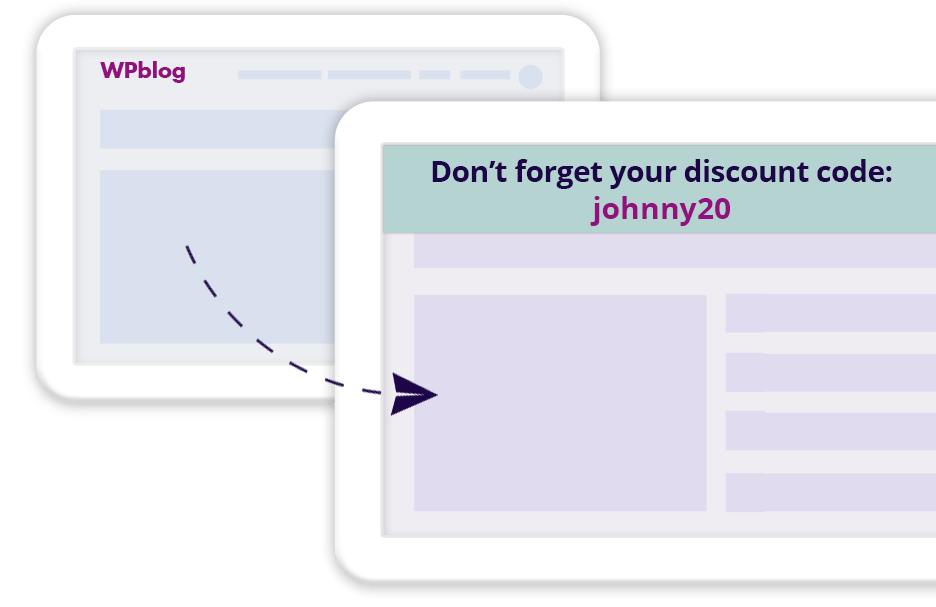
Show users the affiliate’s discount code
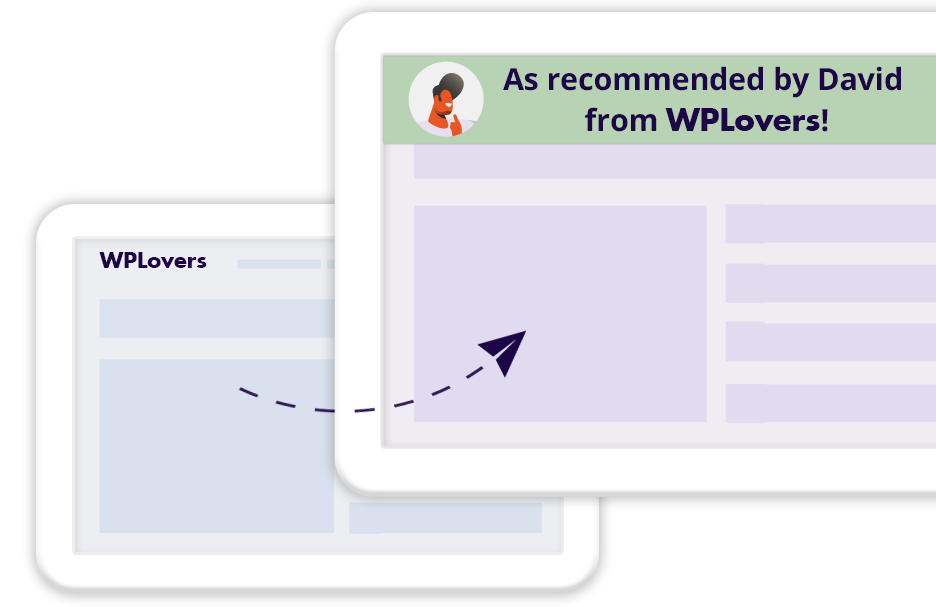
Remind users that they arrived from a trustworthy source
How does it work?
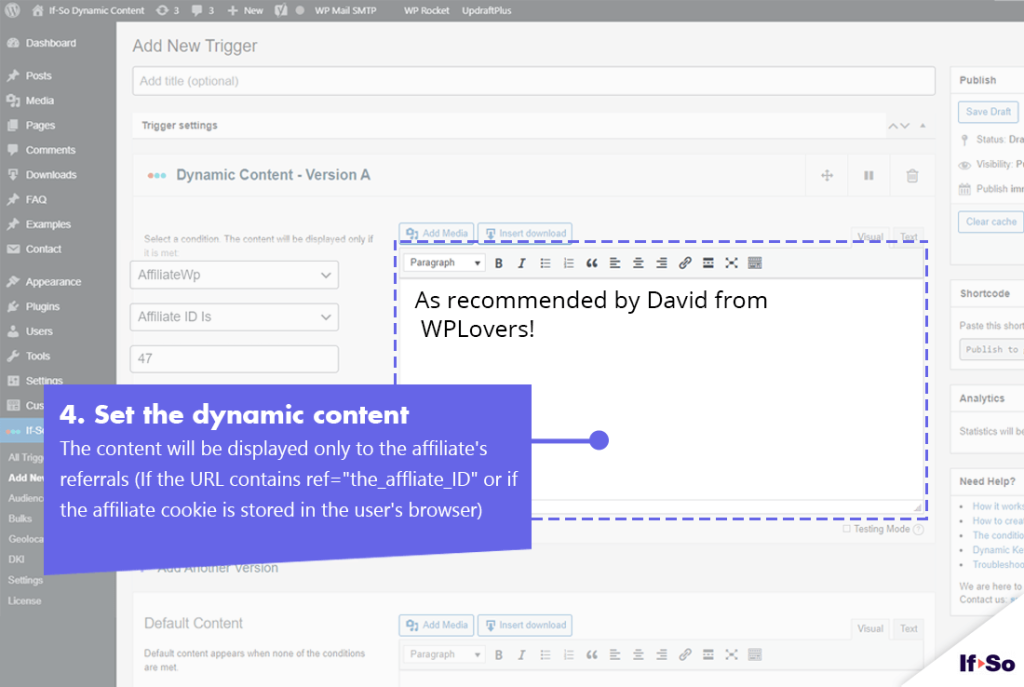
When you set up an AffiliateWP condition, dynamic content will be displayed if one of the two factors below is met:
- The page URL contains ?ref=XX (XX is the affiliate ID)
- The affiliate cookie exists in the user’s browser (cookie name affwp_ref)
How to set up the Affiliate WP condition
- Make sure you have If-So Dynamic Content WordPress plugin and the If-So AffiliateWP integration installed.
- On your WordPress dashboard, go to “If-So → Add New Trigger”
- Set up the dynamic version:
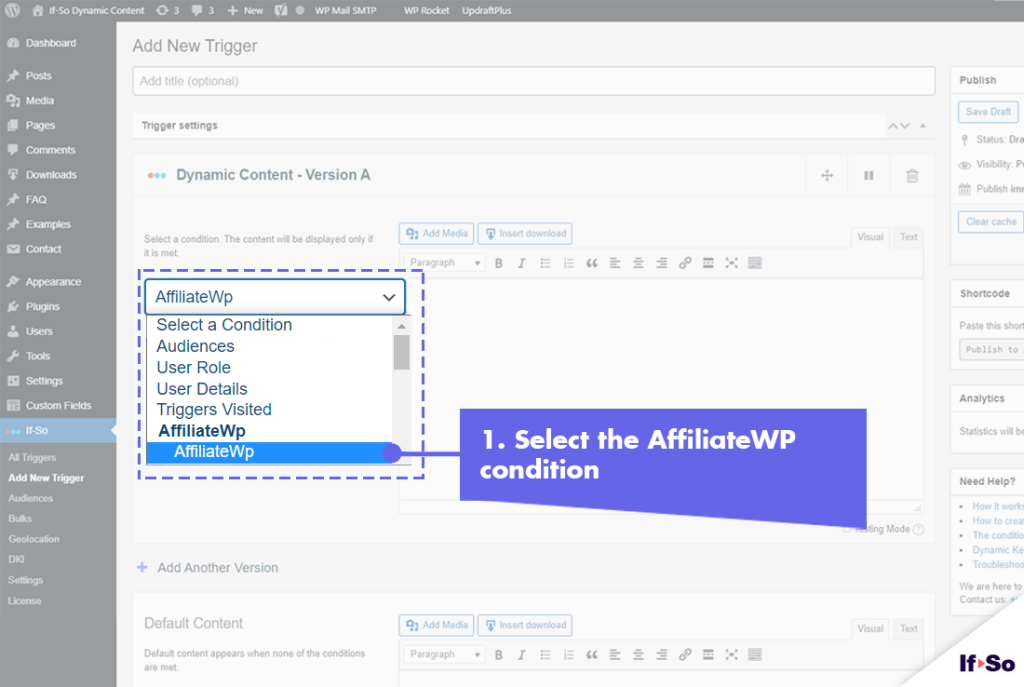
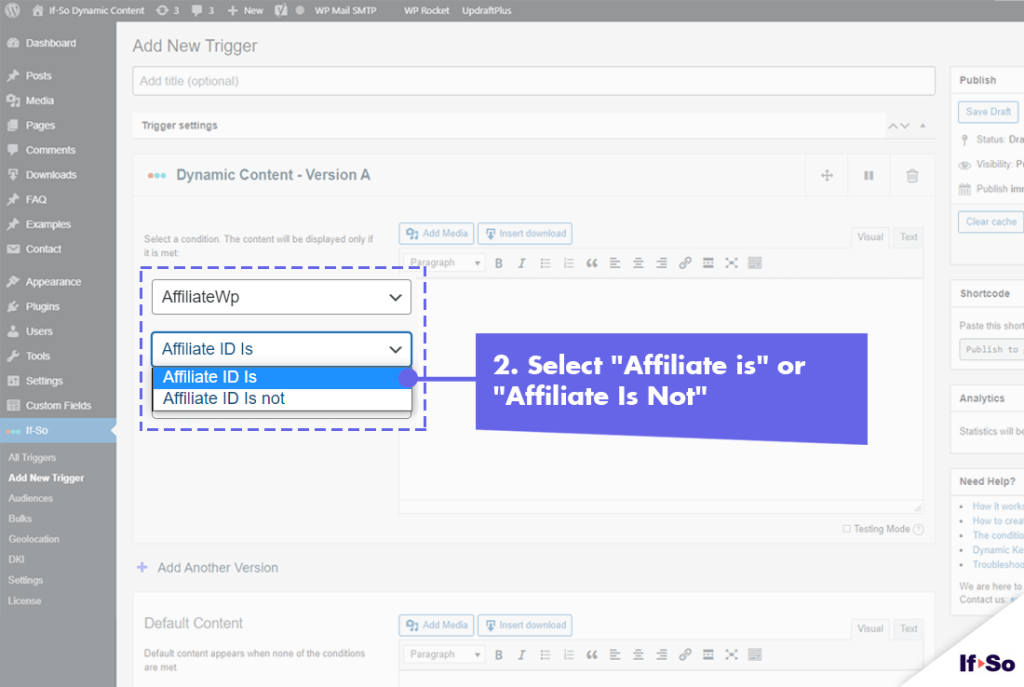
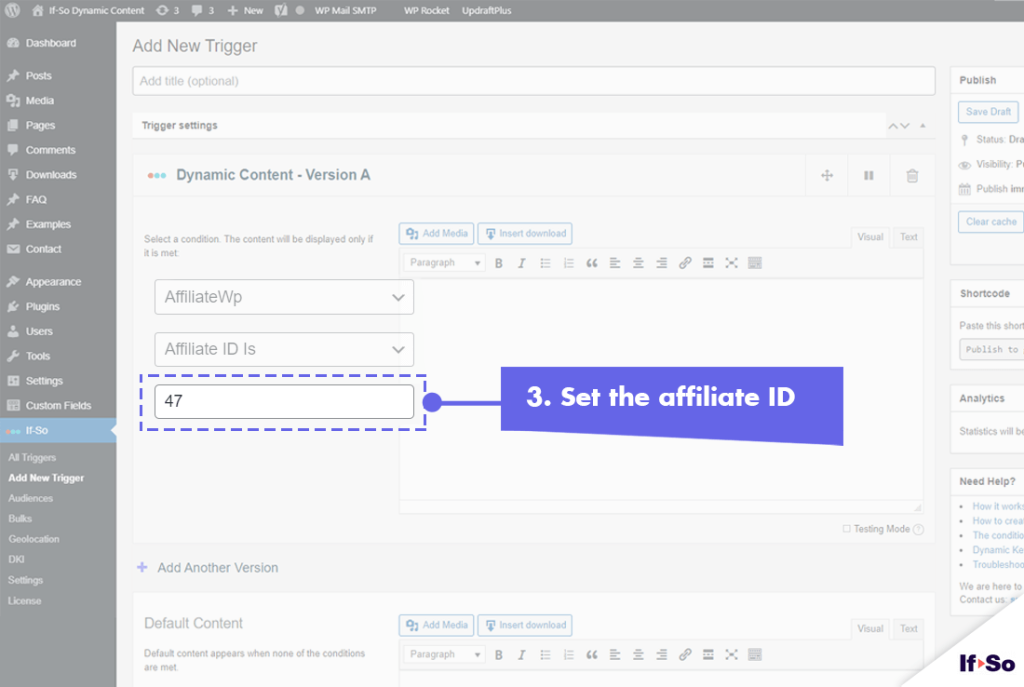
1. Select “AffiliateWP” from the drop-down menu.
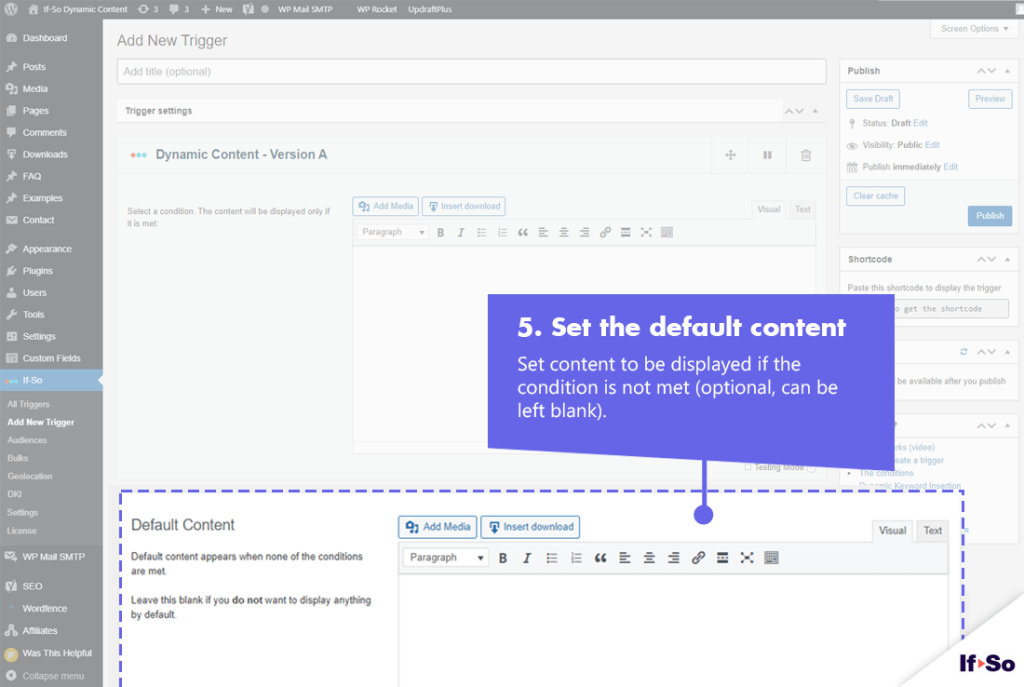
2. Set the content to be displayed if the condition is met. - In the default content field, set content to be displayed if the condition
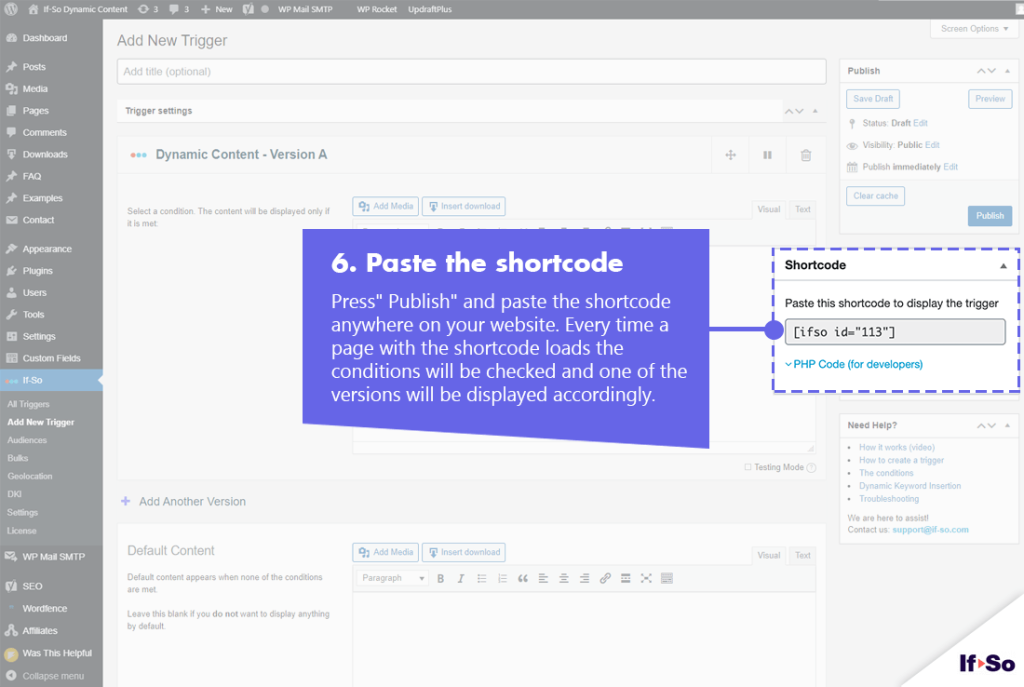
is not met. - Press “Publish”.
- Copy and paste the shortcode wherever you want to display the trigger’s content (on pages, posts, or widgets).
- Make sure you have If-So Dynamic Content WordPress plugin, the If-so AffiliateWP and the Conditional Elementor elements integration.
- In the Elementor editor, select the element you want to display to AffiliateWP referrals.
- In the element settings panel, go to the If-So tab.
- Choose the AffiliateWP condition.
- Click Update to save the page.
- Make sure you have If-So Dynamic Content WordPress plugin, the If-so AffiliateWP integration.
- In the Gutenberg editor, select the block you want to display to AffiliateWP referrals.
- In the block settings sidebar, open the If-So Conditions panel.
- Choose the AffiliateWP condition.
- Update or publish the page to save your changes.
Display the affiliate’s name using a DKI shortcode
Another option included in the If-So & Affiliate WP integration is to use a shortcode that displays the affiliate’s name.
One use case this option is helpful for is to remind users they arrived at your site through a recommendation from someone they know and trust.
One thing is for sure, your affiliates will be very pleased by the fact that they can be recognized instantly by their referrals.
Using the Affiliate Name DKI shortcode
To use the affiliate Name DKI shortcode, simply paste the shortcode below wherever you want to display the name:
[IfsoAffiliateWPDKI type='affiliate' show='name' fallback='no affiliate']If the user was referred by one of your affiliates, the affiliate’s name will automatically be displayed. If the user wasn’t referred by an affiliate, the value of the “fallback” parameter will be displayed. You can leave this value blank or remove the parameter if you don’t want to display anything in this case.
Screenshots