
The Browser Language Condition – Language-based Dynamic Content
How Does the Browser Language Condition Work
Most desktop browsers have settings that allow you to edit your language preference settings. These tell the server what language you prefer for pages and resources that it sends you (separate from the language of the browser user interface).
For browsers on mobile devices, the language preferences are likely to be determined by the operating system settings, or in some cases by the language of the system when you installed the browser.
Browsers that allow you to change your language preferences will generally allow you to specify a list of languages so that if your first choice is not available, you can set which alternative languages to try, and in what order.
How to configure the browser language in common browsers:
Primary language: [ifso_display_user_languages type=”only-primary”]Other language/s: [ifso_display_user_languages type=”all-except-primary”]
Use Cases
Display product recommendations in the visitor’s language.
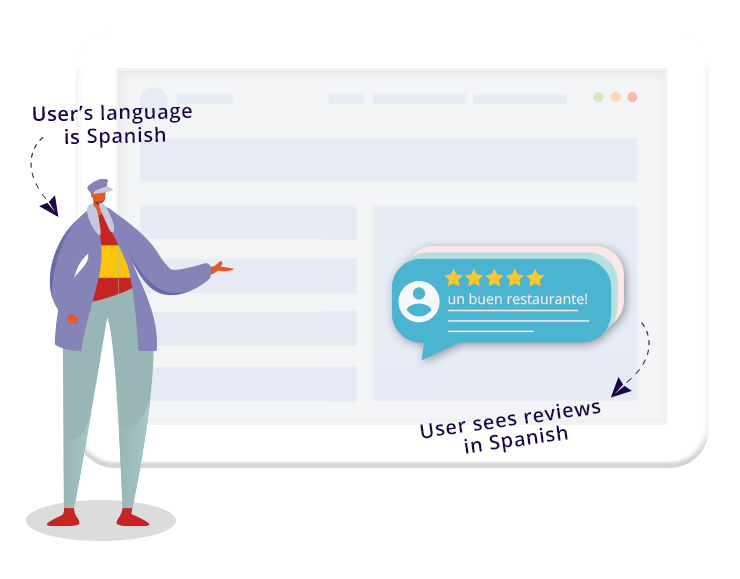
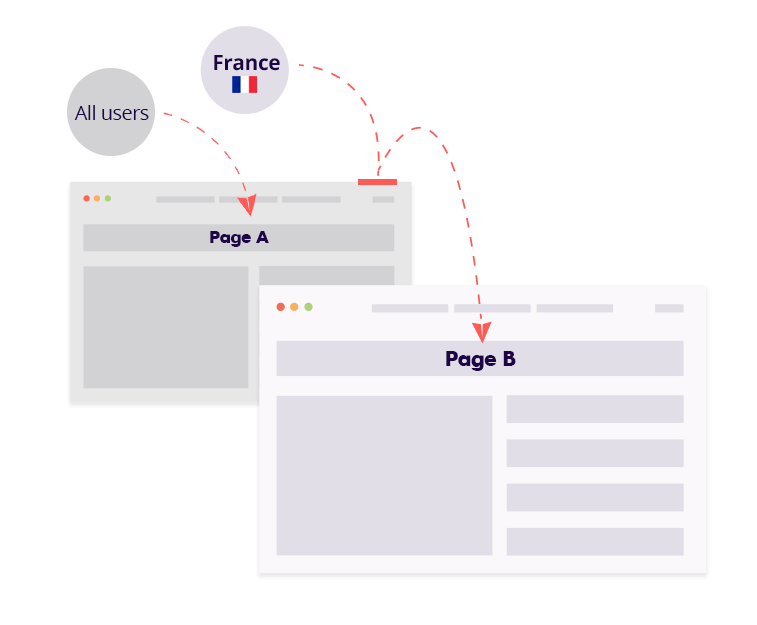
Redirect users to a page in their own language
Grab attention with a short message in the visitor’s language

Translate your website’s calls to action

Which content can be customized using the browser language condition?
Same as with all of If-So’s dynamic triggers, any of the website’s content can be customized. That includes titles, texts, images, calls to action, buttons, and more.
Step-by-step: How to set up browser language-based dynamic content
*Elementor or Gutenberg user? This condition can be used to set up a conditional element or block (Learn more: Gutenberg | Elementor).
- On your WordPress dashboard, go to “If-So → Add New Trigger.
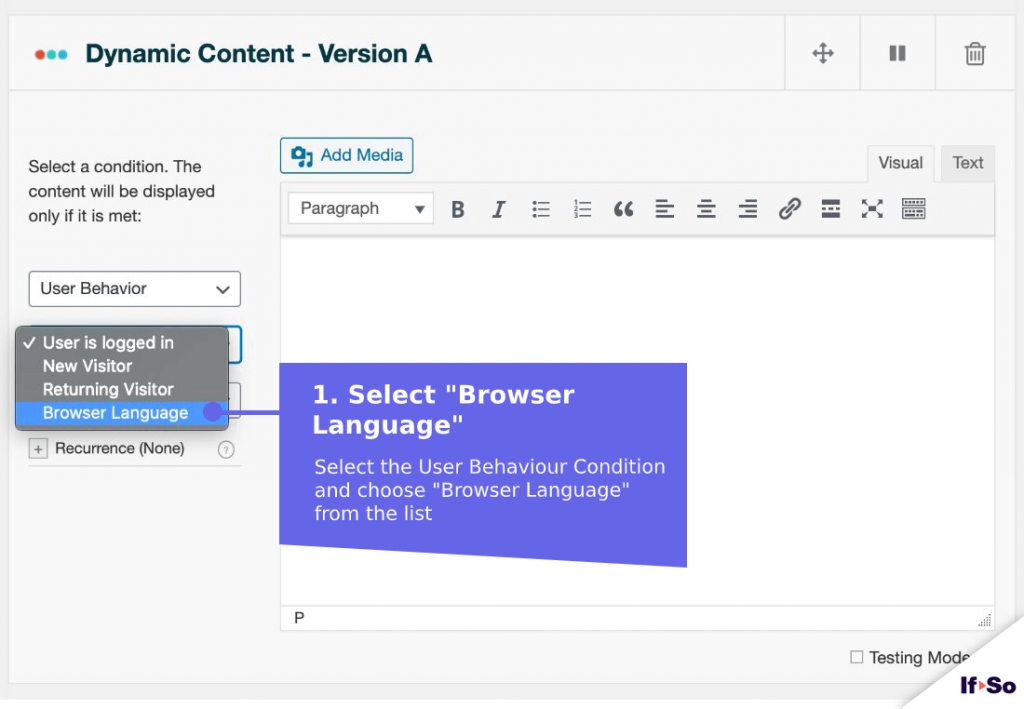
- Click on “Select a condition” and select “User Behavior → Browser Language “.
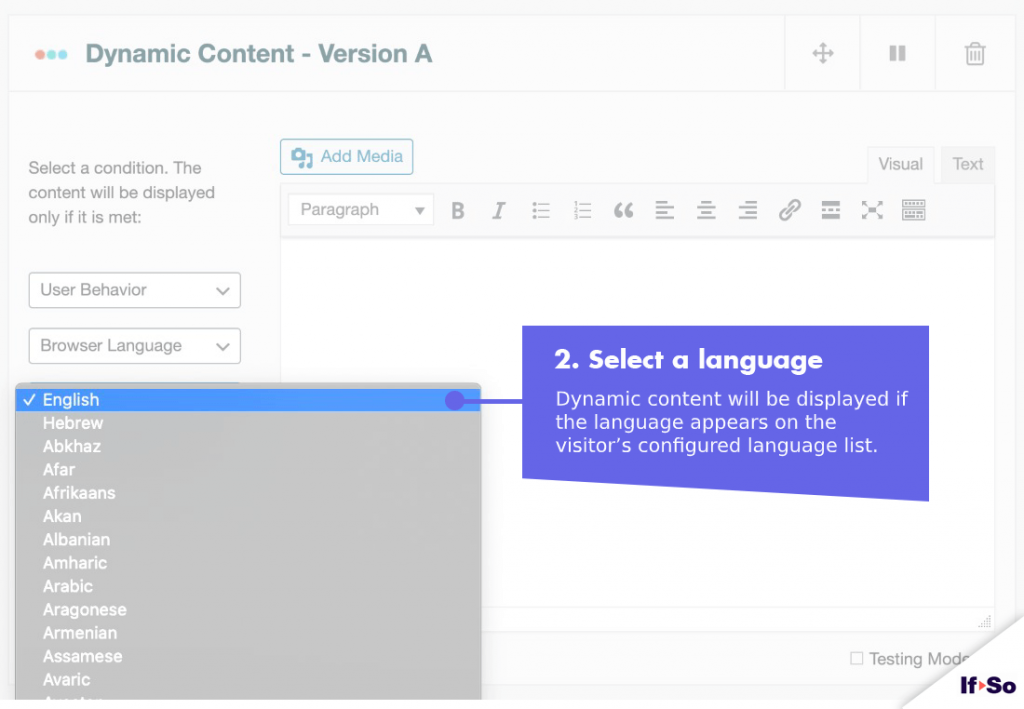
- Select a language
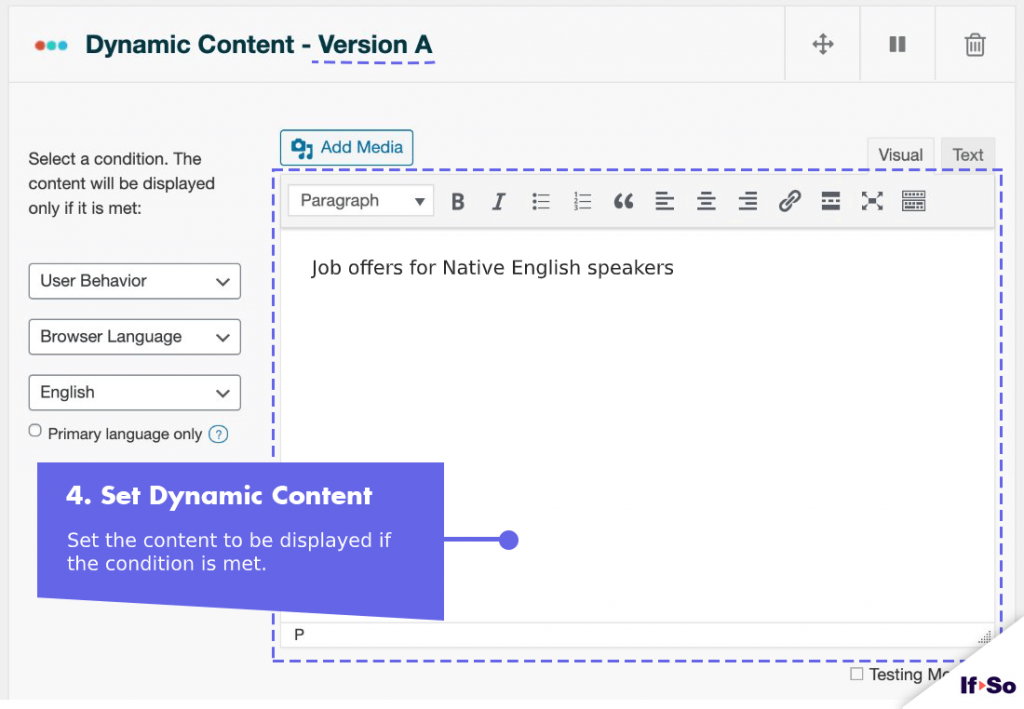
- In the content field, set the content to be displayed if the language appears on the visitor’s configured language list
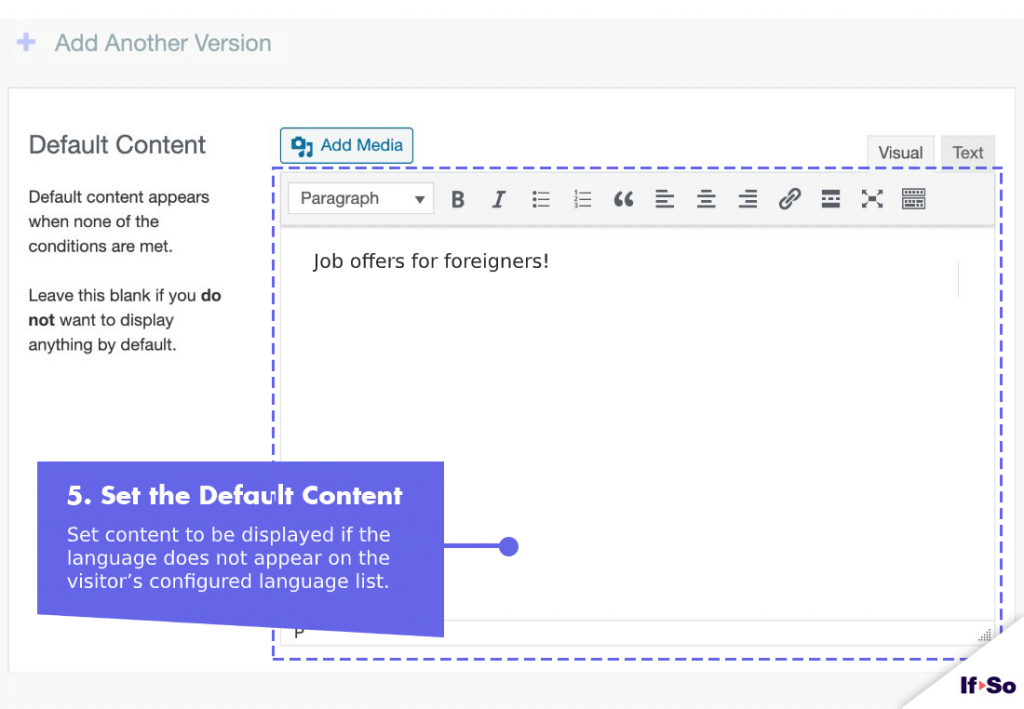
- In the default content field, set content to be displayed if the language does not appear on the visitor’s configured
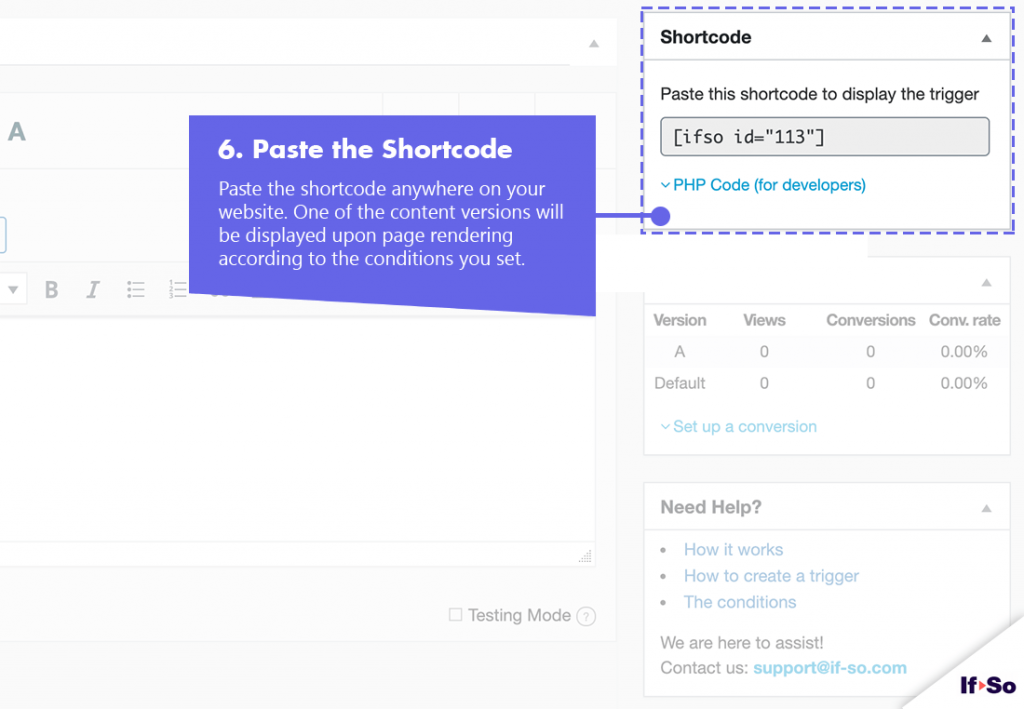
language list. - Press “Publish” and paste the shortcode generated by If-So into your website.
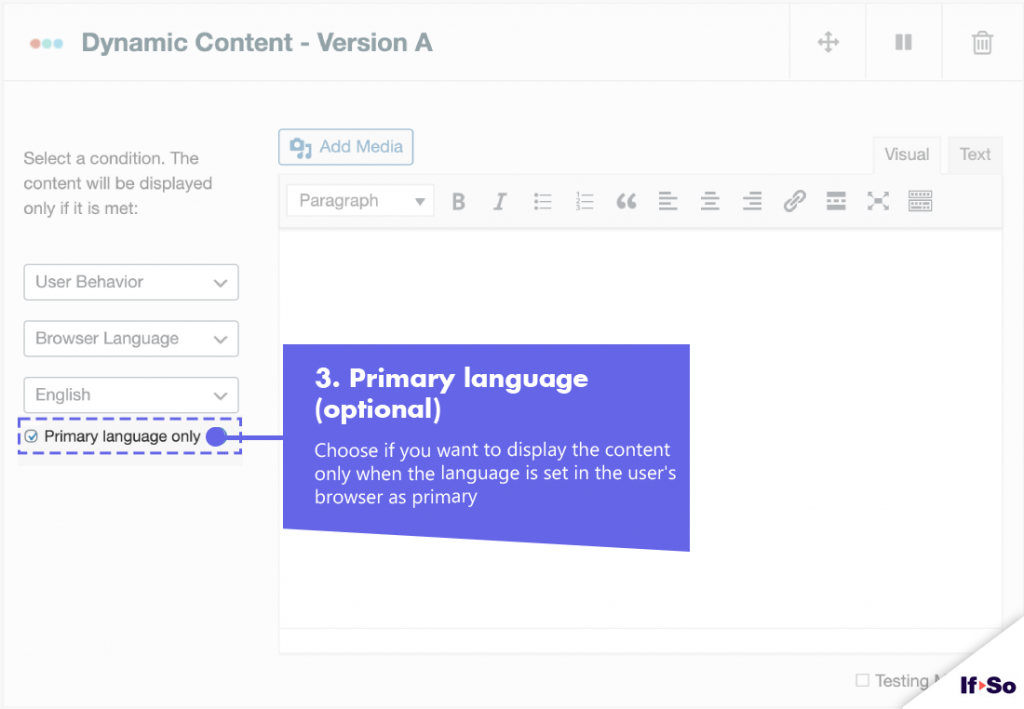
Display dynamic content only if the language is set as primary (optional)
As written above, some browsers allow users to specify a list of languages so that if their first choice is not available they can set alternative languages to try, and determine their order.
If-So allows you to choose whether to display the dynamic version for a primary language only, or also for secondary browser languages. This option is extremely useful when you want to grab visitors’ attention with a message in their mother tongue.
The option is useful since in many cases the browser language condition is used to grab visitors’ attention with a message in their mother tongue language.
Browser Language DKI shortcodes
The Browser Language DKI Shortcodes allow you to display the visitor`s browser-defined language/s.
Browser Language DKI shortcodes builder
Customize the fields to generate your shortcode, then copy and paste it wherever you want the dynamic value to appear.
Screenshots
FAQs
- Does If-So work with caching plugins and server-side caching?
Yes.
Whether you are using a caching plugin or server caching, you can navigate to the plugin settings and enable the “Page Caching Compatibility” option.
With the option enabled, dynamic triggers will be rendered in a separate request that will take place after the loading of the cached version.
- Is it possible to set up conditional redirects (redirecting users to different pages based on conditions)?
Yes, you can set up conditional redirects based on any If-So condition.