Dynamic CSS: Conditional website design
Conditional CSS lets you change your site’s look and feel based on If-So conditions – either by adding CSS inside a version, loading an extra stylesheet, or swapping the original stylesheet when the condition matches.
How it works
The Dynamic CSS option outputs CSS as the trigger’s content. If-So evaluates trigger versions in order and loads only the version whose condition is met. The CSS in that version overrides the site’s default CSS and is applied only to matching visitors.
This works with all caching systems, as the dynamic CSS can be loaded dynamically when needed.
Use cases
- Show a holiday theme (for example, Halloween) only during specific dates.
- Switch to a night-mode background after business hours.
- Apply a seasonal color palette during winter months.
- Adapt accent colors for visitors from a specific country using a geolocation condition.
Setup methods
You can implement conditional CSS in three practical ways. Choose the simplest option that covers your scope:
- Add custom styles directly inside a trigger version (recommended, unless your changes are extensive).
- Load an additional stylesheet that overrides parts of the original CSS.
- Replace the original stylesheet URL with an alternate stylesheet when a condition is met.
Since the first option is the simplest and covers most use cases, this guide focuses on it. You can learn about the other two methods here if needed.
Step-by-step: How to apply conditional CSS
Overview: Pick one method below – (1) inline CSS inside a version, (2) enqueue an extra stylesheet, or (3) swap the theme stylesheet URL using a trigger output.
- Download and activate the If-So Dynamic Content plugin.
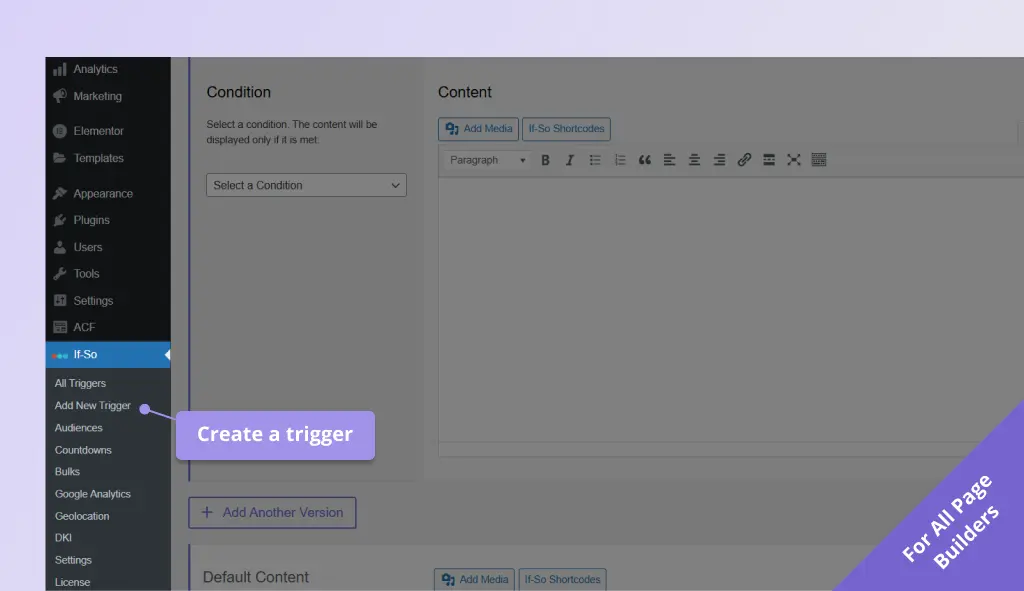
- On your WordPress dashboard, go to If-So → Add New Trigger. Screenshot
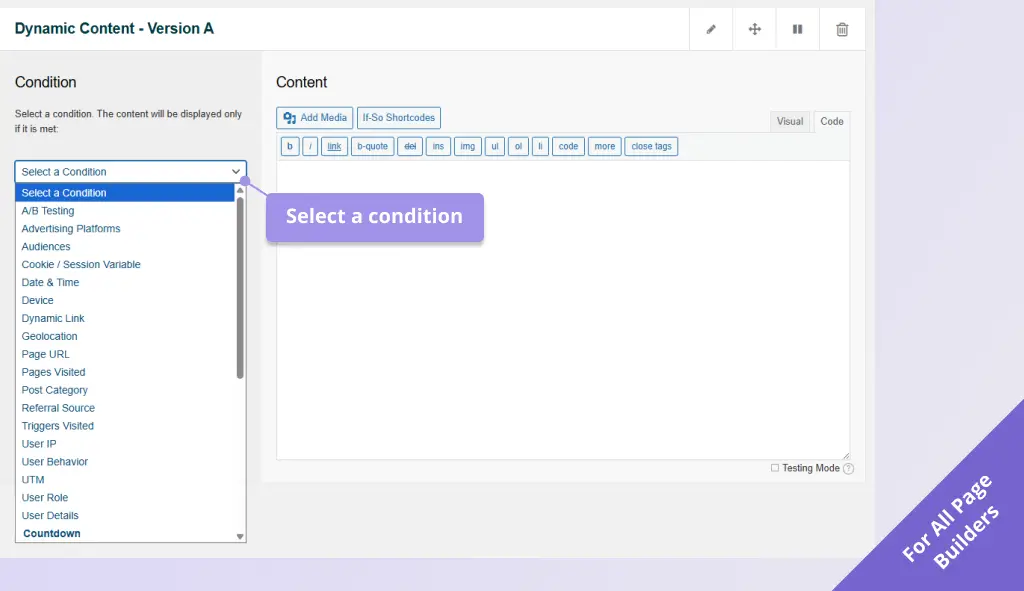
- In version A, select the condition you want to apply. Screenshot
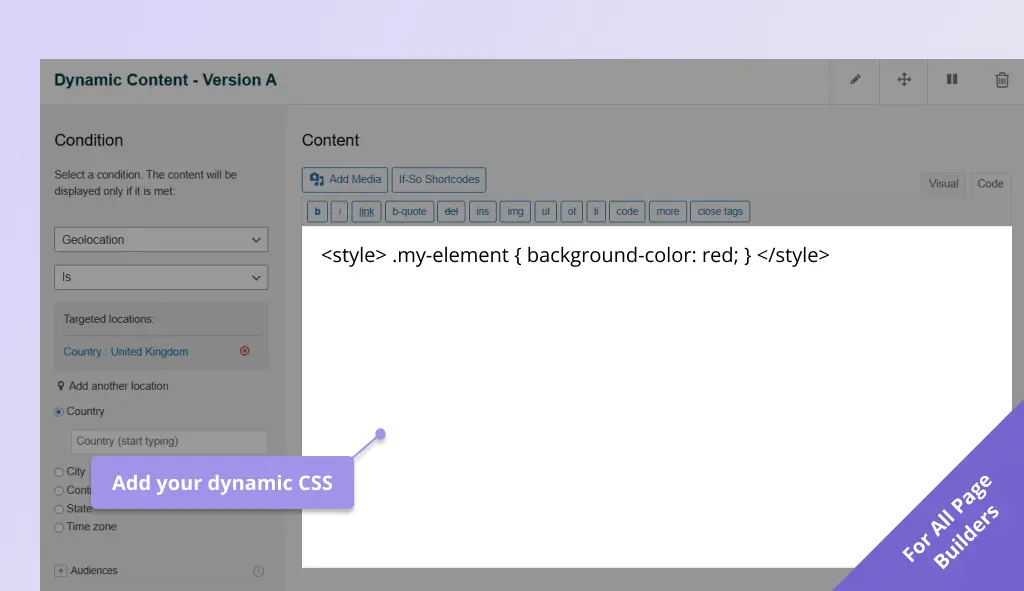
- Switch the version content field to HTML/Code mode.. Screenshot
- Define the CSS classes and attributes you want to use for overriding the default CSS inside
<style>tags. Screenshot
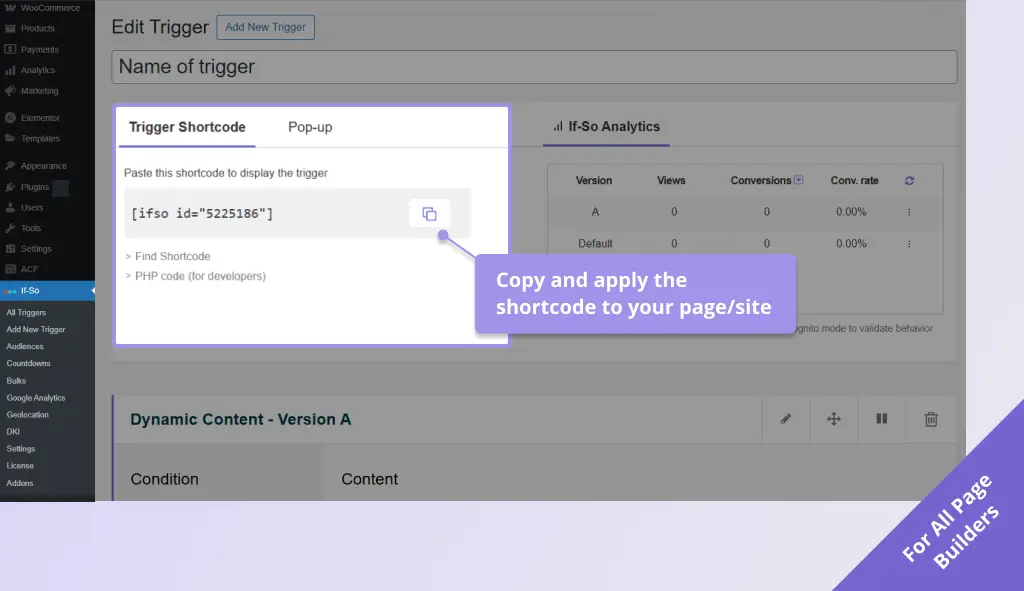
For example:<style> .my-element { background-color: red; } </style> - Click Publish, then copy and paste the trigger shortcode anywhere on your page to apply the dynamic CSS. Screenshot
Keep in mind that any CSS added inline will be applied only to the specific page or post you are editing and will not affect the overall styling of your website unless you apply the trigger on all pages.
FAQ
Will dynamic CSS work with caching?
Yes. If-So works with all caching systems. For per-visitor styling, ensure the conditional output is rendered dynamically in the places where caching would otherwise serve the same HTML to everyone.
Can I use conditional CSS for geolocation-based designs?
Yes. Create versions that use a geolocation condition (continent, country, state, city, timezone) and output either inline CSS or a stylesheet reference for that version.
Screenshots