Location-based WordPress Menus – 5 min setup
Set up dynamic menus based on the user's location: continent, country, state, city, or timezone.

Use cases
- Include a dynamic menu item that points to the visitor’s nearest branch.
- Direct users to country-specific help centers or language-specific support articles.
- Country-specific pricing or shop – show menu items that link to the appropriate shop domain.
Step-by-step: How to set up location-based menu item
The setup involves two main steps: (1) creating a trigger that defines the locations and their corresponding menu items, and (2) adding that trigger to your WordPress menu.
- Download and activate the If-So Dynamic Content plugin.
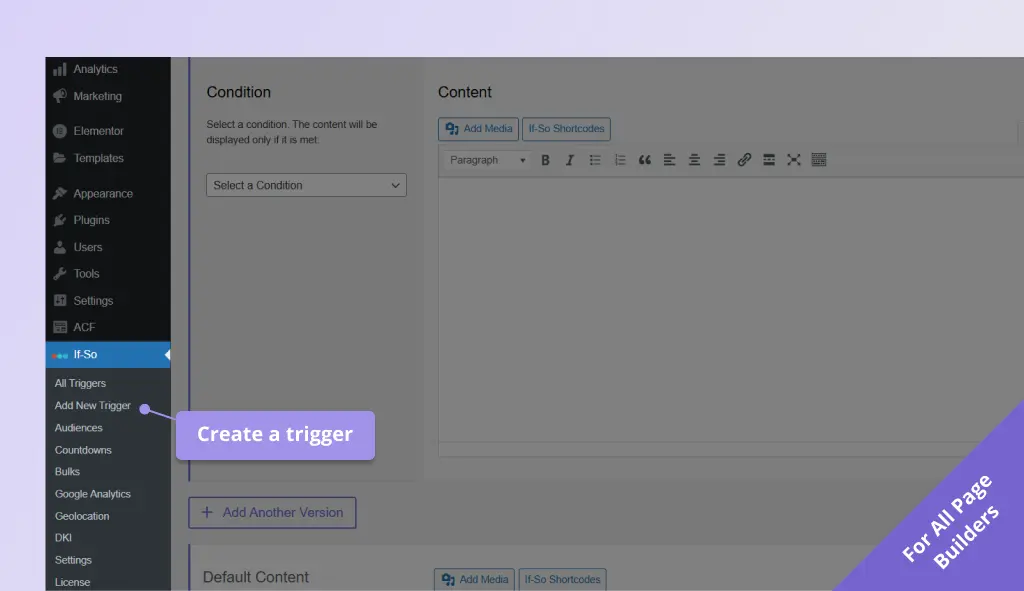
- On your WordPress dashboard, go to If-So → Add New Trigger. Screenshot
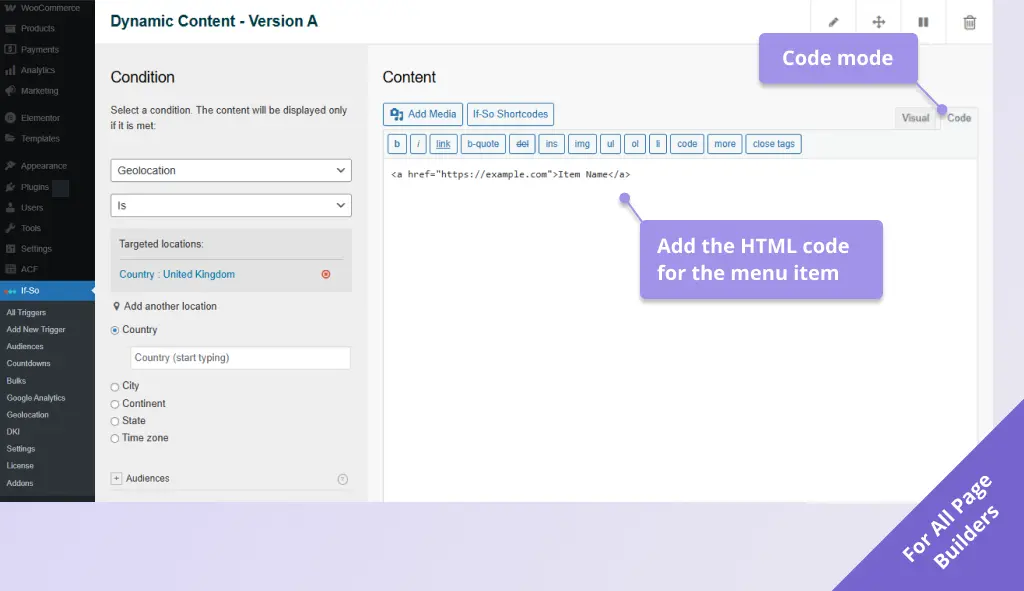
- In version A, select the geolocation condition and choose the location(s) where the dynamic menu item will appear. Screenshot
- In the version A content field, switch the WYSIWYG editor to Code mode and paste the HTML line below, while replacing
https://example.comwith the page URL you want the menu item to lead to and Item Name with your desired label. Screenshot
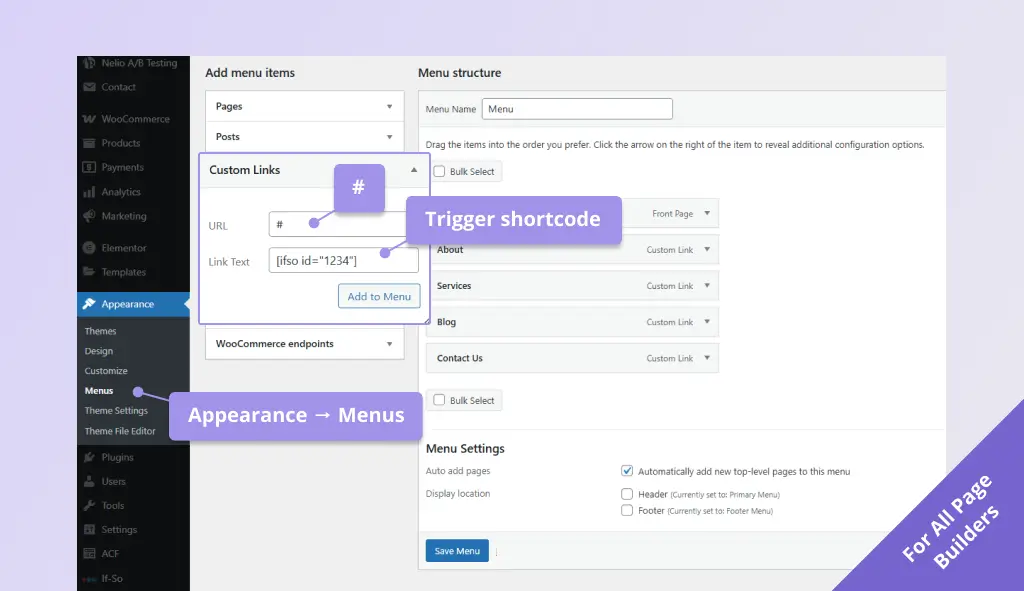
<a href="https://example.com">Item Name</a>- On your WordPress dashboard, go to Appearance → Menus.
- Click Custom Links to add a new custom menu item, paste the trigger’s shortcode in the Link Text field, and enter
#in the URL field. Screenshot
Screenshots