
Pages Visited Condition
How can your site benefit from this condition?
Examples:
- Personalize calls to action based on the interest a visitors showed on your site
- Encourage users who showed interest in a certain product or service to take action
- Hide marketing messages from users who already purchased your app or program
How does the condition work?
The condition works based on a cookie that tracks pages on your site that were previously visited by the user.
Be mindful that the condition will only work if the user has visited the site using the same device and browser and did not clean the browser cookies.
The lifespan of the Pages Visited cookie
Dynamic content will be displayed if a user has previously visited selected pages over a defined time period. The lifespan of this cookie can be defined on the plugin’s Settings page.
Disabling the Pages Visited cookie
For users who don’t use the Pages Visited condition and are concerned about privacy regulations, they can disable the pages visited cookie. If the cookie is disabled, If-So will skip dynamic content versions with the Pages Visited condition. Other versions in the trigger, if such exist, will be checked as usual.
How to set up a Pages Visited condition
*Elementor or Gutenberg user? This condition can be used to set up a conditional element or block (Learn more: Gutenberg | Elementor).
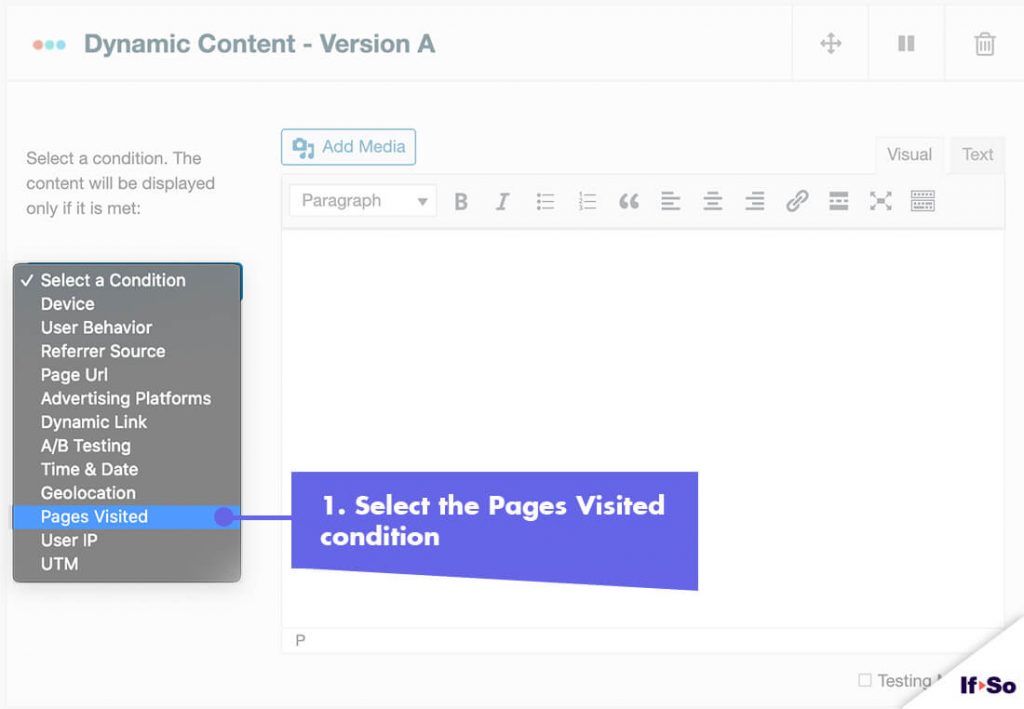
- Click on “Select a condition” and select “Pages Visited“.
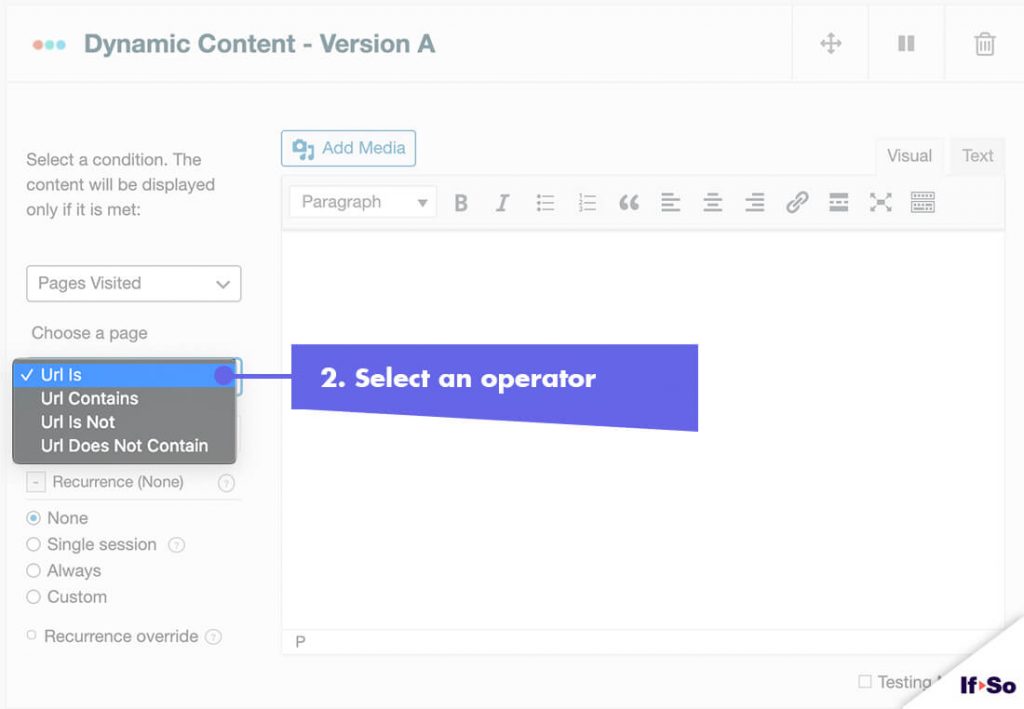
- Select an operator: “URL is” / “URL contains” / “URL is not” / “URL does not contain”.
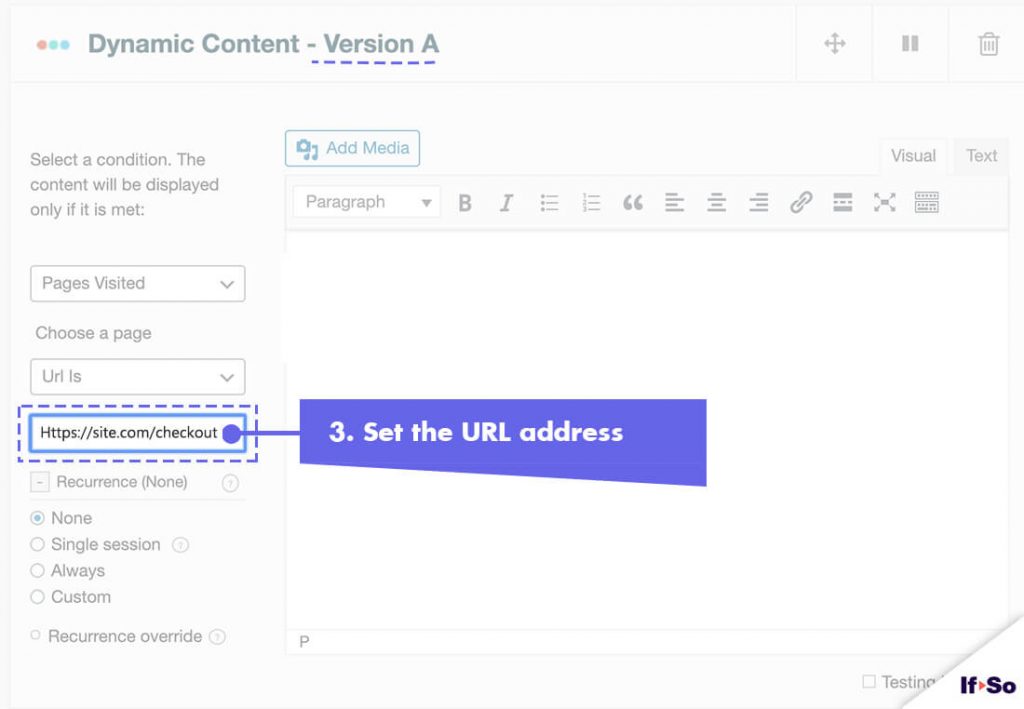
- Type in a domain, a webpage URL, or a term.
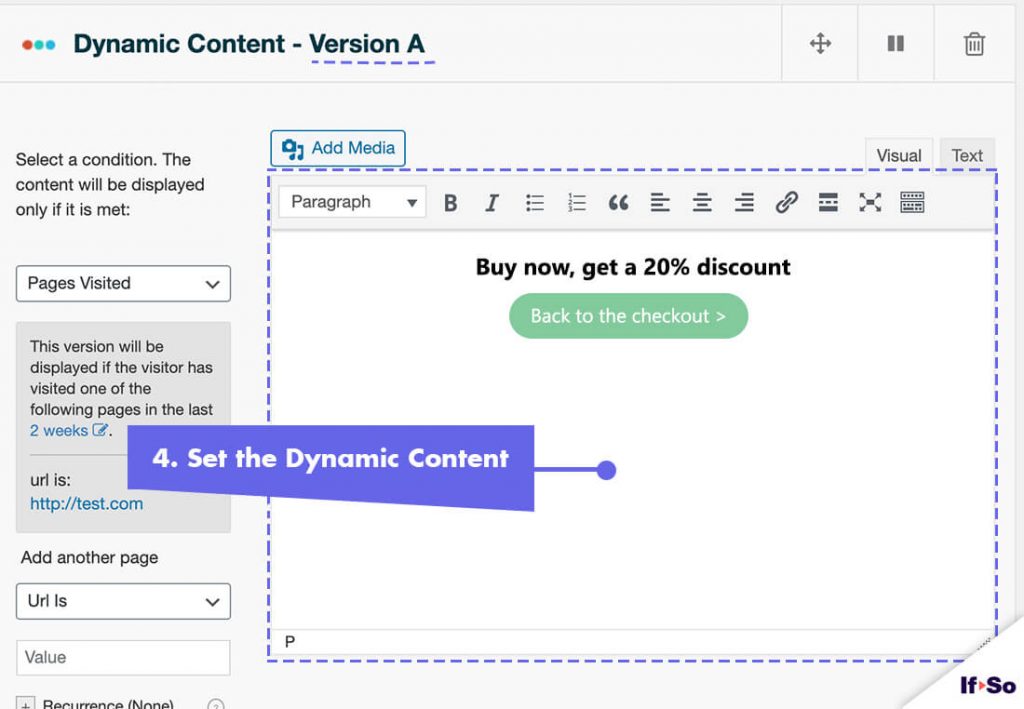
- In the content field of the dynamic version, set the content to be displayed if the condition you have set is met.
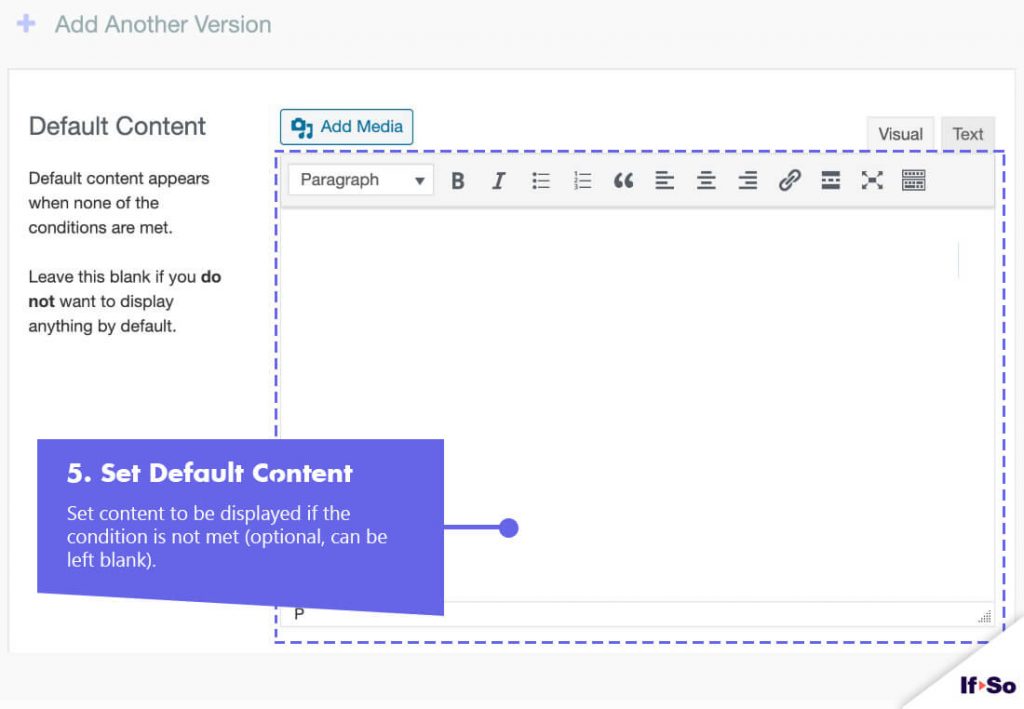
- In the content field of the default version, set content to be displayed if the condition is not met (optional, can be left blank).
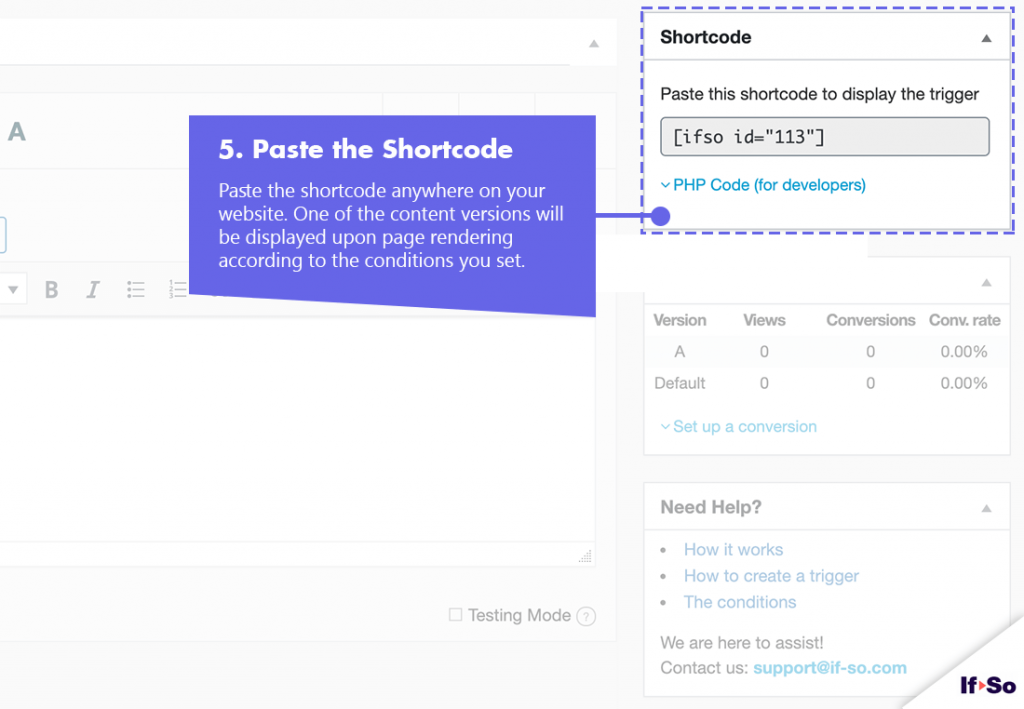
- Press “Publish” and paste the shortcode generated by If-So on your website.
Page Visited DKI shortcodes
The Page Visited DKI Shortcodes allow you to add or replace content on your website based on the pages previously visited by a user.
Customize the fields to generate your shortcode, then copy and paste it wherever you want the dynamic value to appear.
View Count – DKI builder
Visit Count – The total number of pages visited by a specific user.
Trigger View Count – The number of times a specific trigger was seen by a visitor.
Screenshots
FAQs
- Does If-So work with caching plugins and server-side caching?
Yes.
Whether you are using a caching plugin or server caching, you can navigate to the plugin settings and enable the “Page Caching Compatibility” option.
With the option enabled, dynamic triggers will be rendered in a separate request that will take place after the loading of the cached version.
- Is it possible to set up conditional redirects (redirecting users to different pages based on conditions)?
Yes, you can set up conditional redirects based on any If-So condition.