WordPress Conditional Content Made Simple – What is If-So?
What is If – So?
If-So is the premier tool for creating conditional content for WordPress. It allows you to transform static pages into high-converting, personalized experiences by showing the right message to the right person at the exact right time.
No coding required, compatible with page caching, works with any page builder, and is SEO-friendly.
3 Core Solutions
If-So is designed around three main pillars of website optimization:
- Personalization – Tailor your site to the user’s journey. Use no-code conditional logic to deliver a relevant experience in just a few clicks.
- Geotargeting – Provides maximum precision through a premium IP-to-location database and an integrated HTML5 Geolocation API.
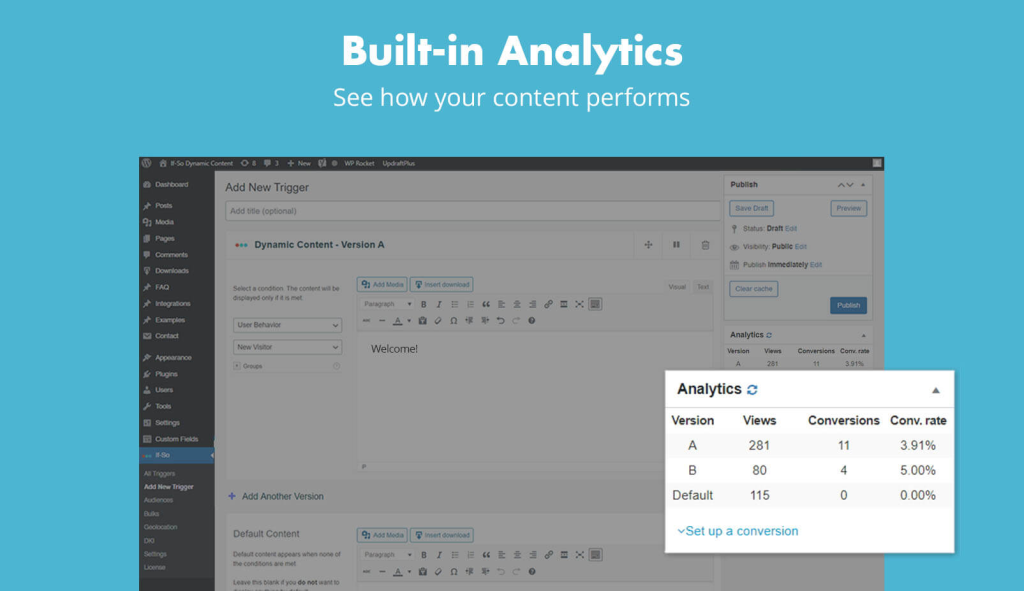
- A/B Testing – Stop guessing and start testing. Create multiple versions of an element or a section and track the winner automatically with our built-in analytics.
Built for Performance & Compatibility
- Works with every page builder: Whether you use Gutenberg, Elementor, or any other content editor, our plugin integrates seamlessly.
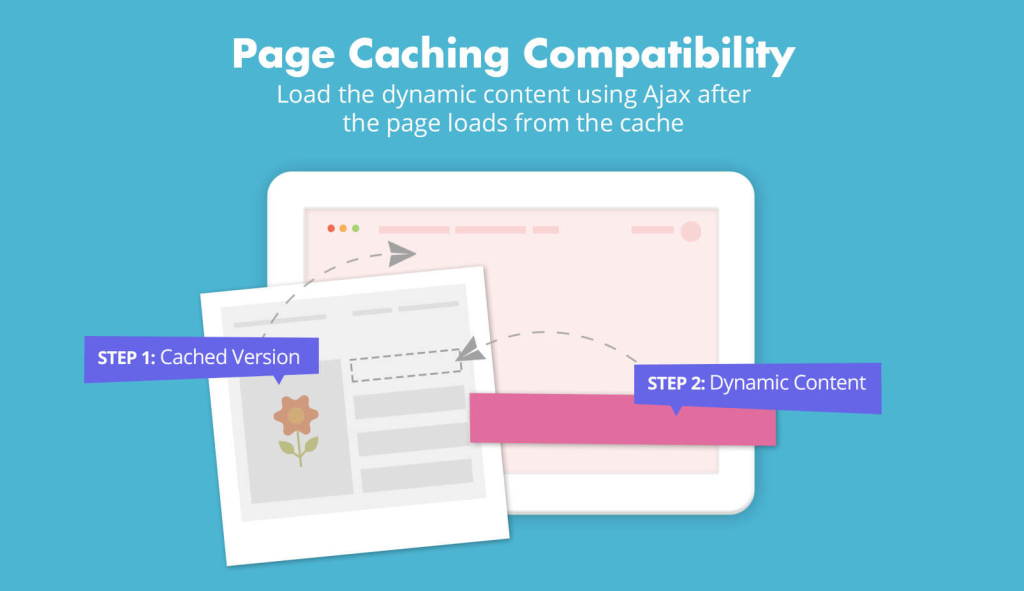
- Caching-Ready (Ajax): If-So is designed to bypass page caching (WP Rocket, Cloudflare, or any other), ensuring your conditional logic always fires correctly.
- SEO Friendly: Google sees your “Default Content,” keeping your SEO rankings safe while users enjoy a personalized experience.
How it Works: The Logic of WordPress Conditional Content using If-So
At its heart, If-So uses a simple “If-Then” logic. You don’t need to know how to code to create complex rules:
1. IF: {Condition: e.g., New Visitor}
↓
2. THEN: {Show Version A: Welcome Message}
↓
3. ELSE: {Check next conditon or Show Default: Returning Visitor message}
5 Ways to Set WordPress Conditional Content (The ‘Then’)
Depending on your use case and preference, you can display content conditionally in five different ways:
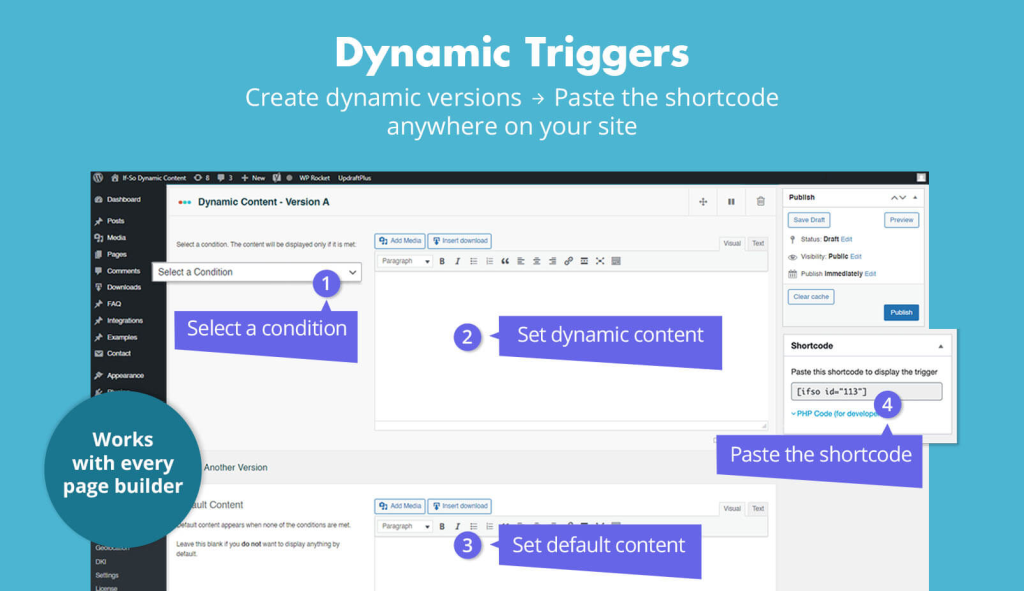
- Triggers (For all page builder users): The most flexible method. Create a sequence of conditoins and version and use a Shortcode to place it anywhere on your site.
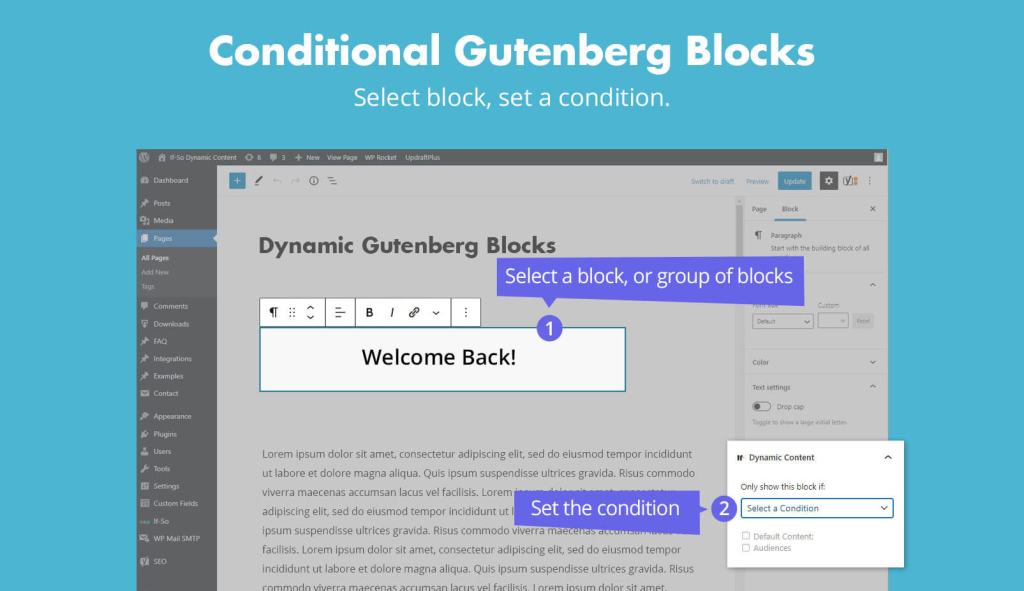
- Gutenberg Blocks: Add WordPress conditional content directly inside the native WordPress editor
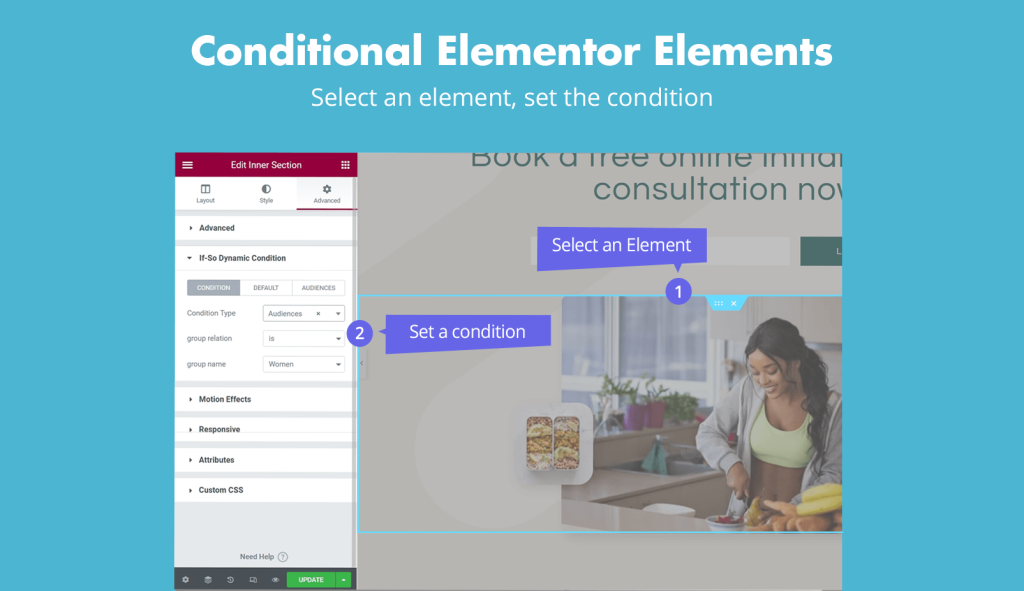
- Elementor Elements: Apply conditions to any Elementor Section, Column, or Widget with a few clicks.
- CSV Bulk Personalization: An advanced addon for scaling. Manage thousands of content versions from a single Google Sheet or CSV.
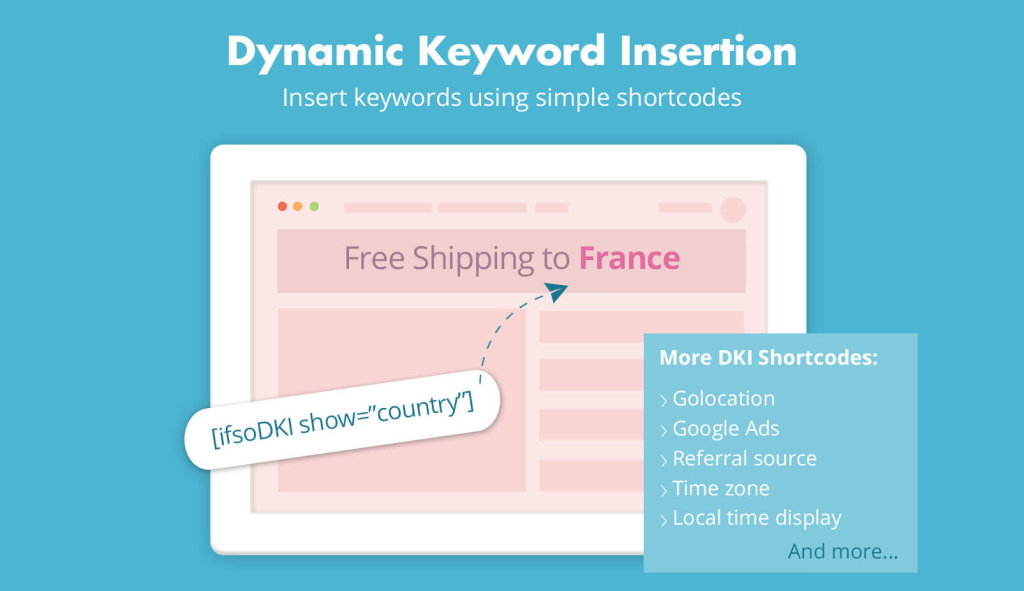
- DKI (Dynamic Keyword Insertion): For “inline” changes, like greeting a user by their name or mentioning their current country within a paragraph.
The Personalization Conditions
A vast selection of WordPress Conditional Content to help you display the perfect content:
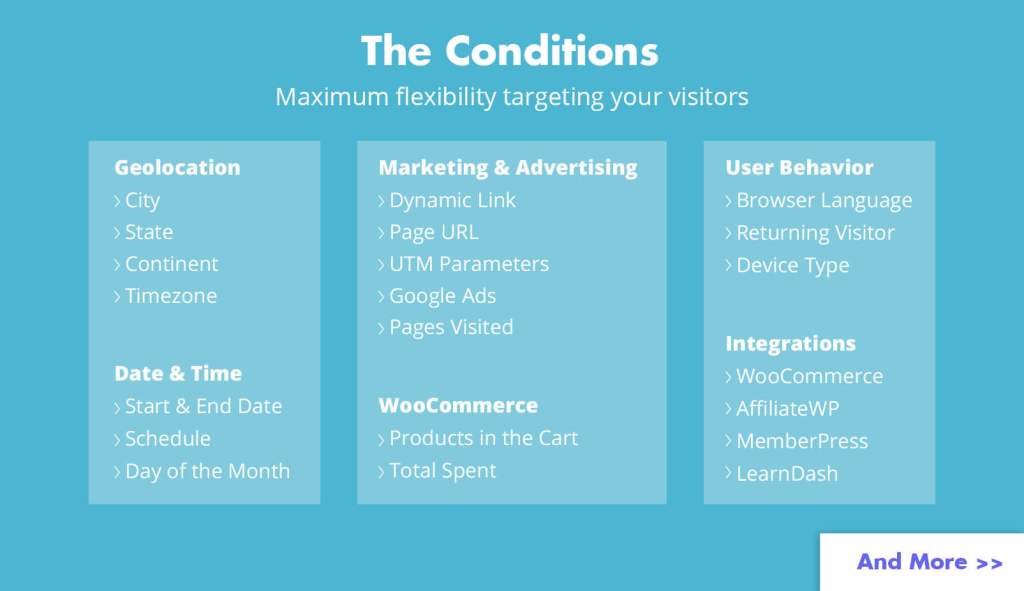
- Geolocation: Target by City, State, Country, Continent, or Timezone.
- Marketing Data: Align your site with your campaigns using UTM Parameters, Referral Source, Google Ads, Facebook Ads, Page URL, Post Category, or Dynamic Links.
- User Info: Target based on Logged-in Status, User Role, User Details (DKI), Browser Language, Browser Type, Operating System, Device Type, or User IP.
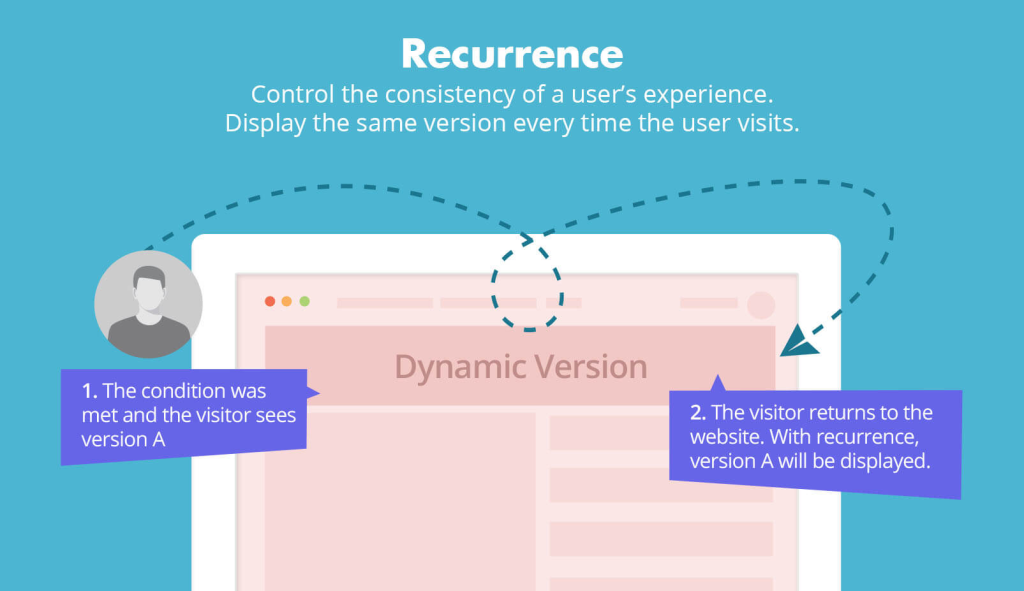
- User Behavior: Personalize for New & Returning Visitors, or based on Pages Visited, Triggers Visited, or the Number of Version Views.
- Time & Date: Automate content with Visitor Time-Based Scheduling, Start & End Dates, or specific Days of the Month.
- WooCommerce: Boost sales using data from Products in the Cart, Products Purchased, Units in Stock, Total Spent, Average Order Value, or Customer Details.
- Integrations: Extend logic to third-party apps including WooCommerce Subscriptions & Memberships, MemberPress, Paid Memberships Pro, WishList Member, LearnDash, Weglot, Easy Digital Downloads, AffiliateWP, and WP Job Manager.
Screenshots