Dynamic Content by UTM Parameters
What is UTM based content?
UTM-based content allows you to personalize your pages using the UTM parameters in the visitor’s URL. It gives you two main capabilities:
- Display different content based on specific UTM values – for example, show one version for utm_source=facebook and another for utm_source=newsletter.
- Insert the actual UTM value dynamically into your page using DKI shortcodes – for example, display the value of utm_content inside a headline or message.
Use Cases
- Show exclusive content to visitors arriving from an email newsletter.
- Display a different offer for traffic coming from a specific Facebook or Instagram ad.
- Customize headlines or CTAs based on a Google Ads campaign or ad group.
- Track the performance of marketing channels by showing different phone numbers, forms, or messages per UTM source.
- Insert campaign values dynamically into your content using DKI shortcodes (for example, display the utm_content value inside a personalized message).
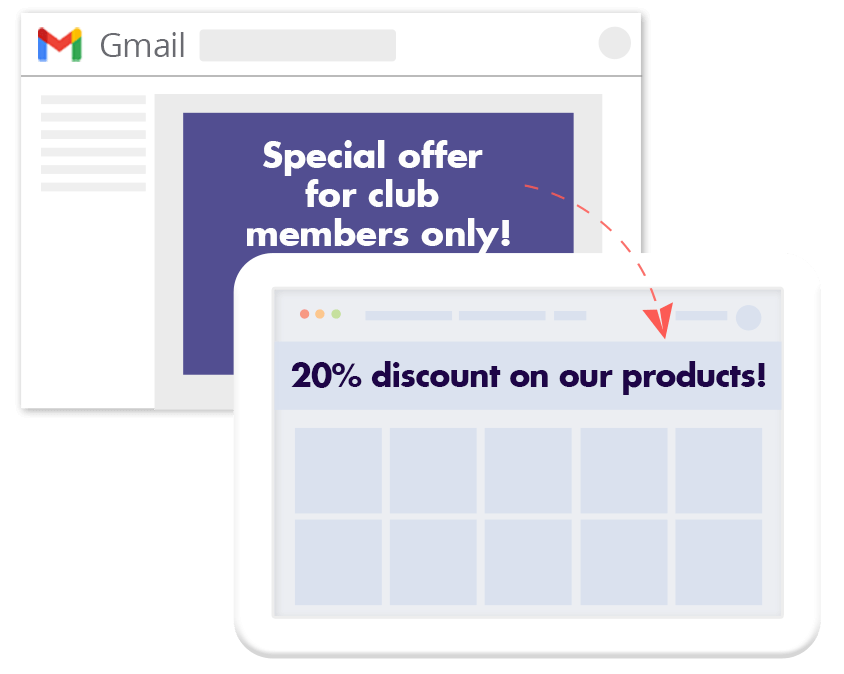
Show unique content for visitors arriving from email marketing
Show exclusive content to visitors arriving through a specific Facebook ad.

What are UTM parameters
UTM parameters are tags added to the end of a URL to help you track where traffic is coming from.
Everything following the question mark (?) in a link is part of the UTM string. Each parameter consists of two parts:
- The name (e.g., utm_source)
- Value (e.g., google).
Example URL: domain.com?utm_source=google&utm_medium=cpc&utm_campaign=chrsitmas
If-So supports the five standard UTM parameters: utm_content, utm_source, utm_medium, utm_campaign , and utm_term.
Step-by-step:
How to set up UTM-based content using If-So
- Download and activate the If-So Dynamic Content plugin.
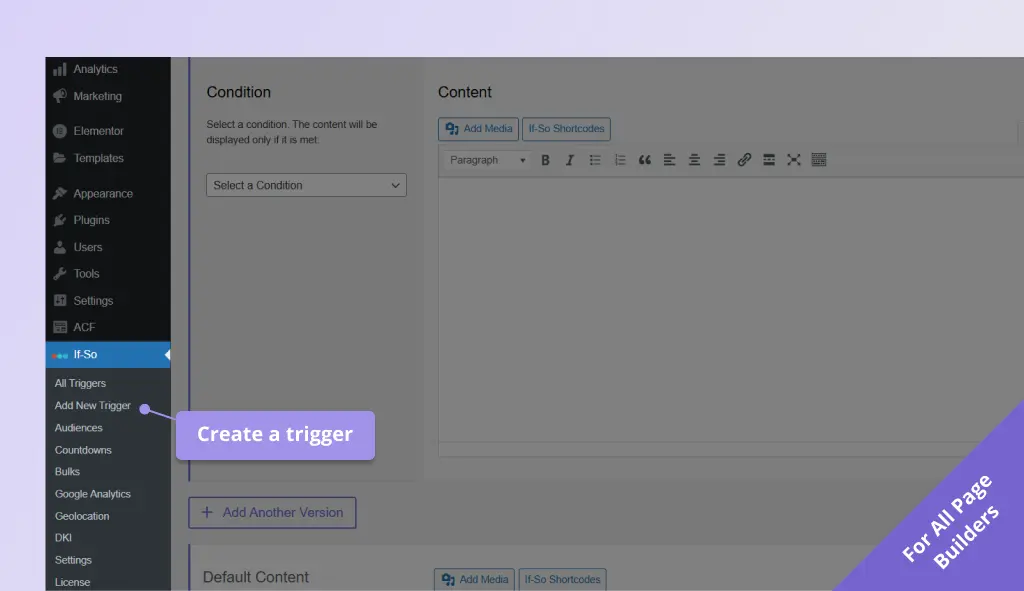
- On your WordPress dashboard, go to “If-So → Add New Trigger” Screenshot
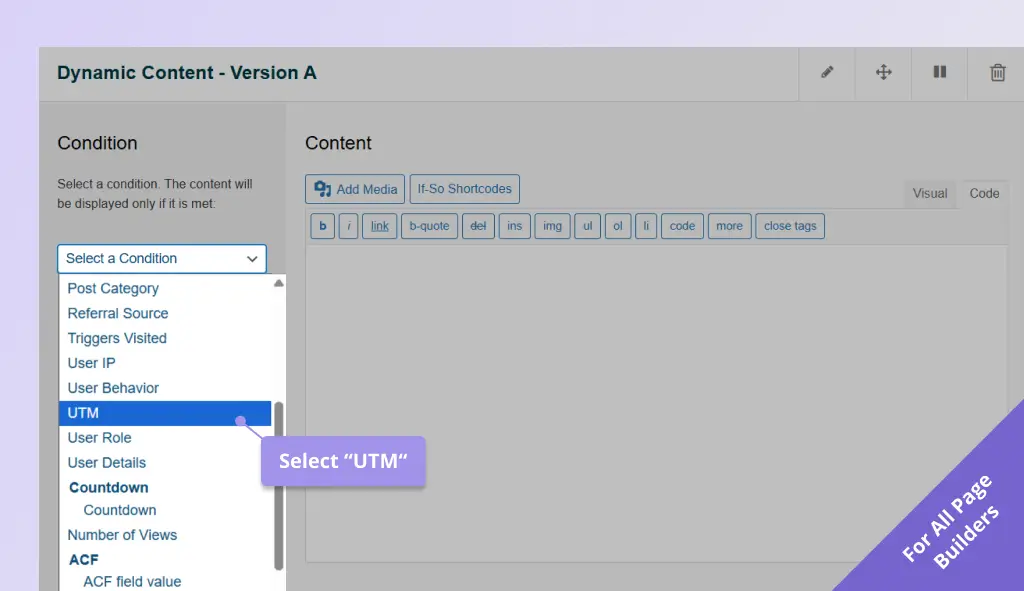
- Click on “Select a condition” and select UTM. Screenshot
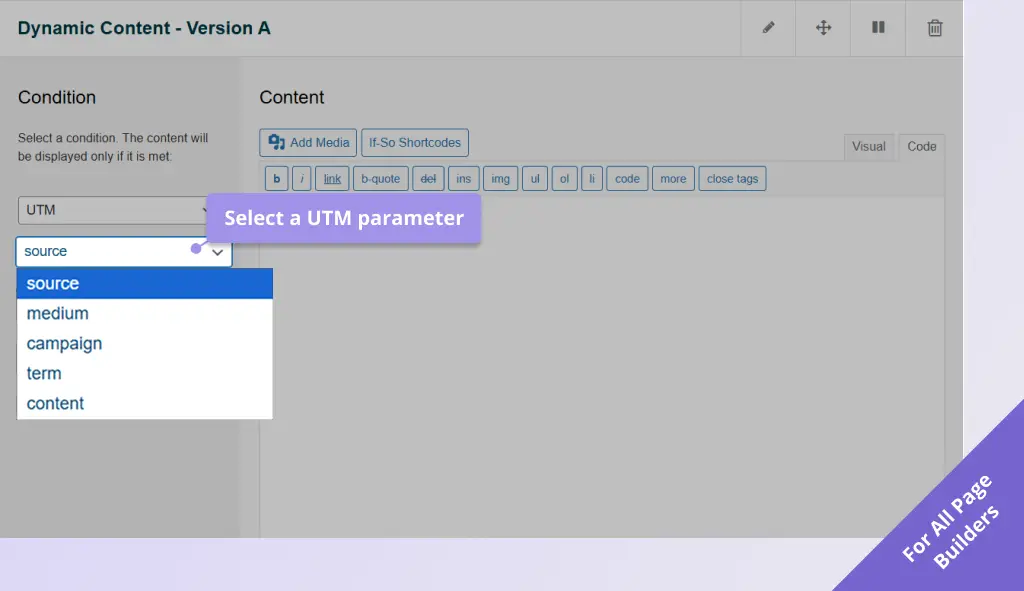
- Select the UTM parameter you want to target (Source, medium, campaign, etc.) Screenshot
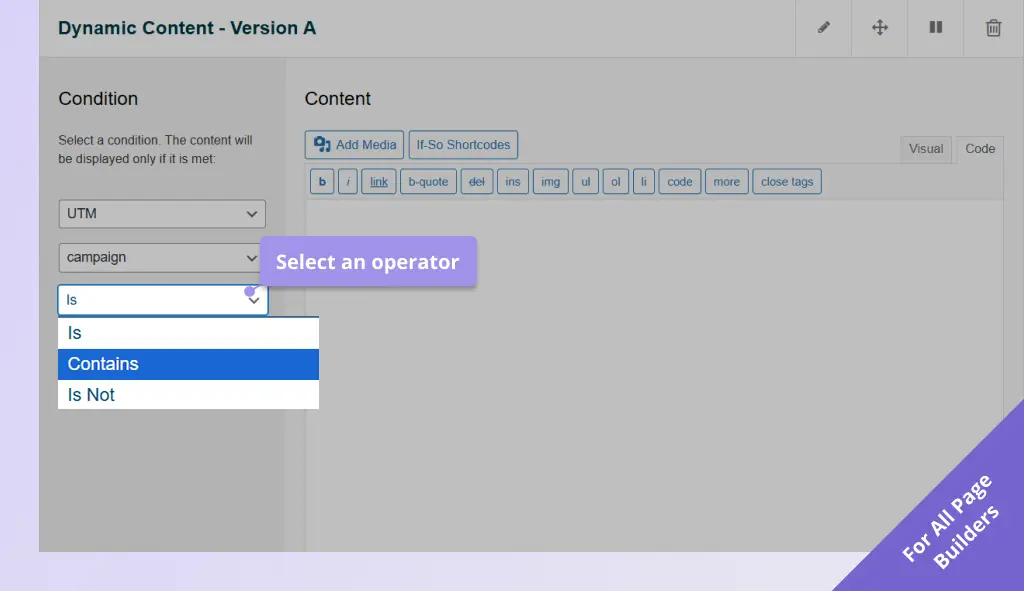
- Choose an operator: is / contains / is not. Screenshot
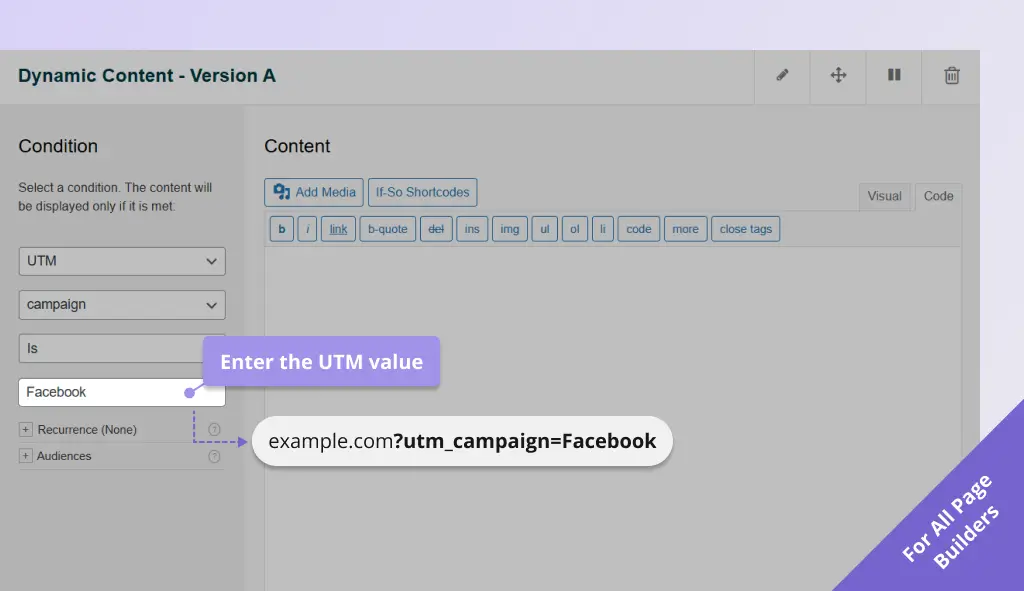
- Enter the UTM value (without the ‘=’ sign). Screenshot
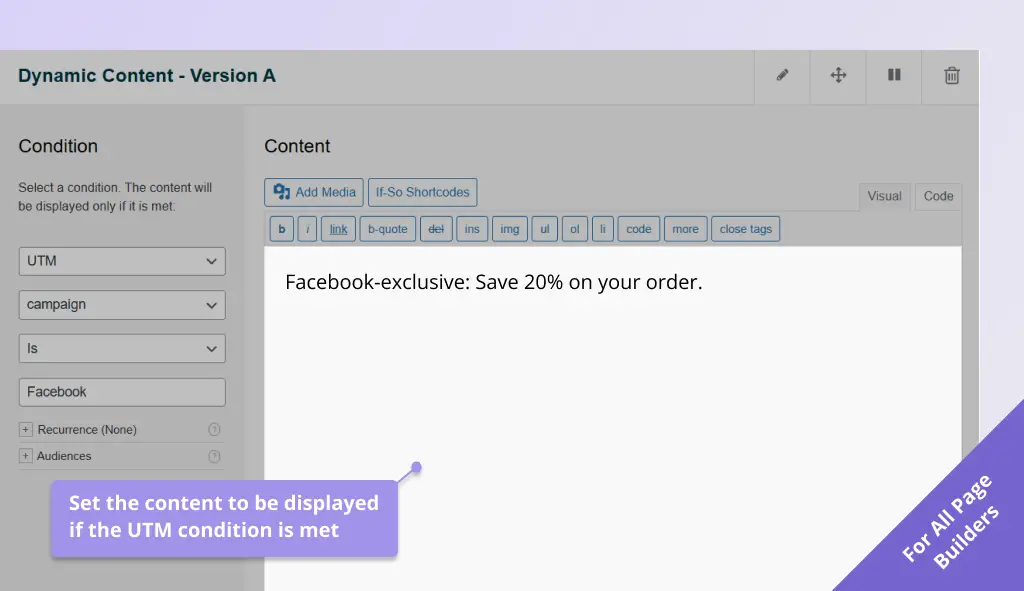
- In the content field, set the content to be displayed if the UTM condition you have set is met. Screenshot
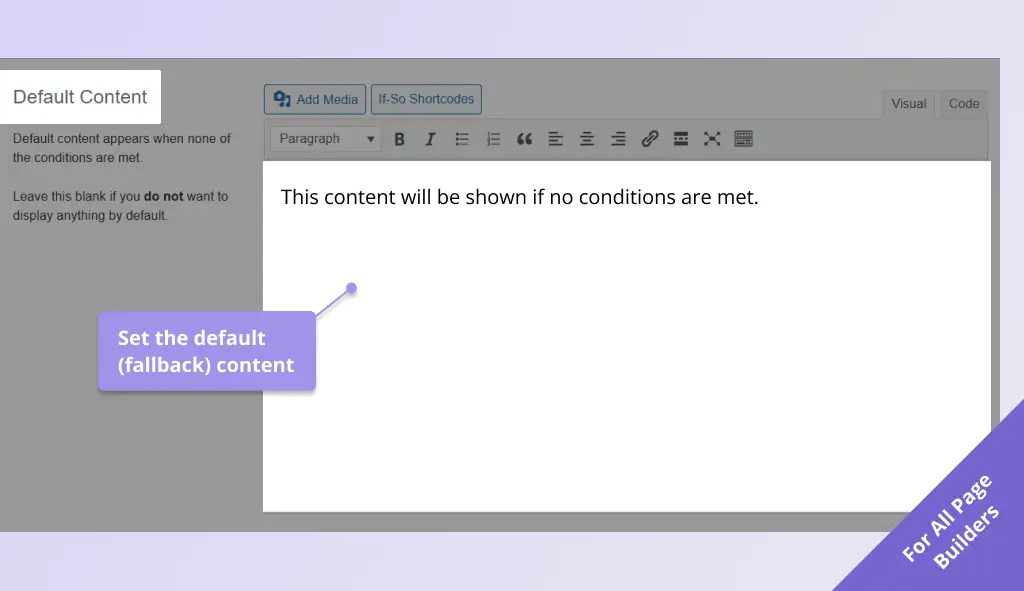
- In the default content field, set content to be displayed if the condition is not met (optional, can be left blank). Screenshot
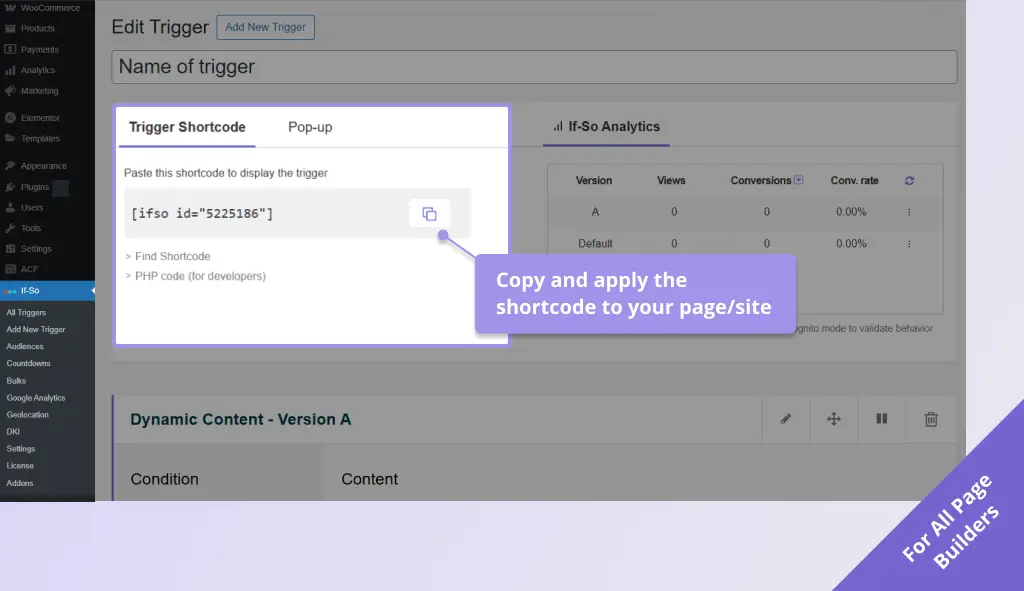
- Click Publish and paste the trigger shortcode generated by If-So into your website. Screenshot
- Download and activate the If-So Dynamic Content WordPress plugin and the Conditional Elementor elements integration.
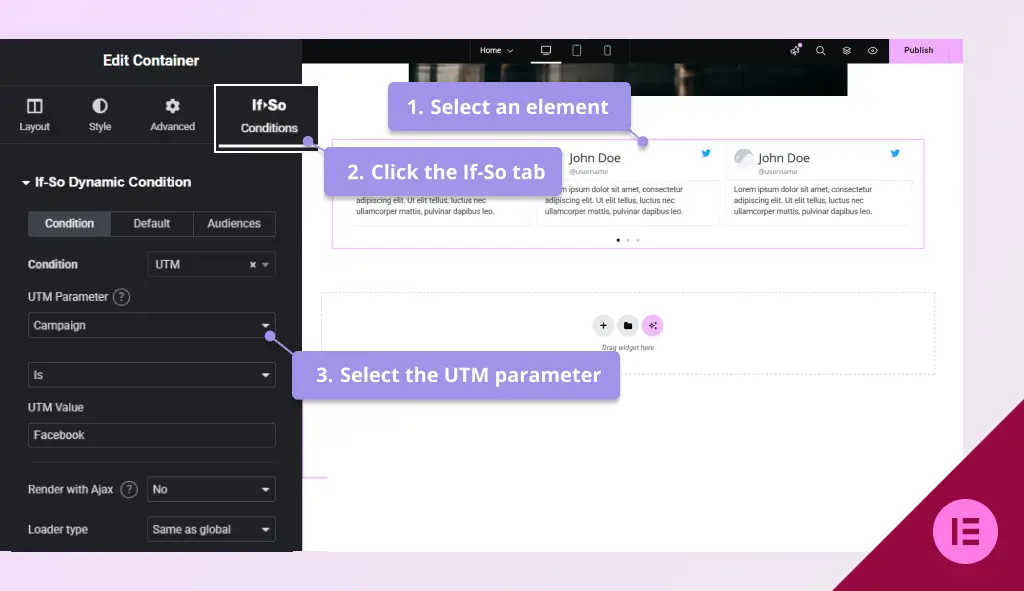
- In the Elementor editor, select the element you want to display based on a UTM parameter.
- In the element settings panel, go to the If-So tab.
- Choose the UTM condition and select the UTM parameter you want to target (Source, medium, campaign, etc.) Screenshot
- Choose an operator: is / contains / is not.
- Enter the UTM value (without the ‘=’ sign).
- Click Publish to save the page.
- Download and activate the If-So Dynamic Content WordPress plugin.
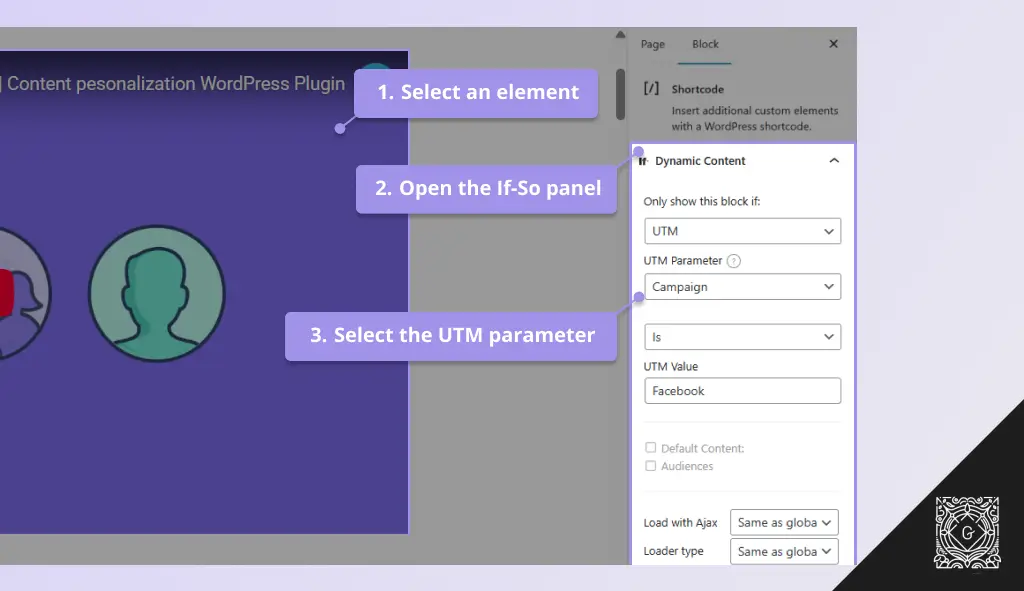
- In the Gutenberg editor, select the block you want to display based on a UTM parameter.
- In the block settings sidebar, open the If-So Conditions panel.
- Choose the UTM condition and select the UTM parameter you want to target (Source, medium, campaign, etc.) Screenshot
- Choose an operator: is / contains / is not.
- Enter the UTM value (without the ‘=’ sign).
- Click Update to save the page.
How to display UTM values dynamically with DKI shortcodes
In addition to targeting visitors based on UTM parameters, you can also display the actual UTM value inside your content using DKI shortcodes.
This is useful when you want your landing page to automatically match the exact campaign or ad variation the visitor clicked.
Example: Personalizing a landing page based on ad variation
Suppose you are running two Google Ads campaigns:
- One promoting Dog Food
- One promoting Cat Food
Both ads point to the same landing page, with different UTM values: ?utm_content=dog food and
?utm_content=cat food
On your landing page, you can insert the DKI shortcode directly into your headline:
Special offer on [ifsoDKI type="querystring" fallback="pet food" parameter="utm_content"]If a visitor arrives from the dog ad, they will see: “Special offer on dog food”, If they arrive from the cat ad, they will see: “Special offer on cat-food”/
This allows you to use one landing page while dynamically matching the message to each campaign or ad variation.
Screenshots