
The Cookie Condition
Add or remove cookies using shortcodes
If-So allows you to add, remove, or change a value of a cookie when users click a certain element or visit a certain page.
Add or remove a cookie with a text value
To add or remove a cookie with a text value when the user visits a page, simply paste the following shortcodes on the relevant page:
Adding a cookie
[ifso-add-cookie name='COOKIE_NAME' value='COOKIE_VALUE' time='3600']- Make sure to replace ‘COOKIE_NAME’ and ‘COOKIE_VALUE’ with a name and value of your choice.
- The time parameter controls the cookie expiration time (in seconds, 3600 sec = 1 hour; 86400 = 1 day).
Removing a cookie using a shortcode
[ifso-remove-cookie name='COOKIE_NAME']Replacing the value of an existing cookie
A cookie value will be replaced if a shortcode with a different cookie value is rendered.
Learn more about assigning a cookie using a shortcode.
Creating a cookie with an incrementing numeric value
Set a cookie with a name of your preference and a value of “1” when the visitor encounters the shortcode for the first instance.
Every subsequent encounter with the shortcode will result in the value incrementing by 1.
[ifso-add-cookie name='COOKIE_NAME' increment='yes' time='3600']- Make sure to replace ‘COOKIE_NAME’ and ‘COOKIE_VALUE’ with a name and value of your choice.
- The time parameter controls the cookie expiration time (in seconds, 3600 sec = 1 hour; 86400 = 1 day).
Add a cookie when the user clicks an element
To learn how to add a cookie on click using HTML, click here.
Assigning a cookie upon element click is an extra functionality added by our Trigger Events extension (download).
Adding a cookie on click is done using a wrapping shortcode. You can choose if you only want to add a cookie when users click the element, or if you also want to redirect them to a different page in addition.
[ifso_onclick_redirect clicks='1' cookie_name='hello' cookie_value='awesome' expires='3600' ]Click here to add a cookie[/ifso_onclick_redirect]Shortcode parameters:
clicks: The number of times the element should be clicked
cookie_name: The name of the cookie that will be created
cookie_value: The value of the cookie that will be created
expires: The cookie expiration in minutes
URL: Add a URL parameter to the shortcode to redirect users to a different page after clicking the element (in addition to adding the cookie).
[ifso_onclick_redirect url='https://example.com' clicks='3' cookie_name='hello' cookie_value='world' expires='3600' ]Click here 3 times to see the result[/ifso_onclick_redirect]Displaying dynamic content based on a browser session
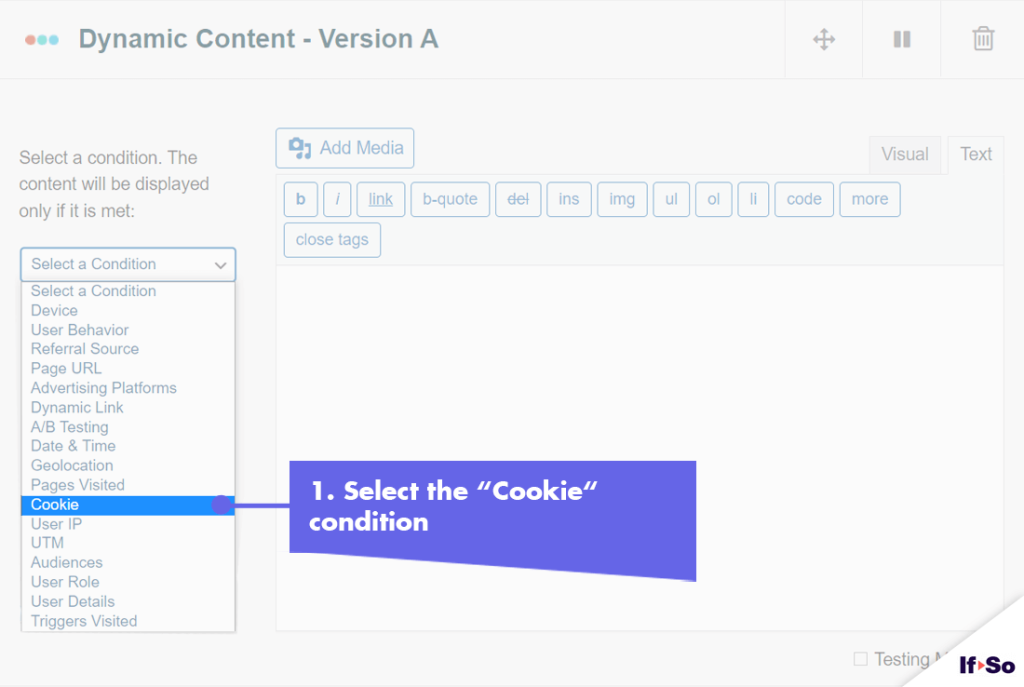
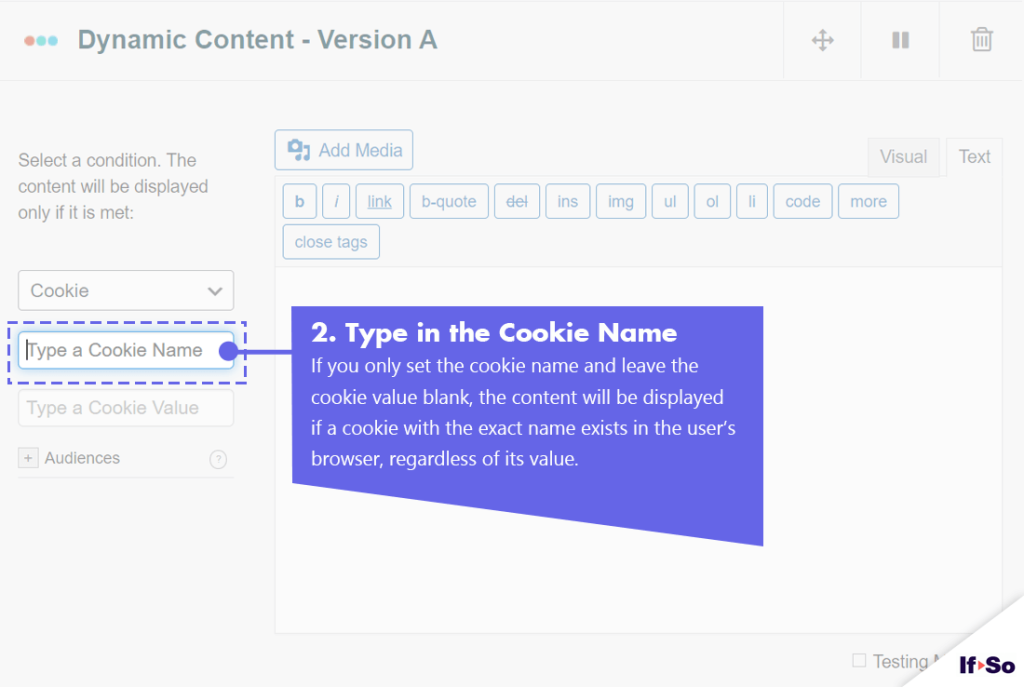
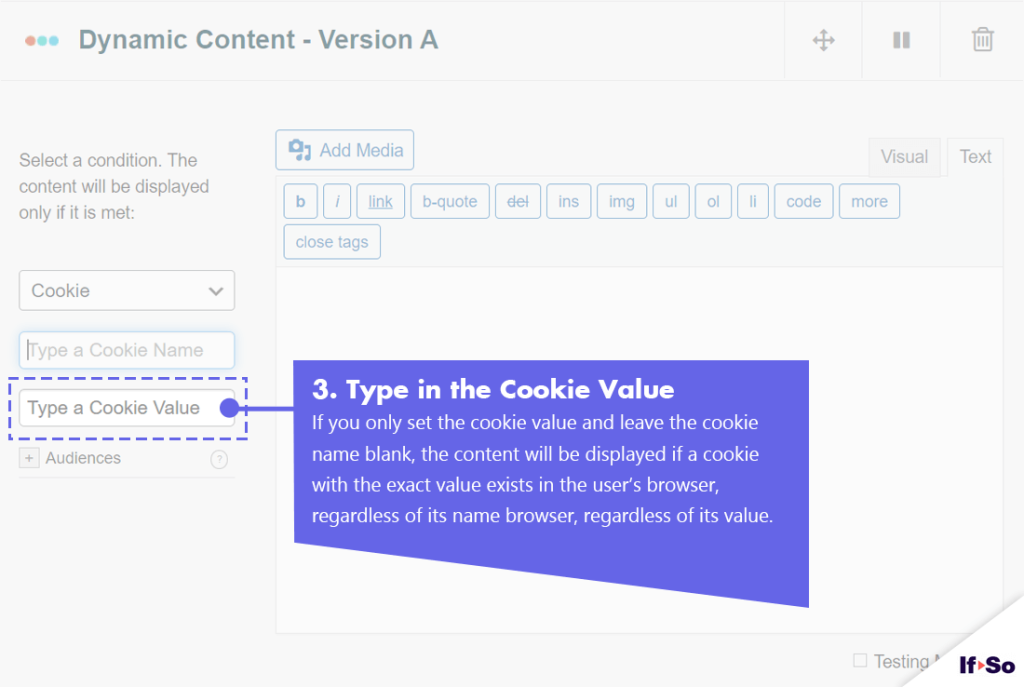
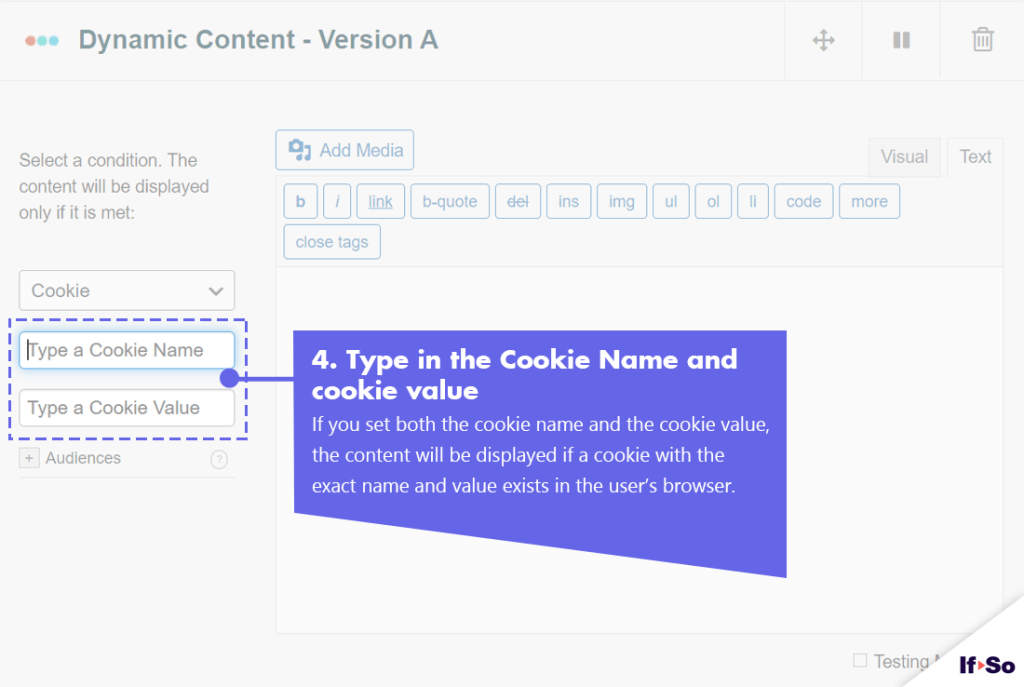
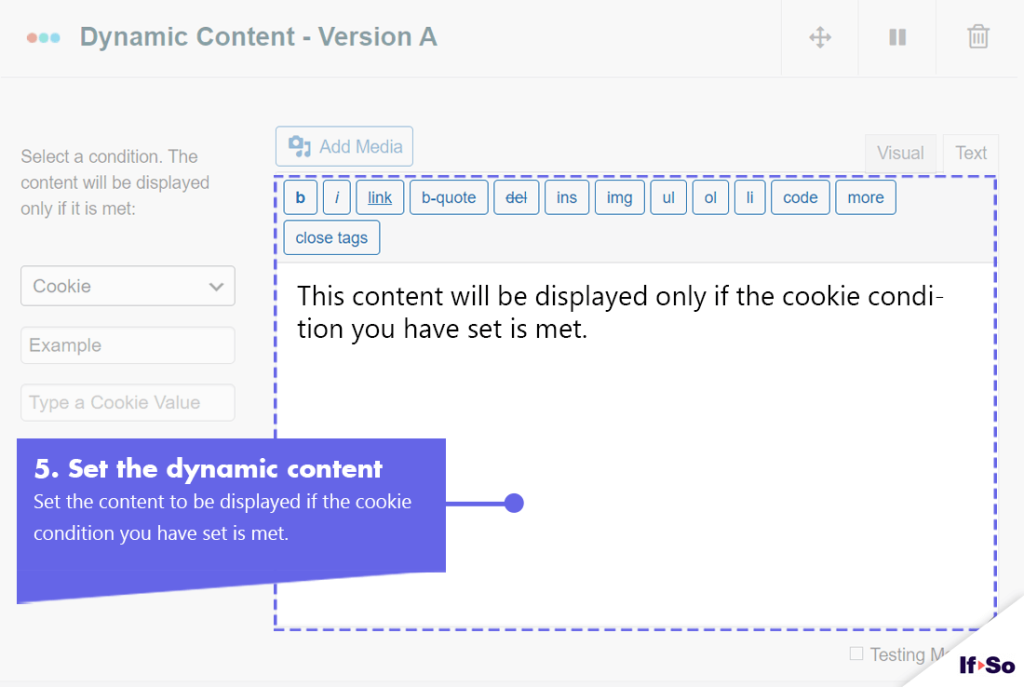
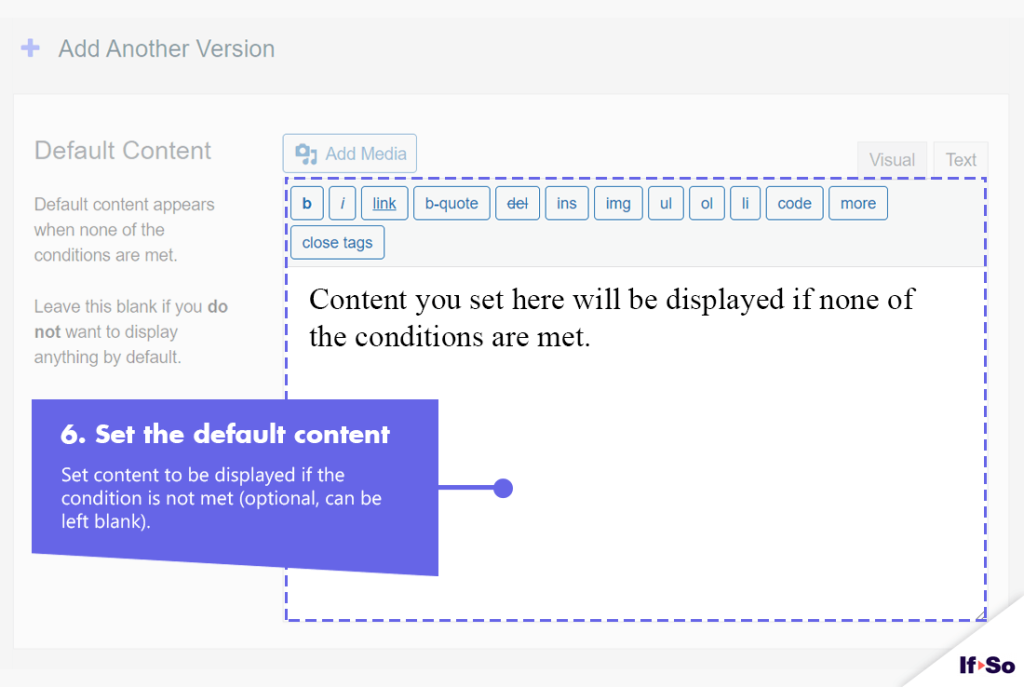
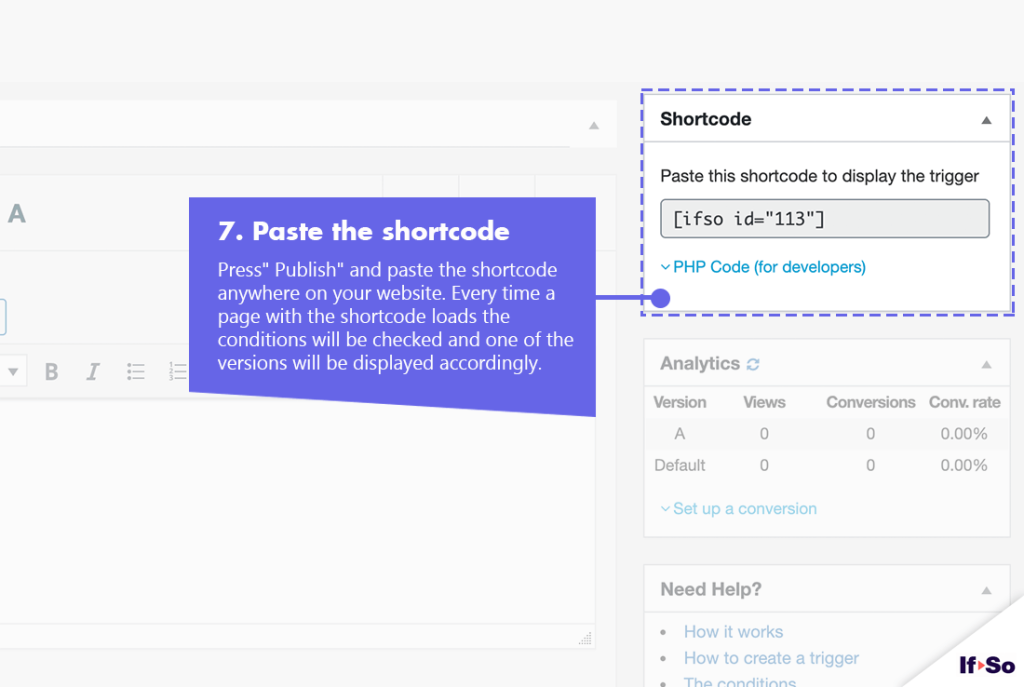
The exact same logic described for the cookie condition applies if you want to display content based on a browser session (Simply select “Session” instead of “Cookie” when you set up the condition).
Screenshots
FAQs
- How can I add a cookie on click using HTML?
The following code creates a button that adds a cookie with the name ‘test-cookie-on click’ and the value ‘clicked’ when clicked.
This code can be applied to any HTML element.
The cookie duration in this code is 307584000000 seconds (365 days). Feel free to change the value to fit your requirements.
<button onclick="
  let cookieName = 'test-cookie-on click'
  let cookieValue = 'clicked'
  let cookieExpireTime = 307584000000

  setCookie(cookieName, cookieValue, cookieExpireTime)

  function setCookie(name,value,time) {
    var expires = ''
    if (time) {
      var date = new Date()
      date.setTime(date.getTime() + time)
      expires = '; expires=' + date.toUTCString()
    }
    document.cookie = name + '=' + (value || '')  + expires + '; path=/'
  }
">
  Add a Cookie
</button>
Result: